LinkedIn conversion tracking pixel

Changelog

New features, improvements, and fixes in Lasso.

Catalog closer to your store — and dozens of improvements across Lasso

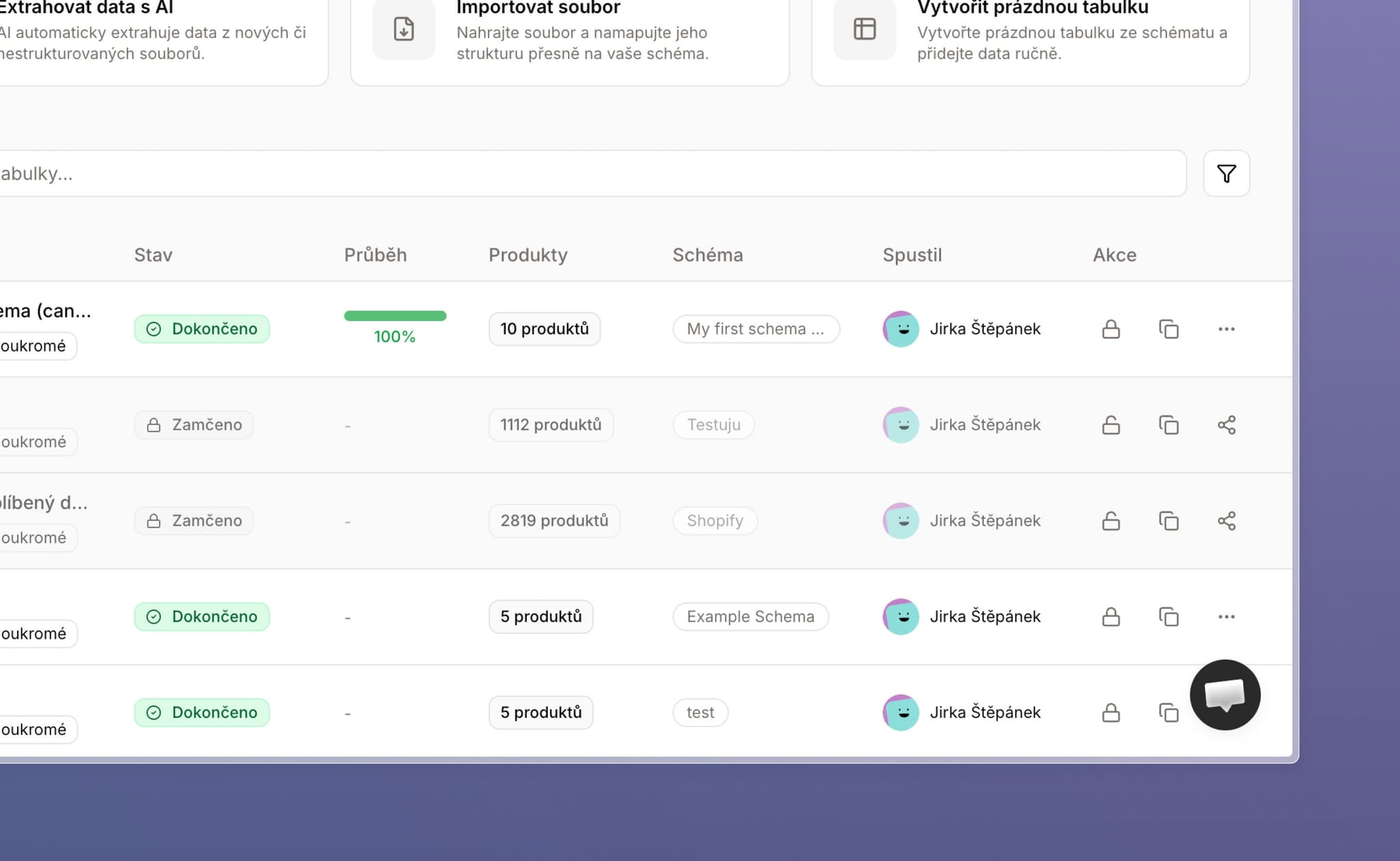
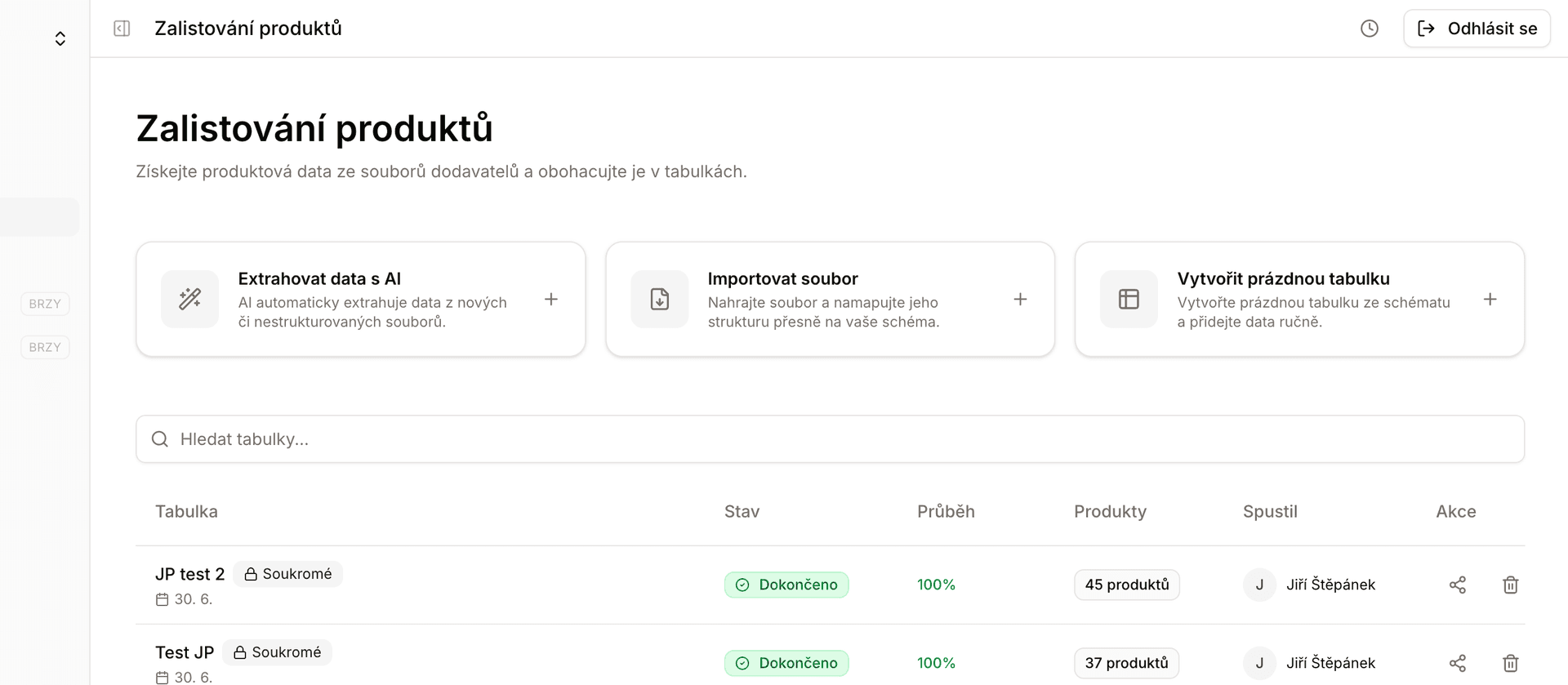
Product listing overview with locked and completed tables side by side

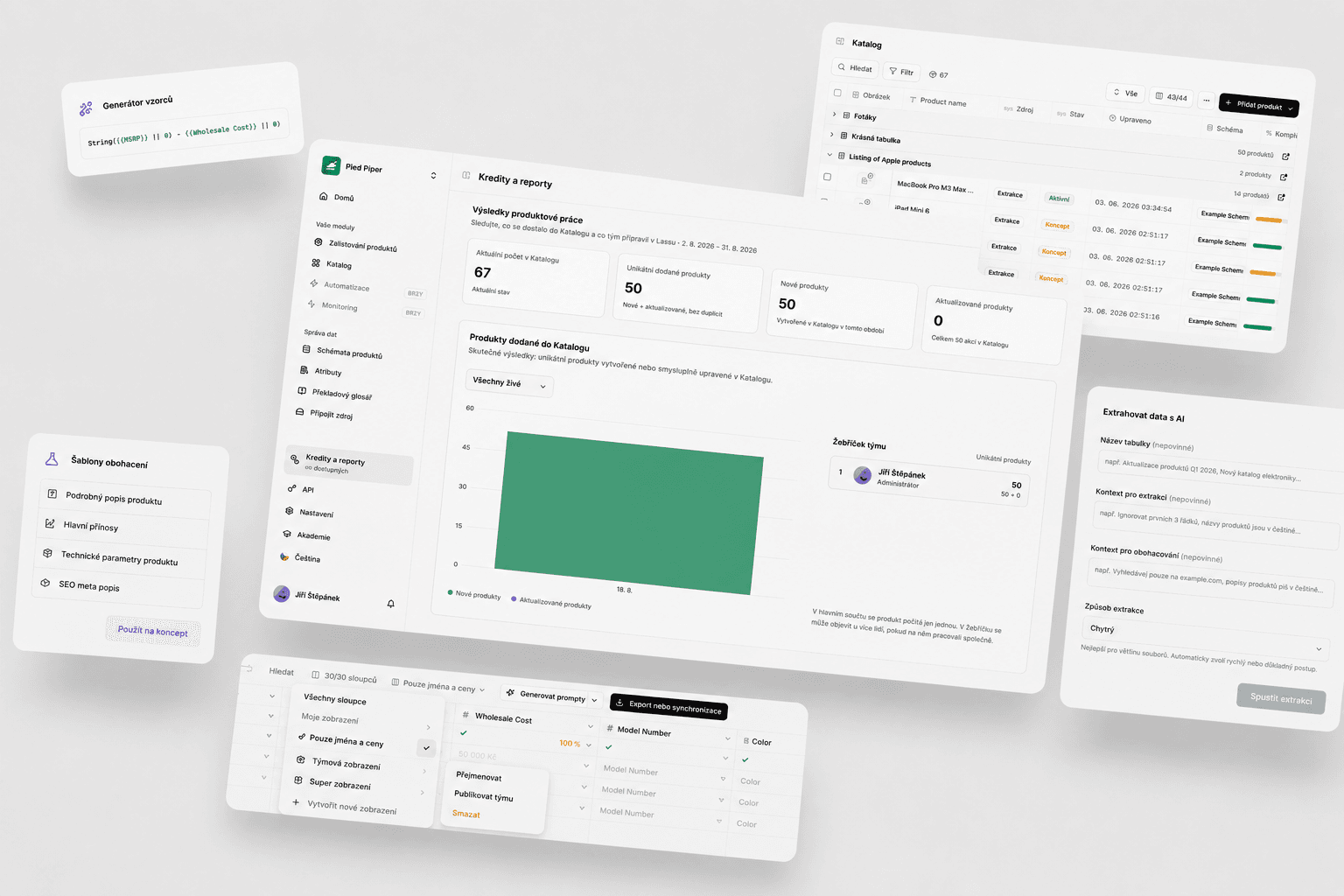
This week we shipped a lot of tweaks and finishing touches that complement what Lasso already does. Catalog moved the most, table locking is here, format attributes finally have their own output format, and you can now move schemas and attributes through Excel. Under the hood, Lasso also runs on new hardware. Plus dozens of other things.


Catalog

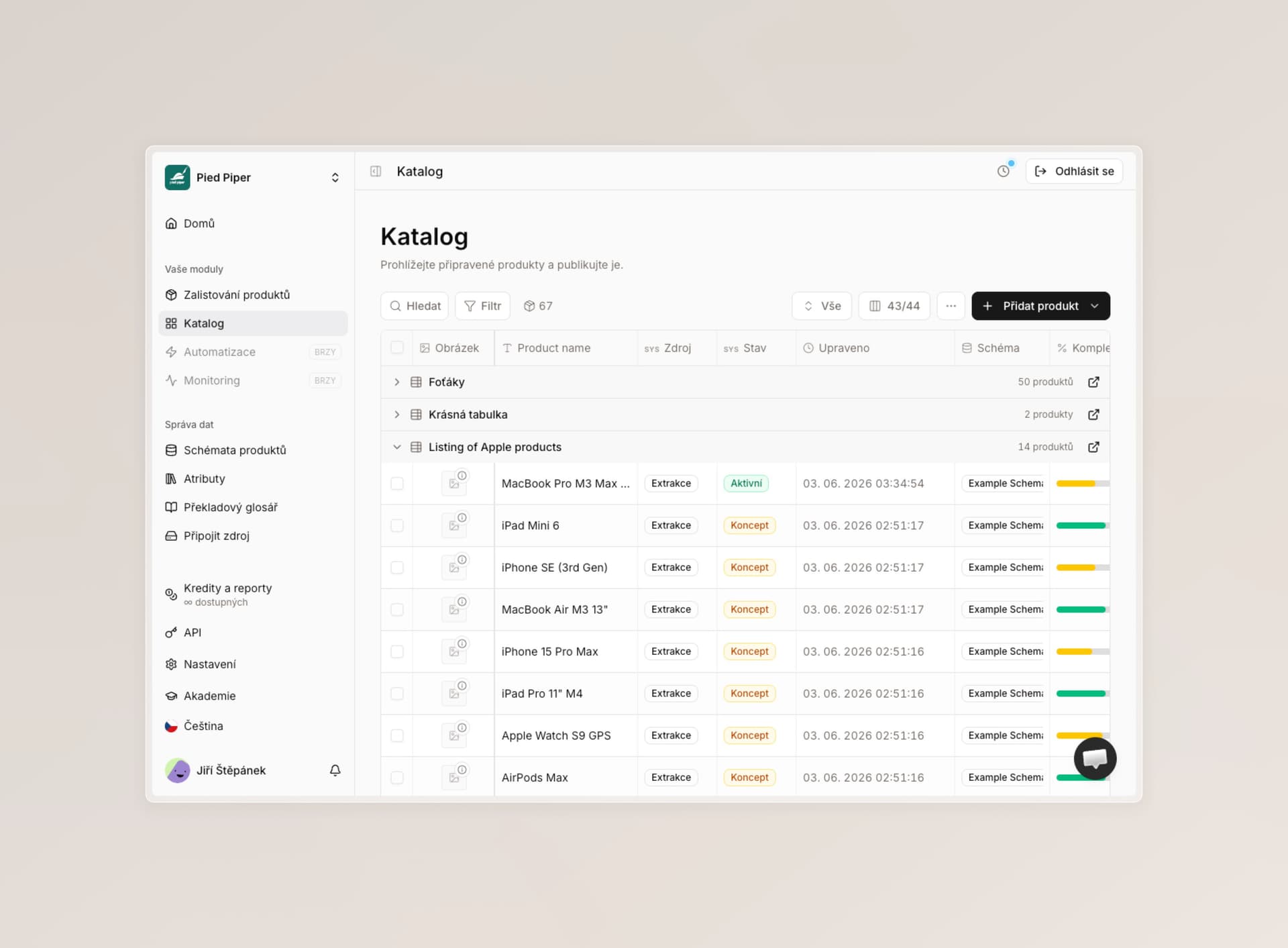
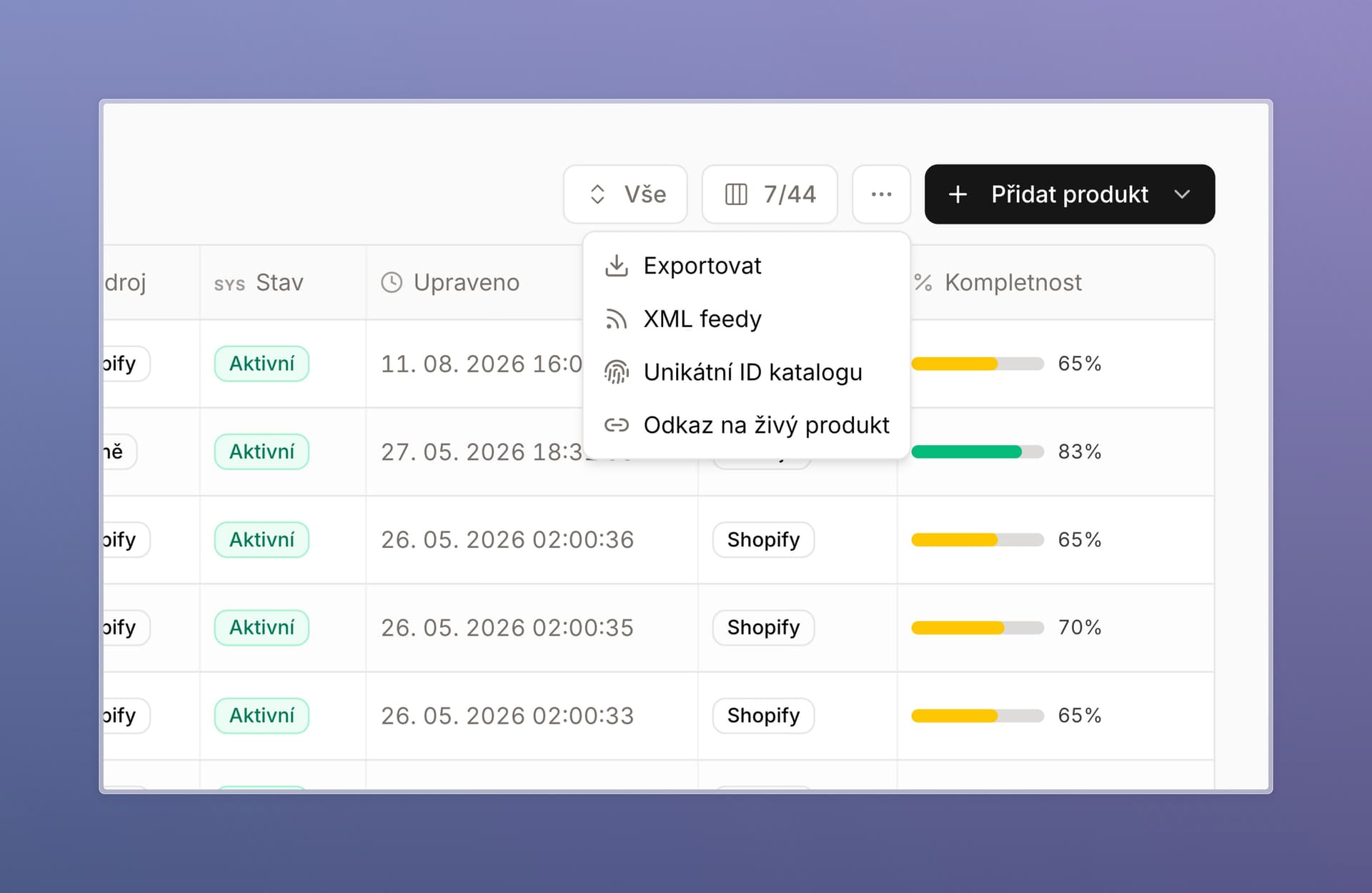
Links to the live product on your store. Click in Lasso and land on your shop. Anyone on the team can immediately see how the product actually looks.

  • Settings live under the three-dot button in the catalog. Usually it is enough to paste a sample URL from your store or staging environment and describe it a little — our AI sets up the rest.
  • Draft (unpublished products) and Active (live published products) each get their own link.
  • If you need help with the setup, let us know and we will walk through it with you.

Unique catalog ID. You can now choose which attribute is unique in your ERP or store. Catalog deduplication and sync follow that field — you cannot have two products with the same EAN or SAP ID. The same rule applies to the API. You set it from the three-dot button as well.

Filter attributes by language. Each attribute can optionally have a language. Teammates who own a market other than Czech can then switch the catalog to products in their language in one click. It works with saved catalog views, so everyone can keep their own setup. We also wired the same parameter much more tightly into enrichment itself.

Other catalog changes:

  • Format attributes can now be edited in the catalog and display in the correct type.
  • You can import a whole table straight from the catalog — no need to go elsewhere to click sync.
  • In product detail, fields expand to full width while you edit, so everything fits.

Catalog three-dot menu with live product link and unique catalog ID


Table locking

We added a feature you have been asking for: lock a table you no longer plan to work in.

  • You can lock it right after export or sync to the catalog, or anytime later from the menu or table settings.
  • Nobody can edit a locked table (duplicating still works), and it looks different on the home page. At a glance you can tell what is still in progress and what is done.

Format attributes now have their own output format

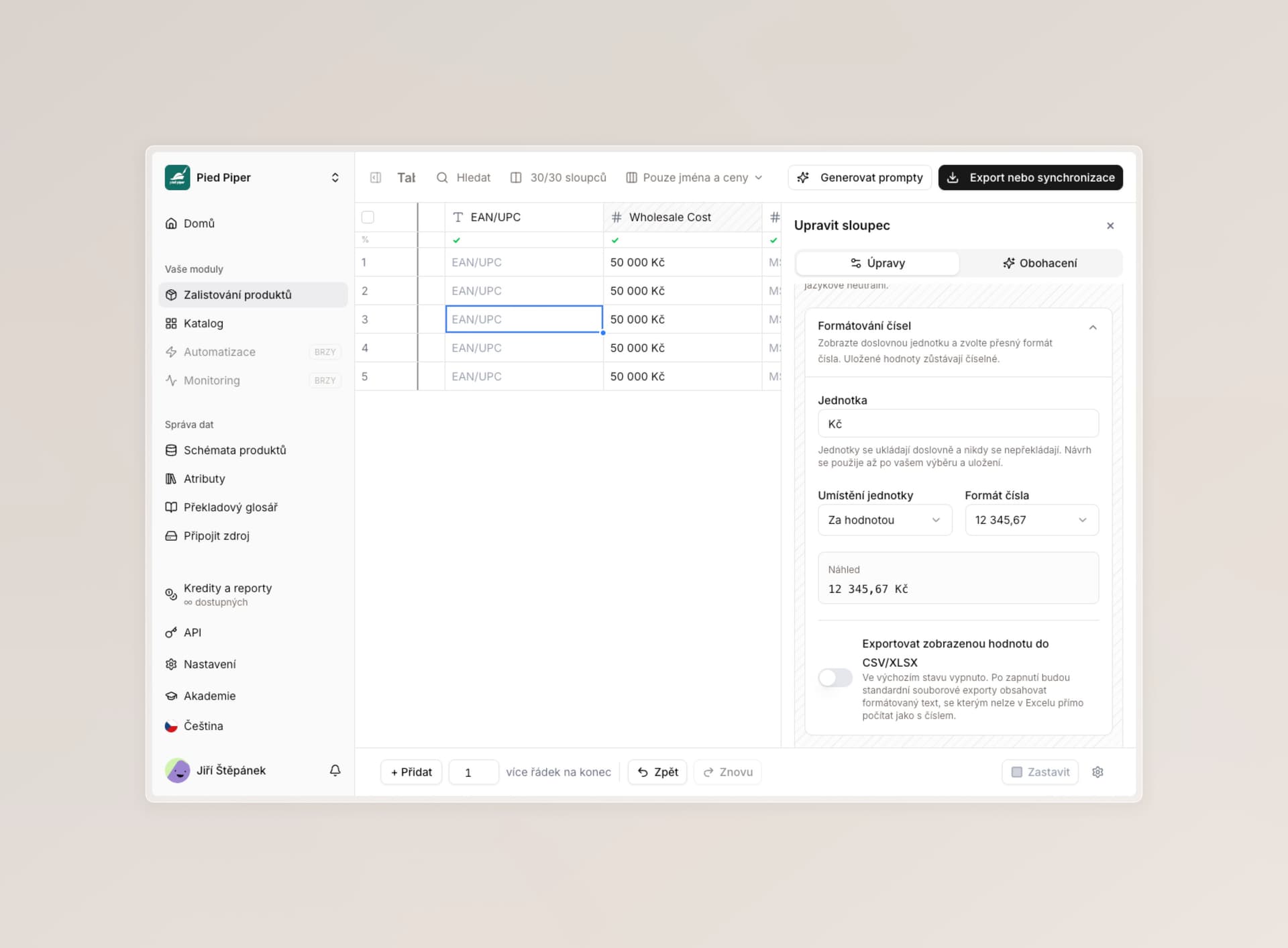
Historically, every value from a format attribute was stored in Excel exports and API output as text. You can now set the correct output format — number, true/false, rich text, and more.

  • Tables make it clear what the value is, and rich text renders as HTML.
  • In the catalog you can treat the value like a regular attribute and fine-tune it as needed.
  • If you use our API integration, the format field ships in that specific format there too — same as Excel, CSV, and other exports.
  • We also turned off overwriting values in the format column on extraction tables. It does not make sense for someone to overwrite a deterministically written definition. You can still copy values into another helper column and edit them there.

We are still working on the format column and have big plans for it.


Schemas

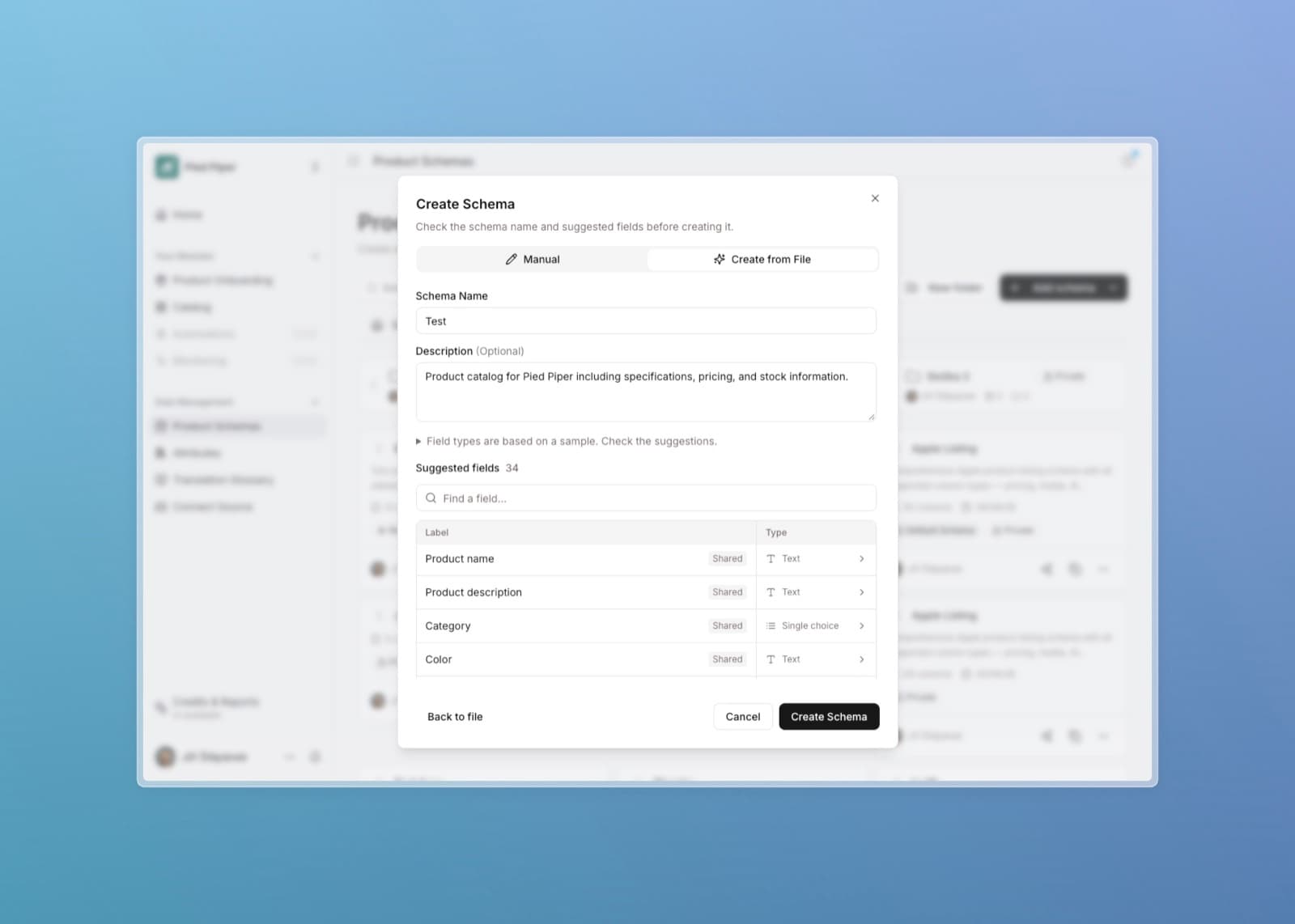
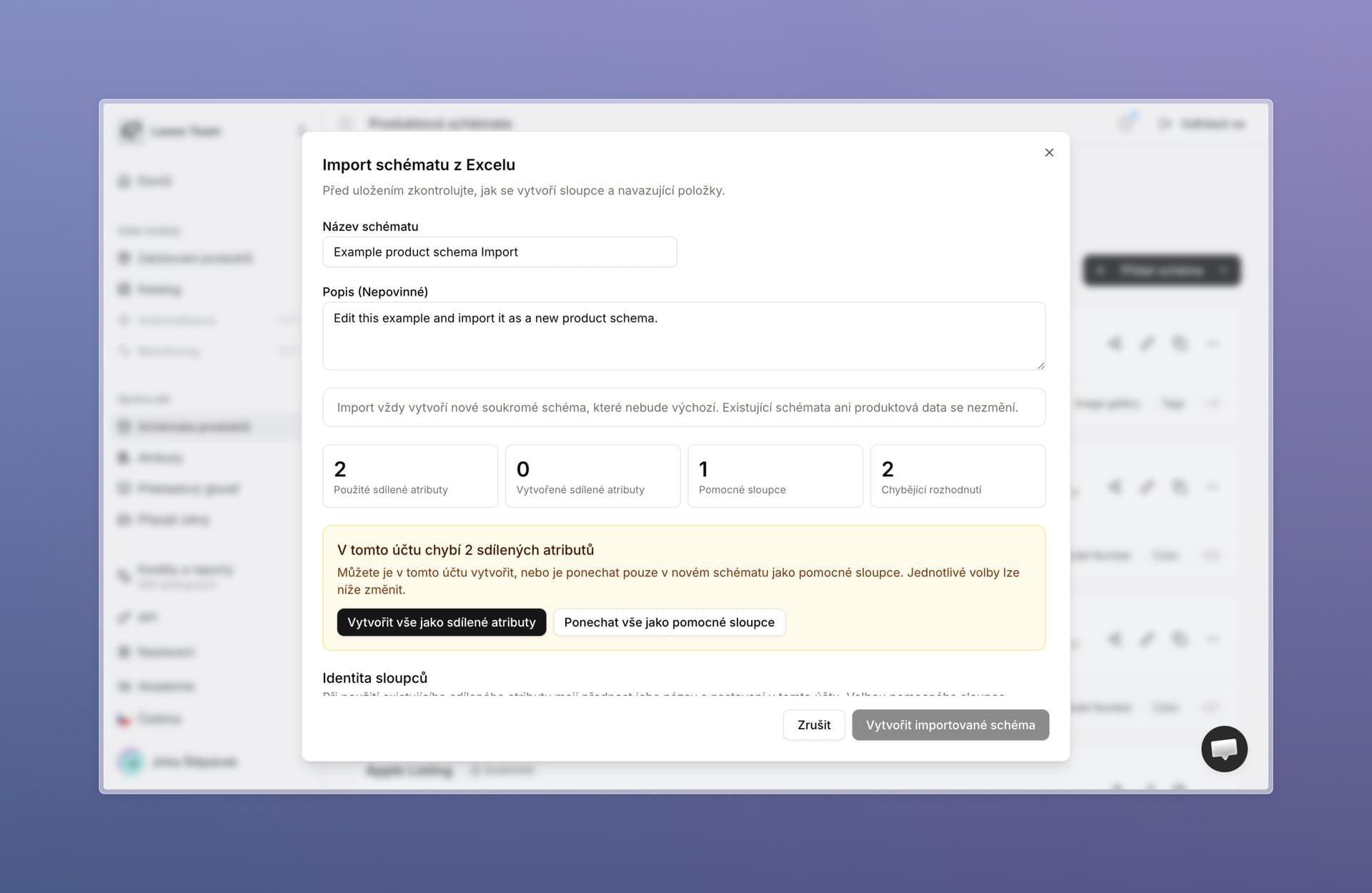
Excel export and import. You can now export schemas to Excel and import them back.

  • Especially useful for administrators who want to upload a larger number of schemas into Lasso by hand, without an ERP integration.
  • Schemas are easy to share, import from other companies, or keep on your own disk. A Lasso template is included, with the format described.
  • Note: very old schemas do not have this feature enabled yet. If it does not work for you, write to us and we will gladly convert them to the new format.

Import a schema from Excel with a review of columns and shared attributes

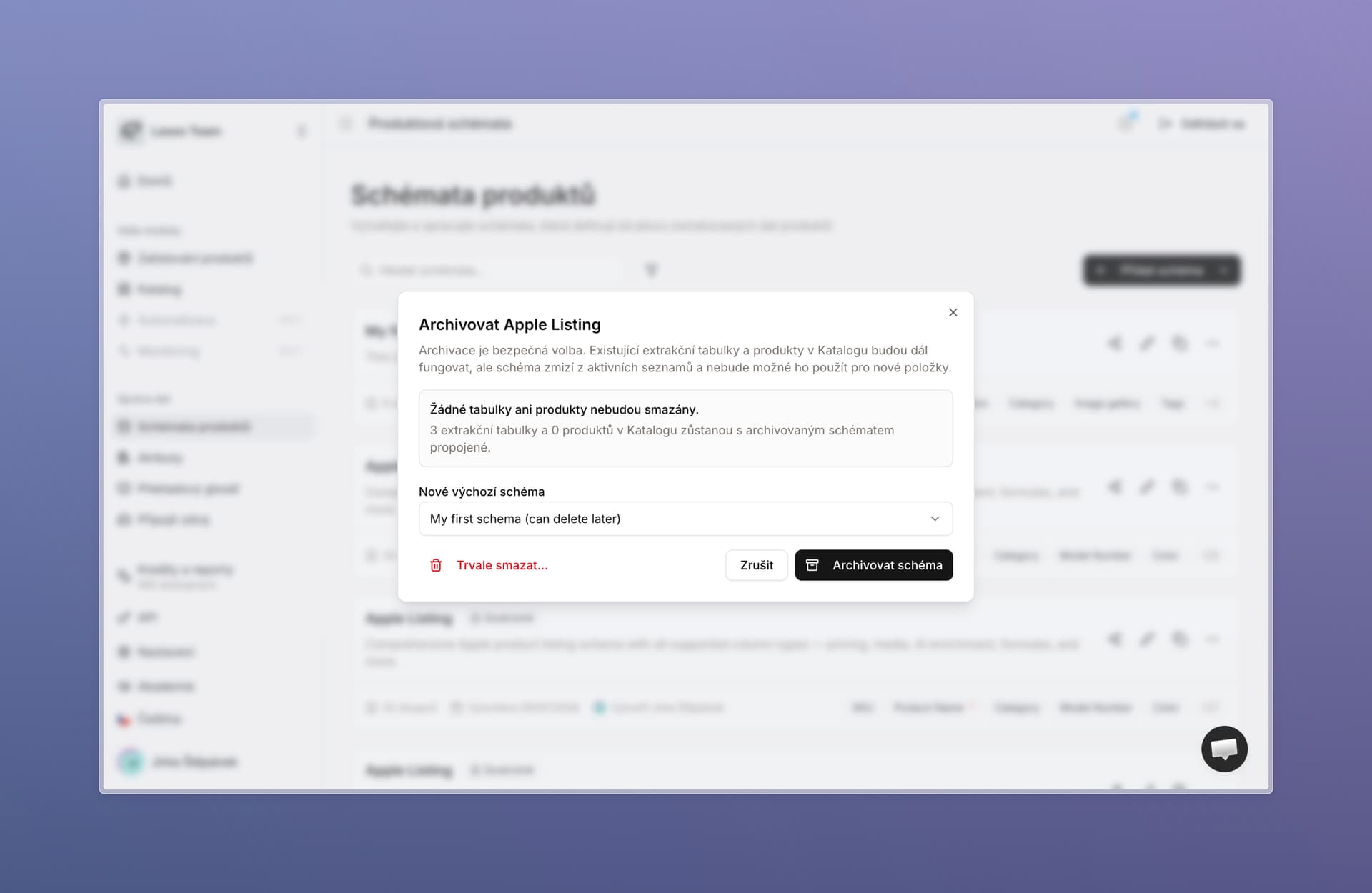
Schema archiving. Previously you could only delete a schema, which is a fairly destructive step — it could later show up in reverse sync with tables or the catalog. Archiving is safer: the schema disappears from every picker, but all linked features and products stay intact. And if you change your mind, you can unarchive it.

Archive a schema without deleting linked tables and products

Working with schemas is snappier. The page often refreshed out of nowhere while you edited a schema — adding columns or changing order. Everything now happens in the background, just like extraction tables.

Promoting a helper column to a shared attribute is less strict. When that operation hits a conflict, we let you choose how to resolve it. It is also easier to convert a helper column that was previously archived. We reworked the whole flow so a regular non-technical user can handle it.

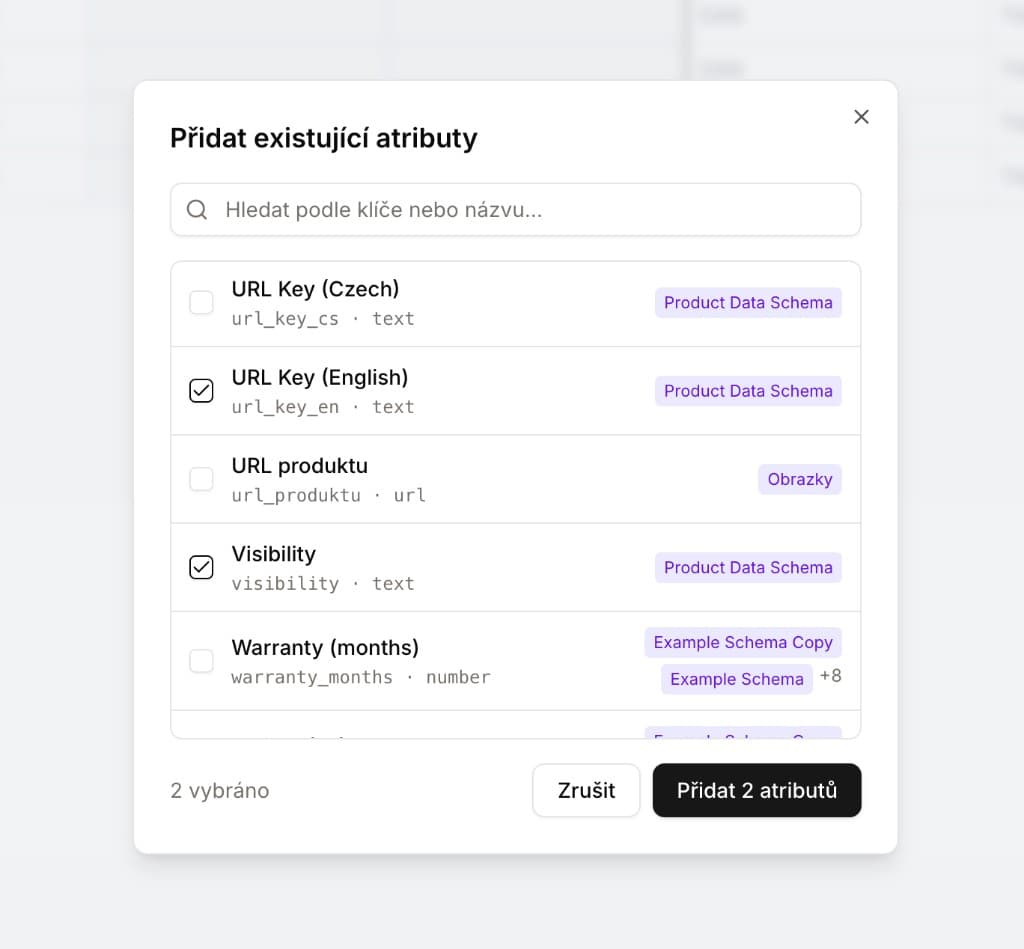
Faster adding of existing attributes. We rebuilt the “add existing attributes” modal in schema settings and extraction tables and made it much faster — search stays snappy even when your company has thousands of attributes.


Attributes

  • Bulk attribute import. More of an admin feature, but useful if you do not want an ERP integration and want to upload attributes at scale yourself. It works like schemas — we have a template you upload through. Import handles duplicates and things that would not make sense after upload, so it is safe and you make every decision directly in Lasso.
  • Filter by schemas. In attributes you can now filter which schemas use a given shared attribute.
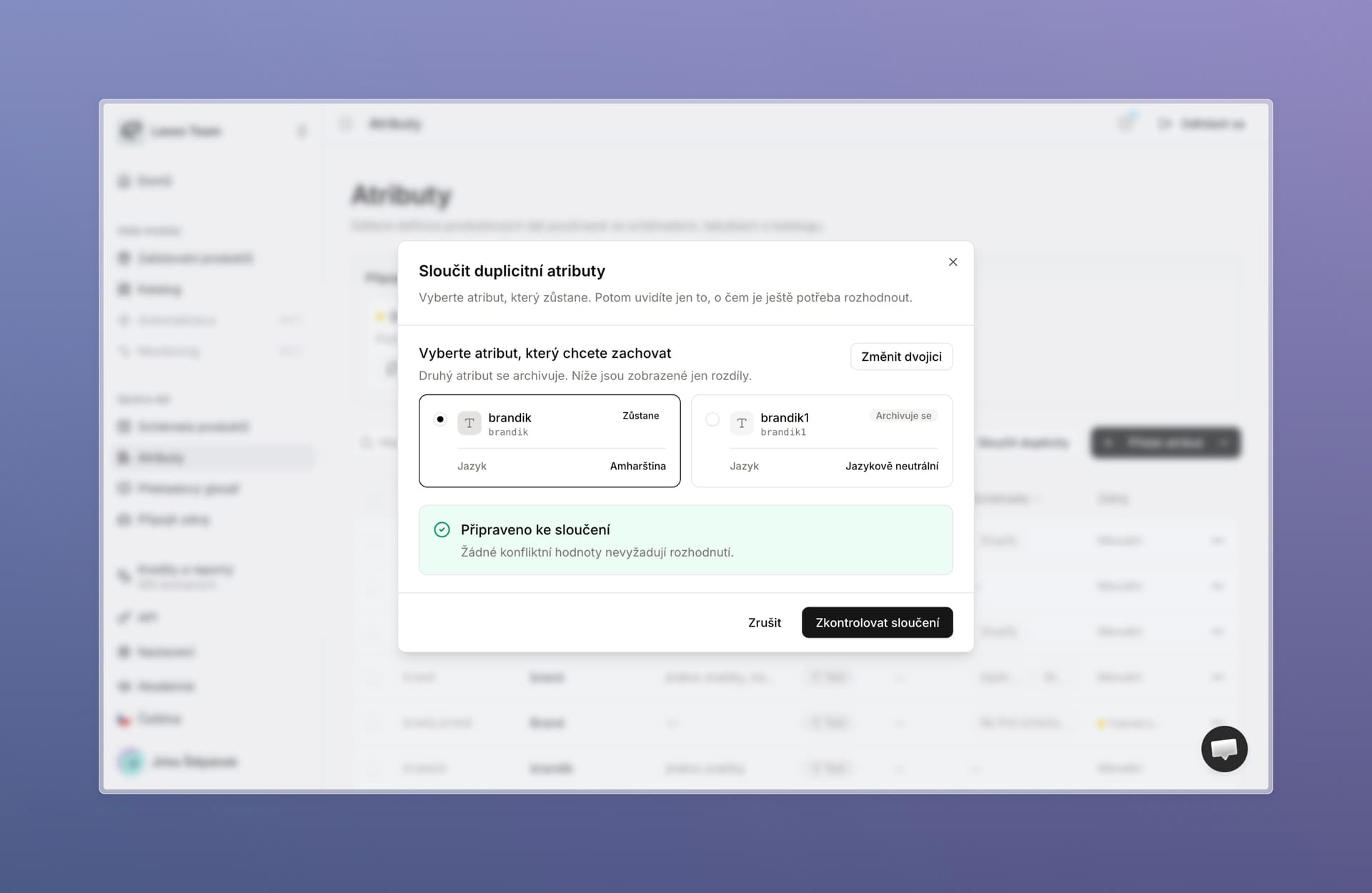
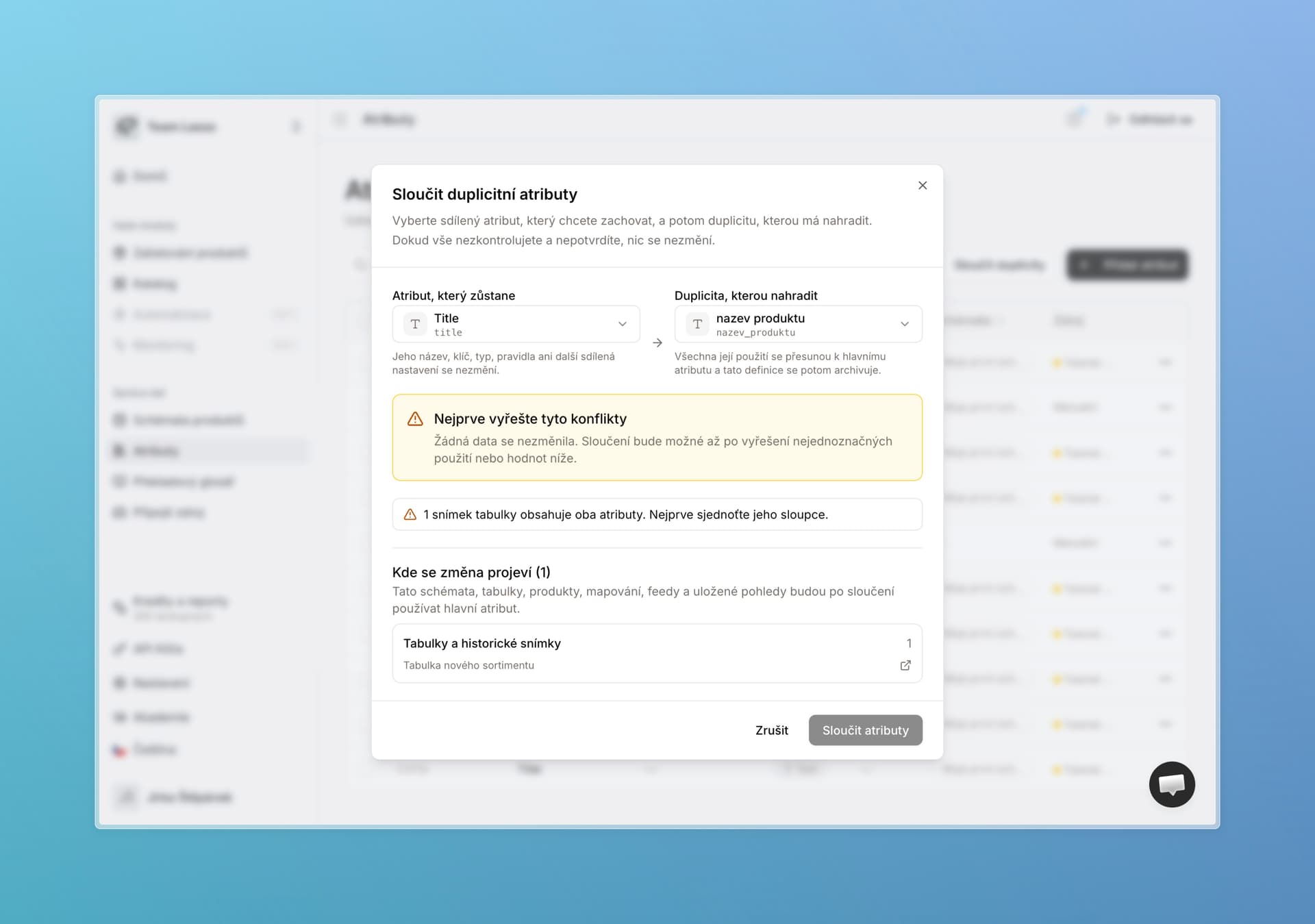
  • Attribute deduplication fully reworked. It works better, supports all the new changes, and a non-technical user can find their way around it. We also added recommendations for what could be deduplicated.

Merge duplicate attributes and choose which one remains


Extraction

  • Did an extraction from a file fail and force you to set everything up again? That is over — there is now a button to simply rerun extraction.
  • We are investing a lot in extraction and speeding up the whole system. This is not the only thing coming.

Prompt generation

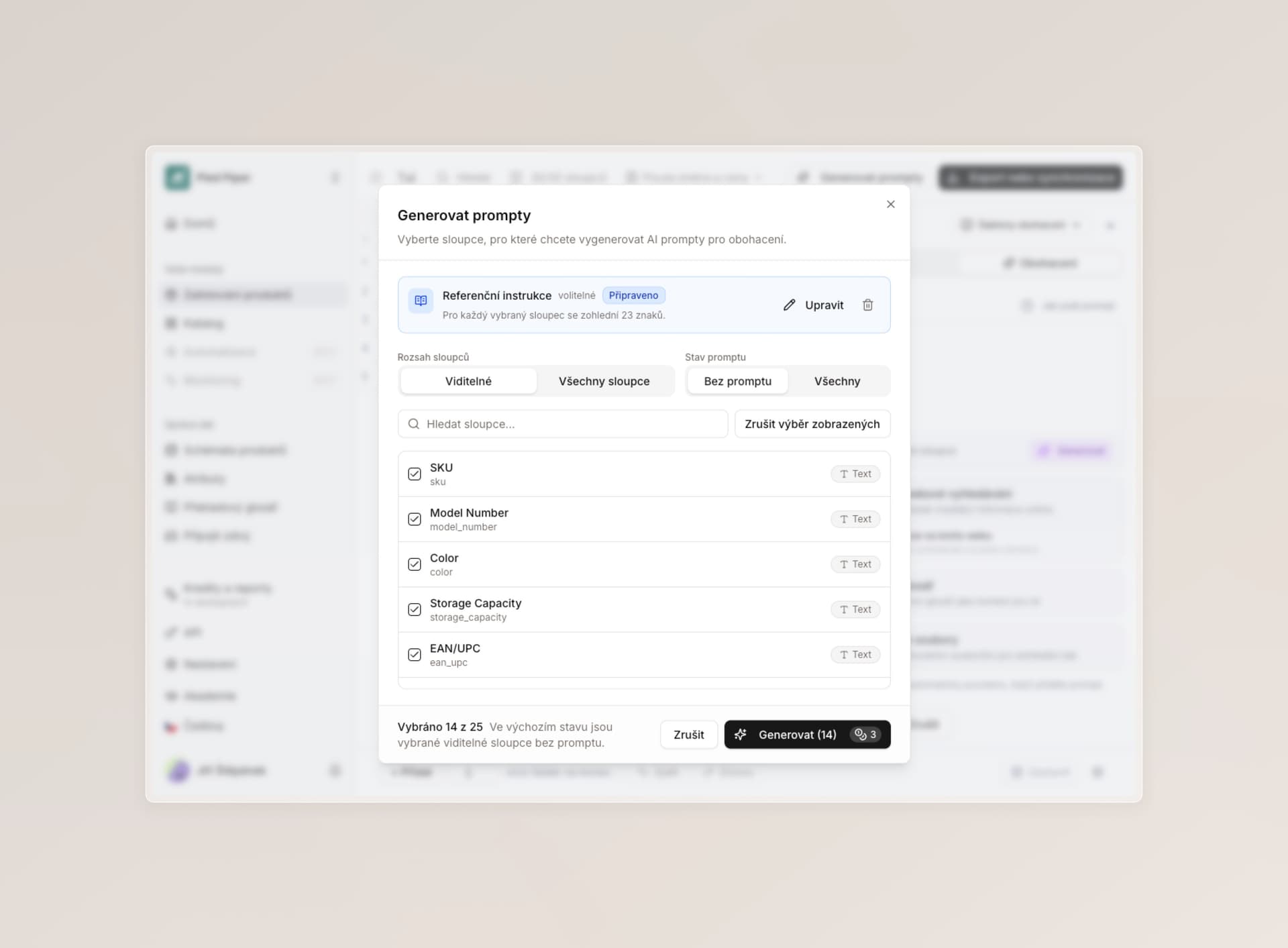
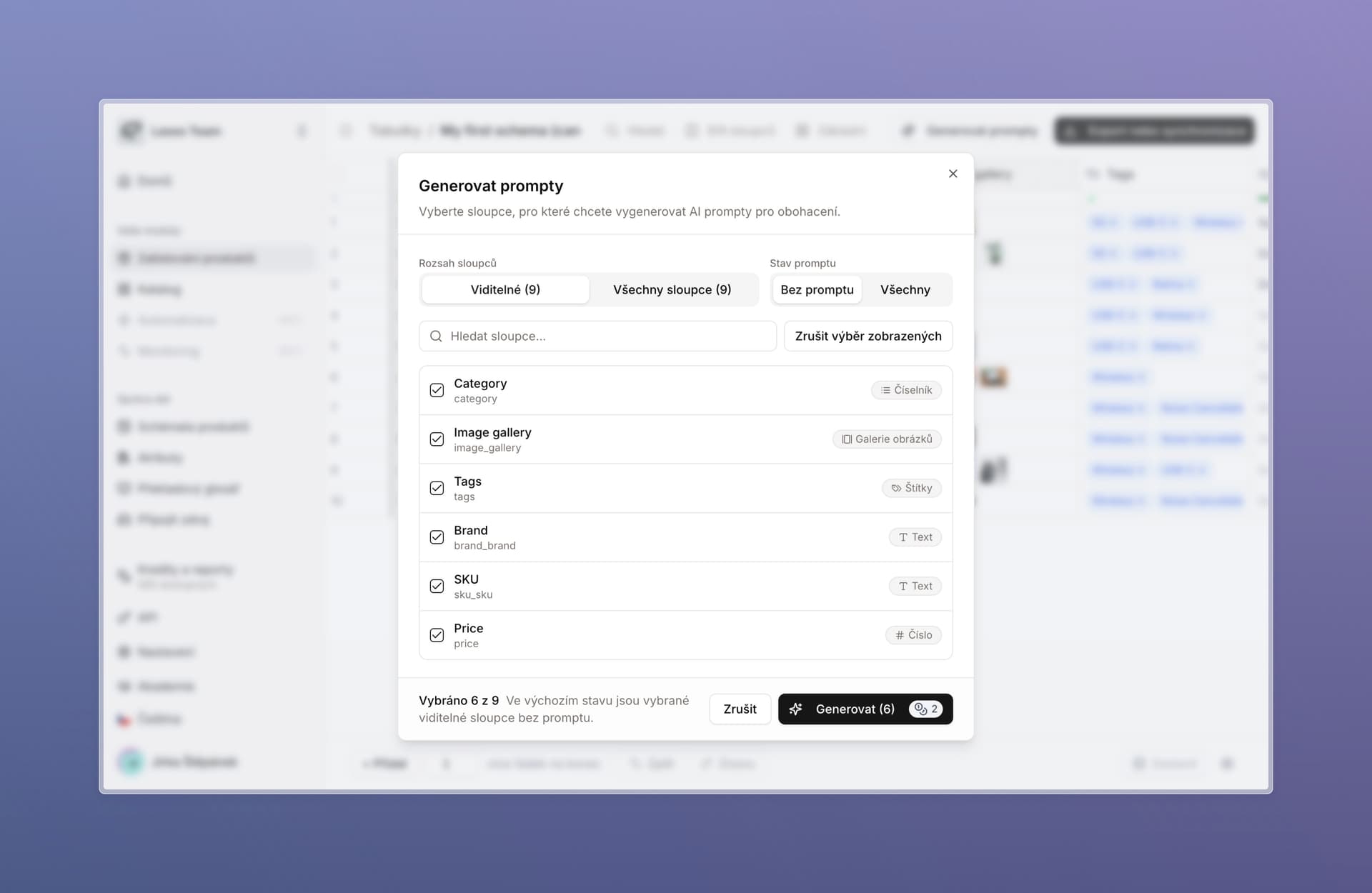
  • We sped the feature up and cleaned it visually and functionally — it is clearer and easier to follow.
  • You can now pick exactly which columns should get prompts, and edit them all together in one overview that also supports links.
  • We also improved credit refunds if generation fails for any reason.

Generate AI prompts with column selection for enrichment


User permissions and security

  • A user can now turn on visibility into all tables and schemas for themselves only if they are also allowed to invite other users to the company. Anyone without that permission needs someone who already manages users to grant visibility. This is purely a security tightening.
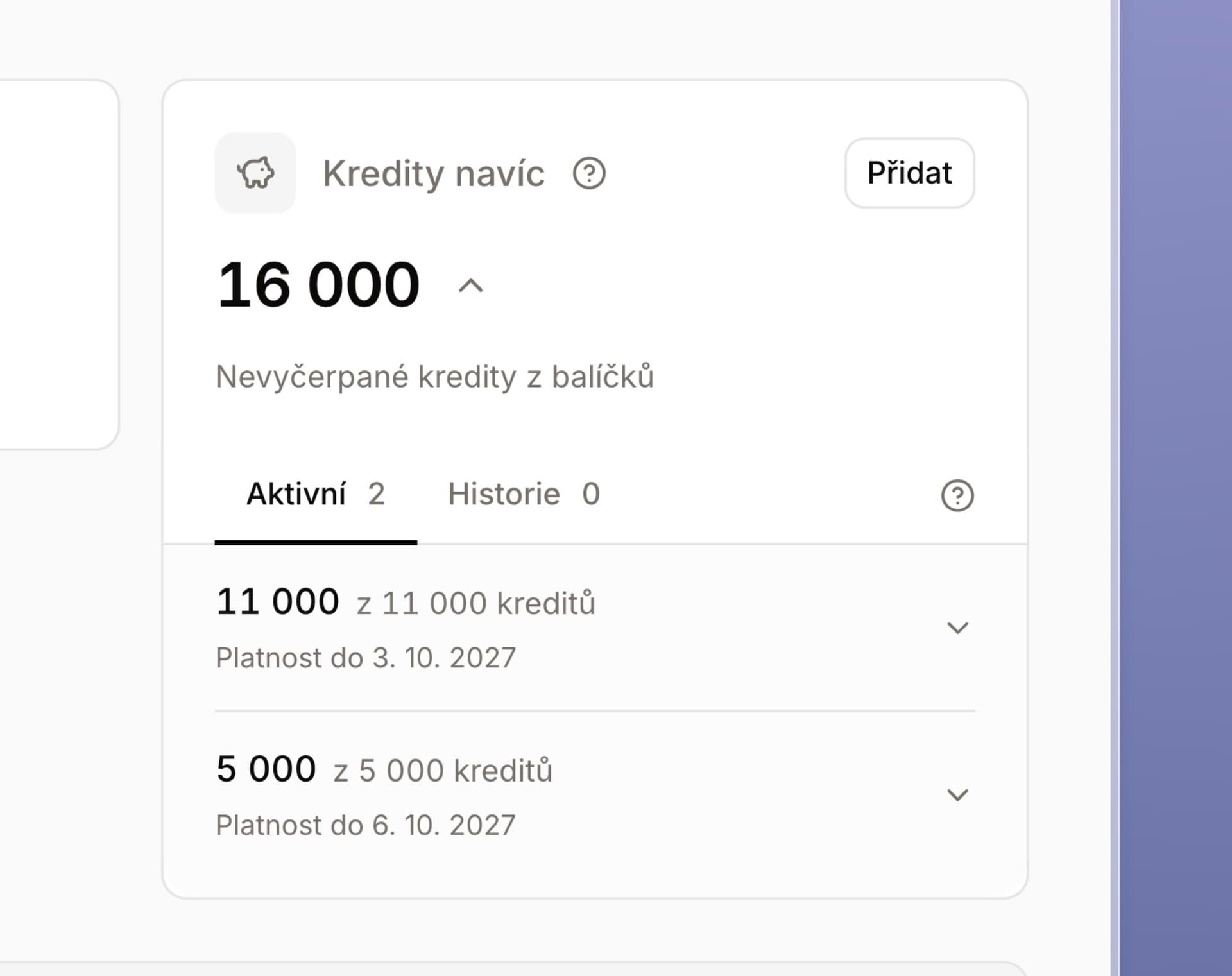
  • We adjusted billing rights and display for non-enterprise users who pay by card. They can now allow another user to buy extra credits.
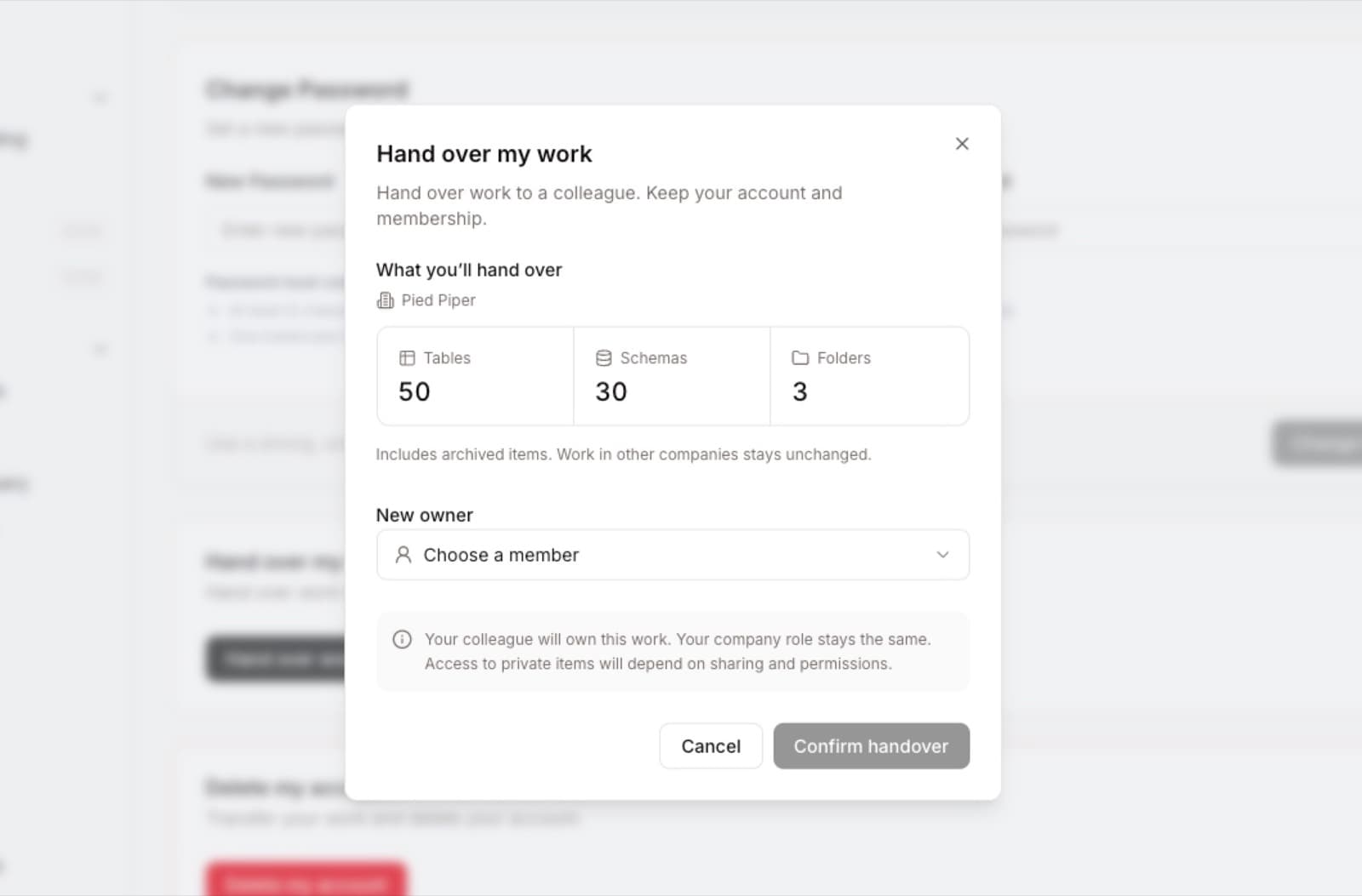
  • When a user is leaving the company or you are removing them, you first have to transfer all of their tables, schemas, and other items to another user — otherwise you cannot continue.

For developers

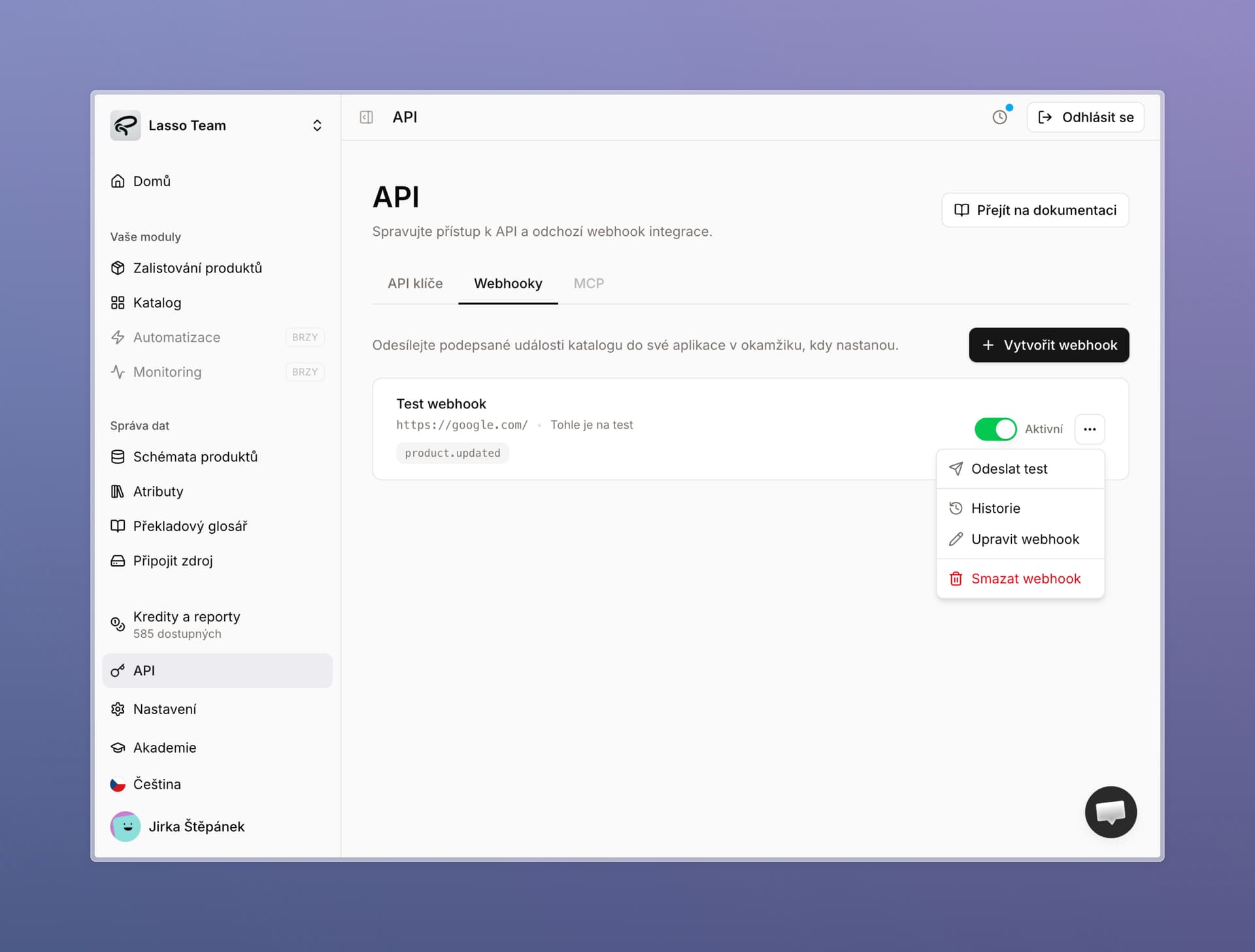
The API section now has its own Webhooks area. You can set webhooks up in the app, not only through the API.

  • You can see history, trigger a webhook manually, and inspect responses, events, and latency.
  • We also hardened the whole feature.

Webhooks in API with test, history, and webhook management


Small things that make orientation easier

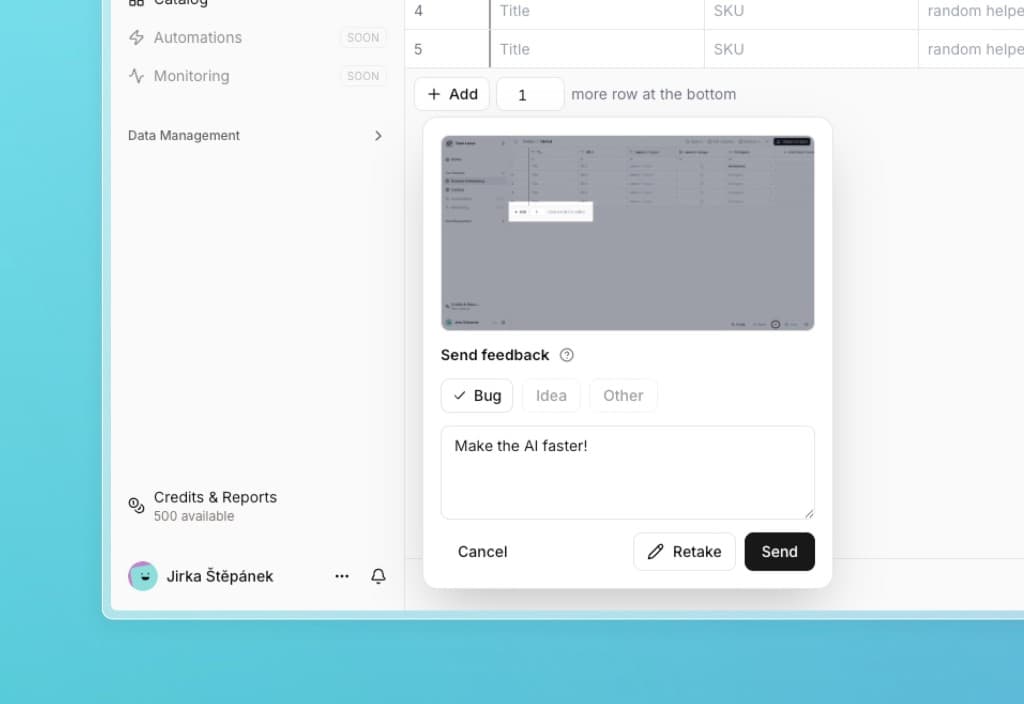
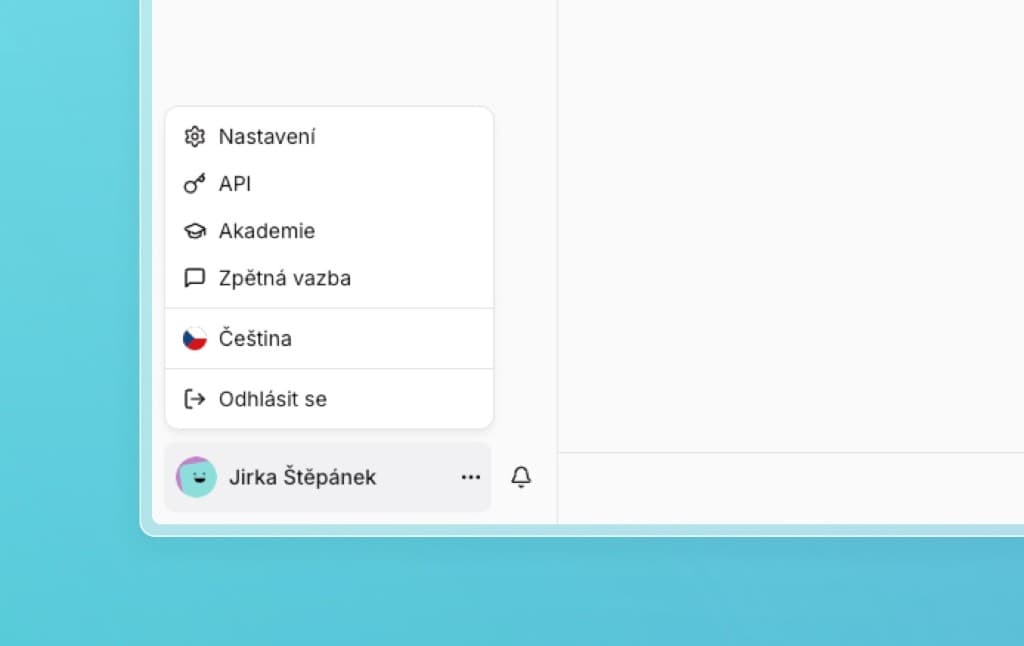
  • Profile photos and avatars. Functionally a bit silly, but hopefully it makes you smile :) In settings everyone can upload their own photo or pick a colorful smiley that follows them through the app. It will make more sense with the new collaborative features we are preparing for the coming weeks.
  • Yellow bar at the top of the screen. When Lasso slows down or we know about a bug, we will tell you this way and confirm we are on it. Still, feel free to write and ask.
  • Simpler export settings. The export / do not export / export only when not empty options are clearer on every column.
  • More Czech. We added it in more places across Lasso, especially error messages — written in plain, human language.
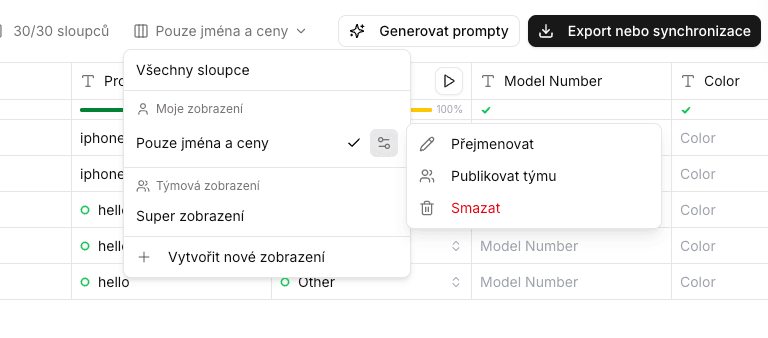
  • Hide all columns at once in schemas and tables. Makes it easier to build a new view that should be specific in some way.
  • A new interactive catalog tutorial in the checklist, for new users.
  • More accurate alt texts. We improved generation already on the agent’s first pass.

Create a custom avatar in user settings


Stability and performance

This week enrichment again took longer during weekday peaks. Sorry about that. You use Lasso a lot, and we keep optimizing it in the background so everything runs as it should.

We completed a full infrastructure audit and through the end of August we are continuing a series of changes that should fix this once and for all.

  • New hardware. Lasso now runs on updated hardware and we plan to keep scaling.
  • New AI providers to help cover peaks when the current ones cannot keep up. Switching is automatic.
  • We are preparing separate processing for small and large batches so they do not block each other. Anyone enriching a few products will not wait on someone running tens of thousands — and the other way around.
  • And a number of other things.

Bug fixes

  • Before saving a new helper column you could change both the definition and the enrichment, but only the enrichment was saved. Everything you set in both tabs now saves correctly.
  • The HTML preview for rich text did not update right after you typed — it now rerenders immediately. We also extended this to regular rich text without a template.
  • Sometimes it was impossible to create a new table from import.
  • Uploading multiple files at once to a single product in the catalog did not work correctly.
  • We fixed a number of bugs that blocked catalog import or showed the wrong name or image on products with older schemas.

What we are working on next

We are really glad you are using Max mode. We are testing new models and approaches there to bring the enrichment price down even further. We are also tuning extraction 2.0. We think you will like the next update.

Redesigned catalog, image backgrounds, cheaper Max mode, and bug fixes

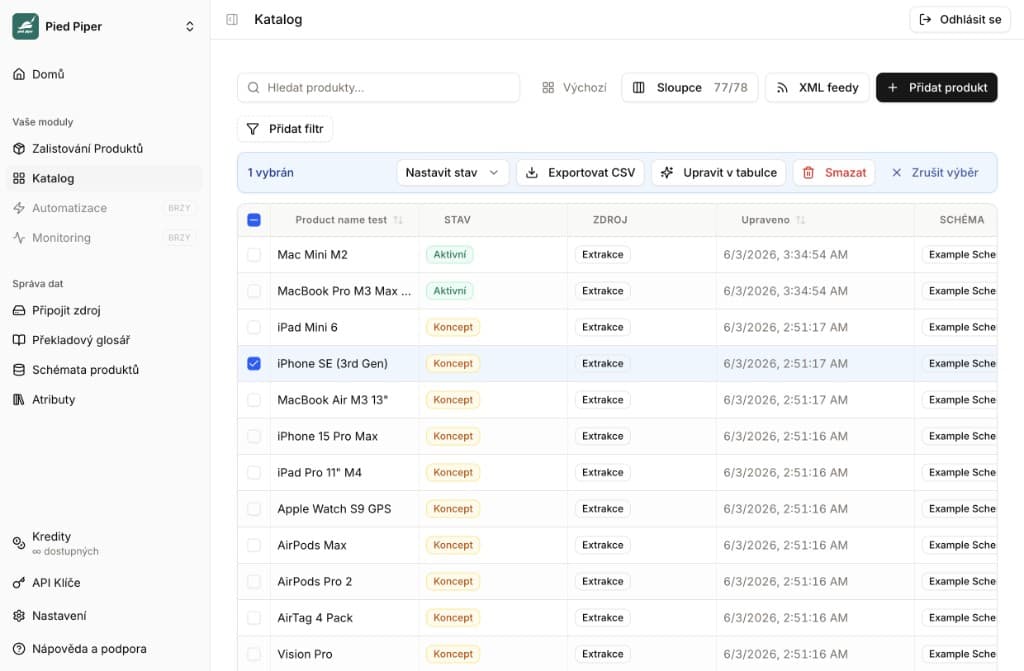
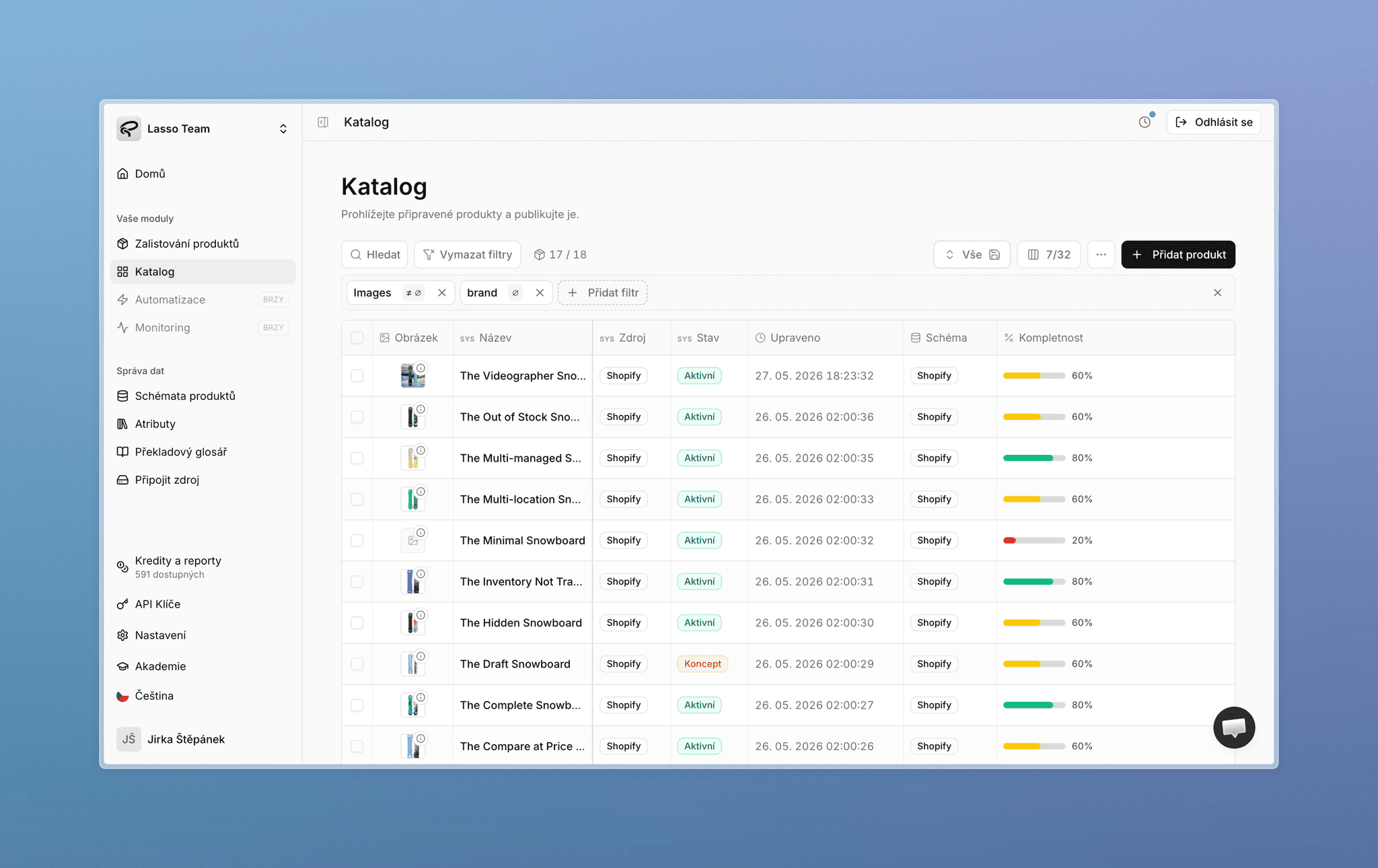
Redesigned Lasso catalog with product list, main images, and completeness percentages

The headline of this release is a completely new catalog — a full redesign of both the product list and product detail. Alongside that, we fixed and improved dozens of smaller things you reported. There is a lot here, so you will likely find your fix below.


Completely redesigned catalog

We rebuilt the catalog from the ground up. It is clearer, faster, and connects much better with the recent attribute changes.

  • New product overview — a full redesign with new system columns, including the main image and product completeness percentage.
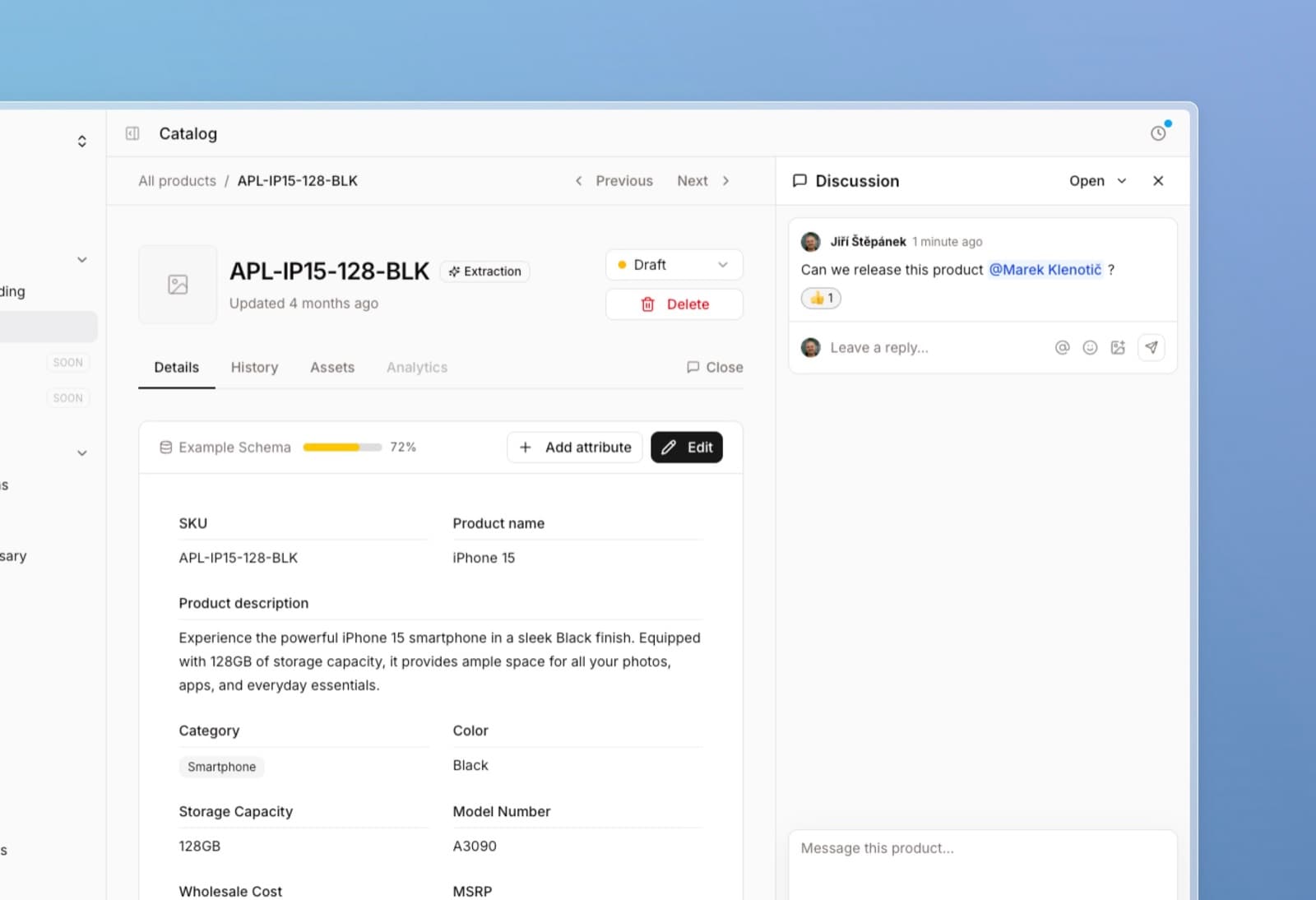
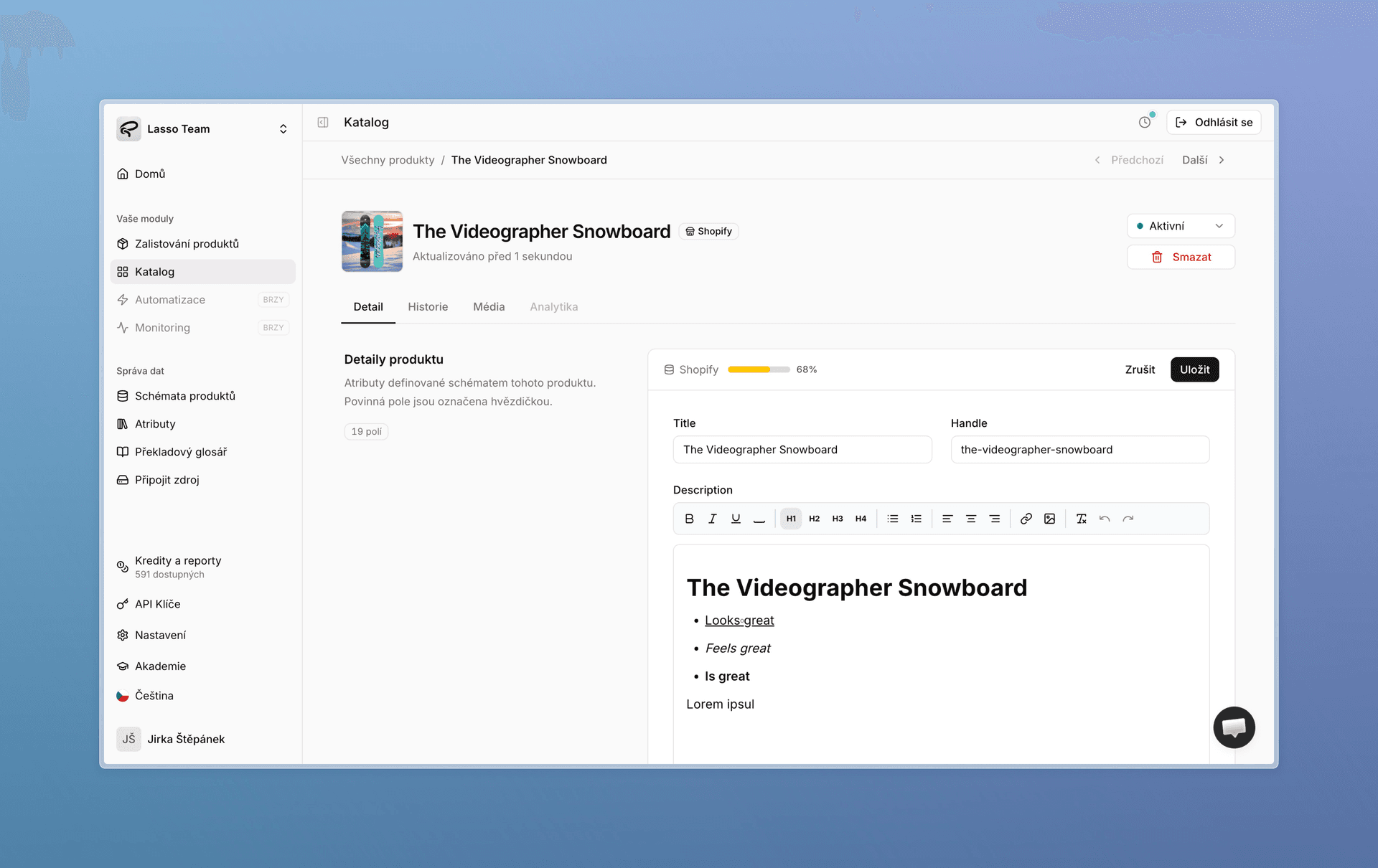
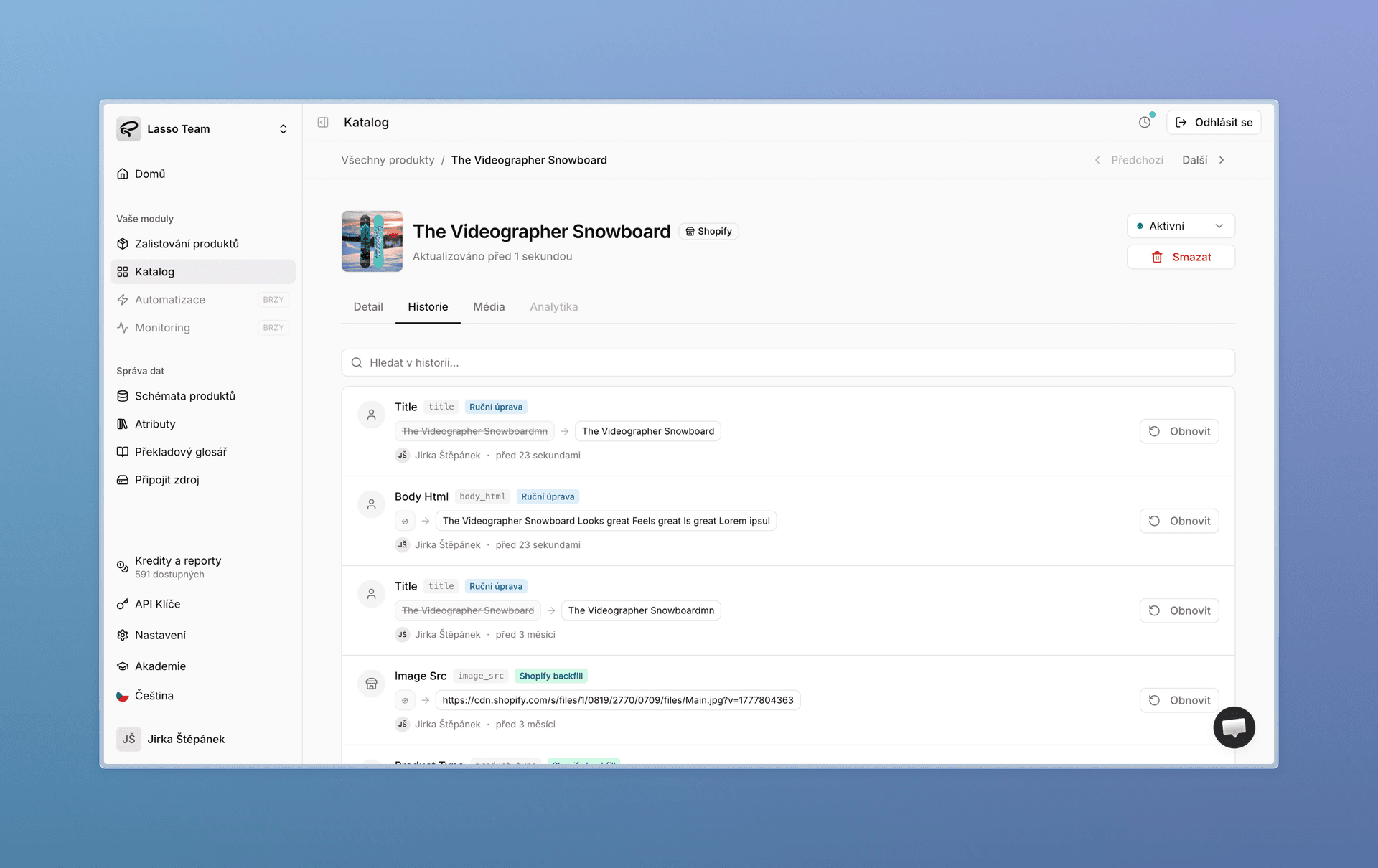
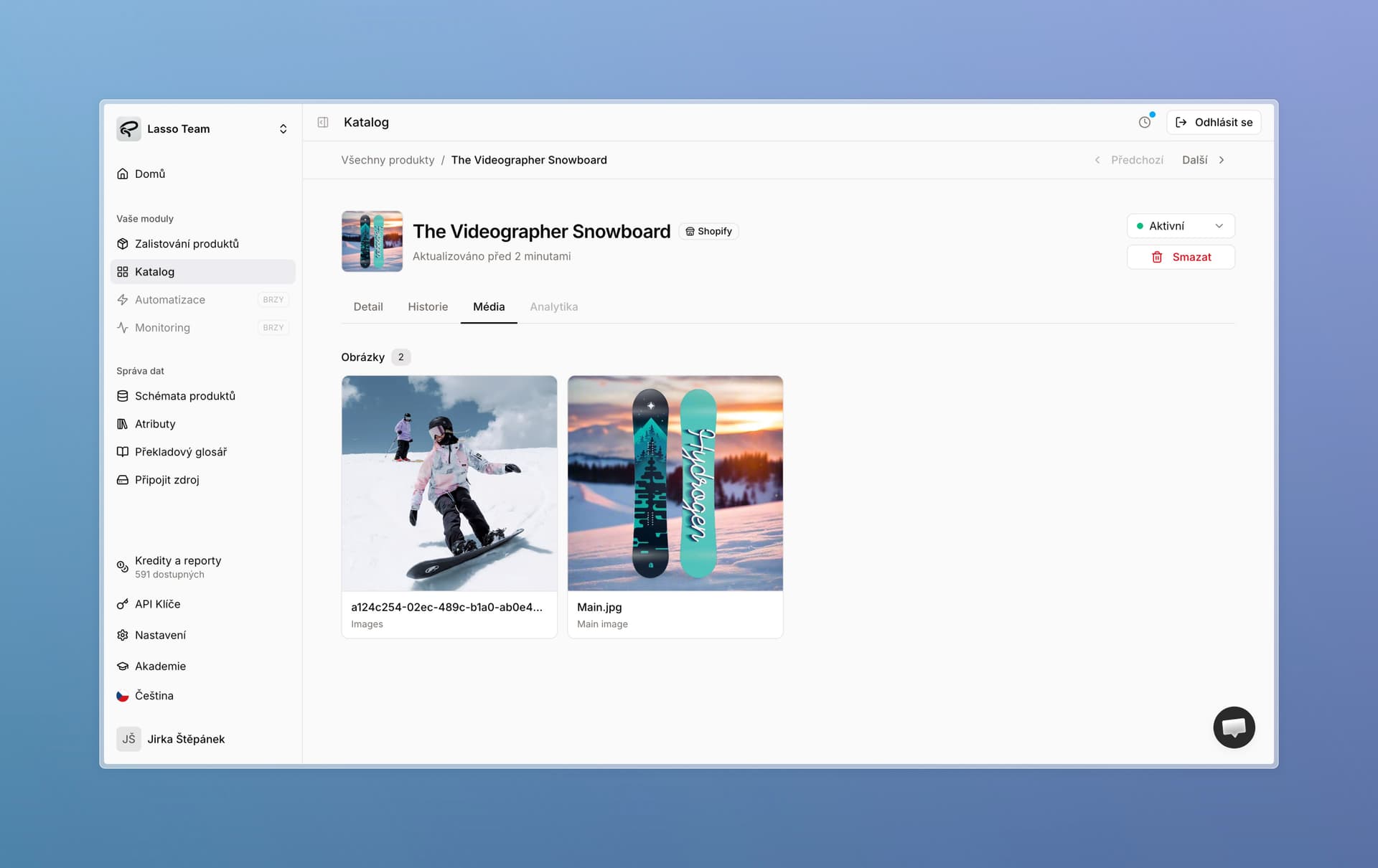
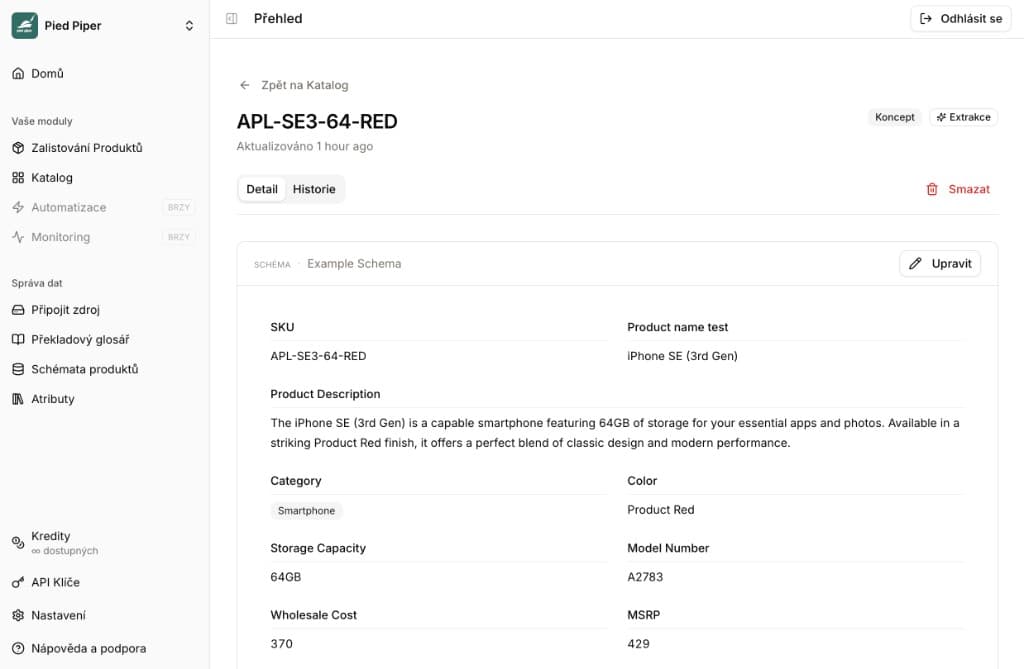
  • Brand-new product detail — improved editors, change history, and a clear view of all assets in one place.
  • Reworked rich-text editor — we plan to add AI features here in upcoming updates.

New product detail with editors and Shopify sync status

Product change history with restore actions

Product media tab with main image and gallery assets

What changed under the hood and in the details:

  • We adjusted a few catalog-related API pieces so everything works correctly with the new design. Definitions stay the same — you do not need to change anything.
  • We also fixed a batch of smaller bugs. For example:
    • Historical helper columns no longer appear in product detail.
    • Photos are automatically saved to our CDN during backfill edits and when adding new products directly from the catalog.
    • We completed Czech localization for error messages and places that previously showed English only.

Images and Max mode

Image background checks

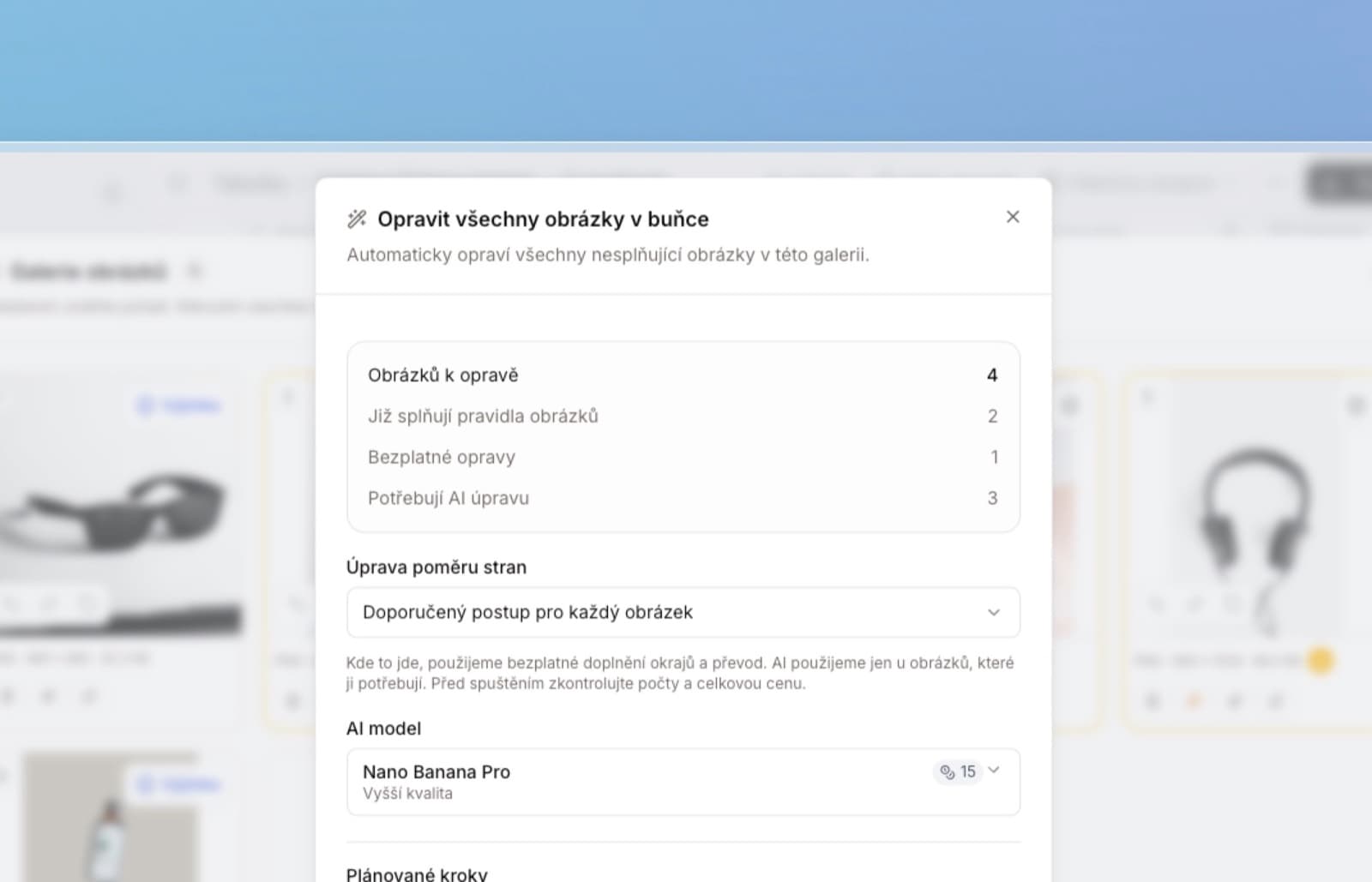
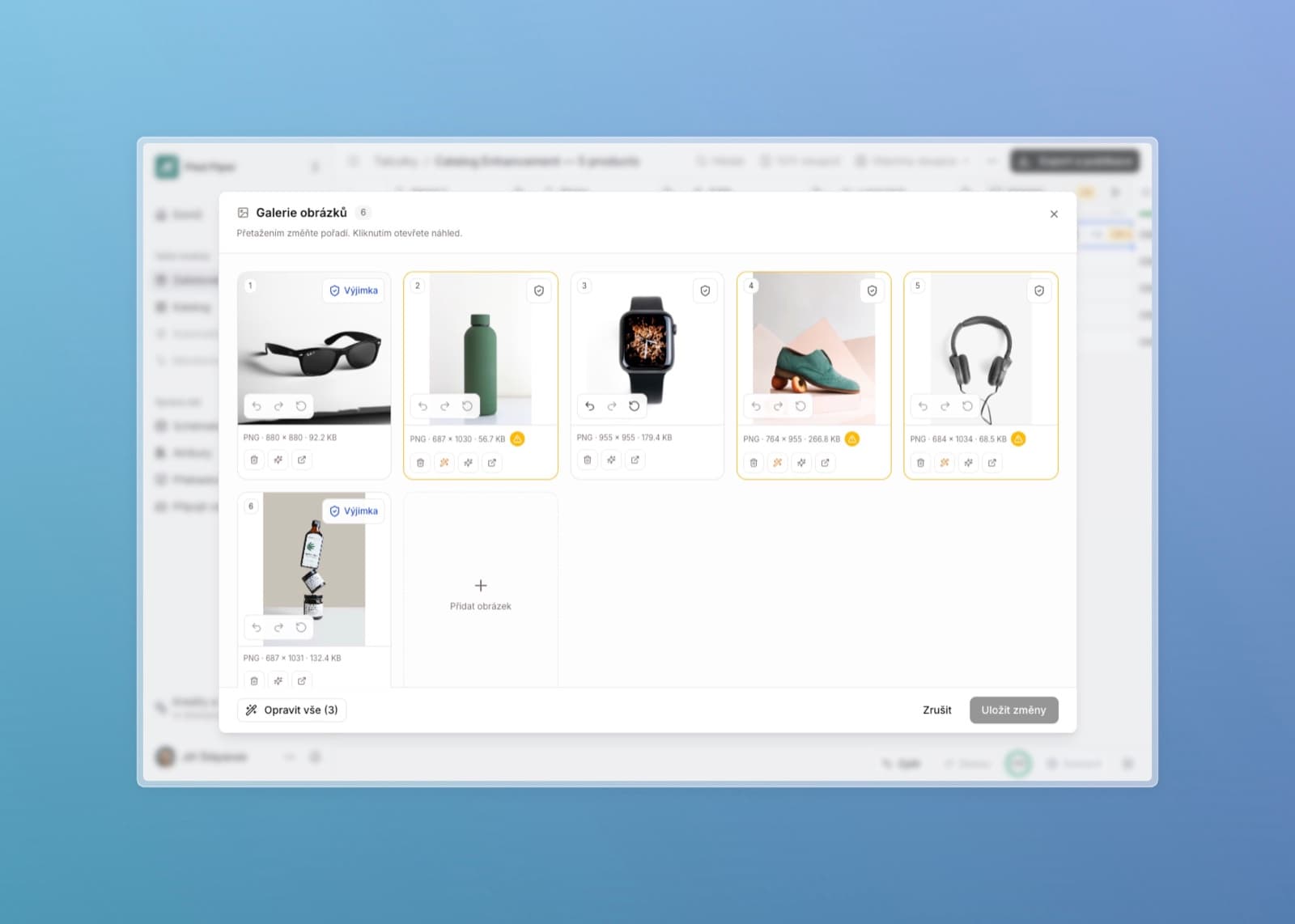
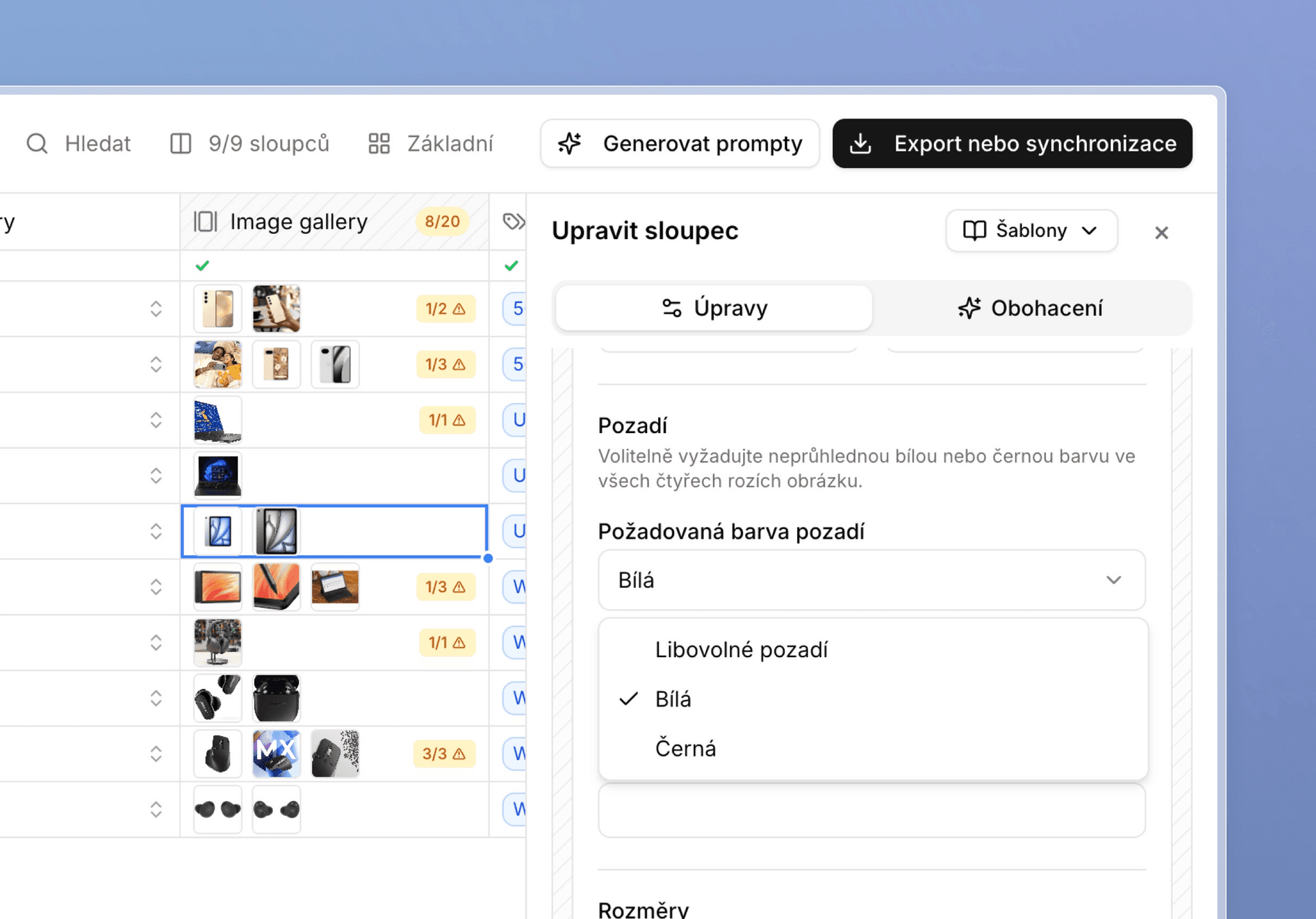
Image validation — and smart fixes — now includes a mode where you set the background the final image should have. We currently support white and black. AI then checks whether the background matches and can fix it for you.

Image validation with required white background selected

Max mode is cheaper

Our experimental feature for sourcing images from dynamic galleries on specific supplier sites has been optimized and reduced from 100 to 70 credits. We also plan to ship new models soon that should help bring the price down further while improving accuracy.


Extraction table and enrichment

  • Clearer loading — when applying smart fixes, each cell now shows transparently what is happening.
  • Work in the table with the side panel open — you can fully use the table even with the side panel open. We also made a few UI improvements in the panel for smaller screens.
  • Easier data-type changes — changing the data type on existing, already-used attributes is much simpler, and value conversions work more reliably across less common types.
  • Column order — fixed a bug where column order updated incorrectly after adding new attributes (and the same for hidden columns). You can also reorder directly from the column button — no need to right-click into the reorder modal.
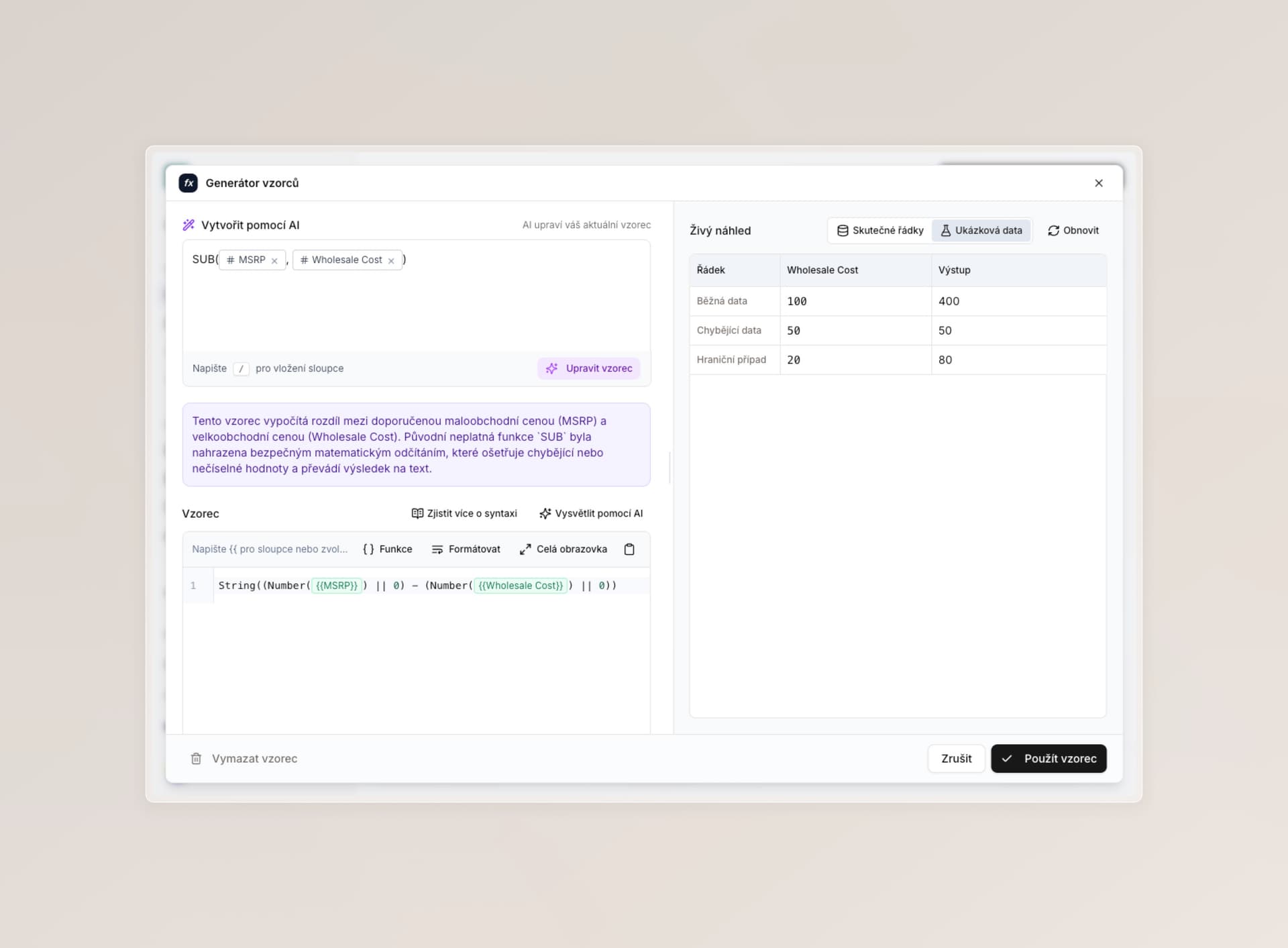
  • Better formula/format editor — more precise validation, better previews, and a large set of bug fixes. We are still improving this.
  • Improved HTML formatting for rich text.
  • Enrichment instructions now keep line breaks better, including fixed indentation (Shift + Enter).
  • Behind the scenes, we fixed several issues that could appear when enriching a huge number of cells at once.

Attributes, roles, and access

  • Better conflict handling between archived shared attributes and new helper columns across the app. For example, when you let Lasso recommend new attributes into a table, it now prioritizes much more intelligently between your active shared attributes (such as those from sync with your system) and recommended helper columns — which you can then share with the rest of the company. Thanks for the feedback here; we had not realized how unintuitive this could feel.
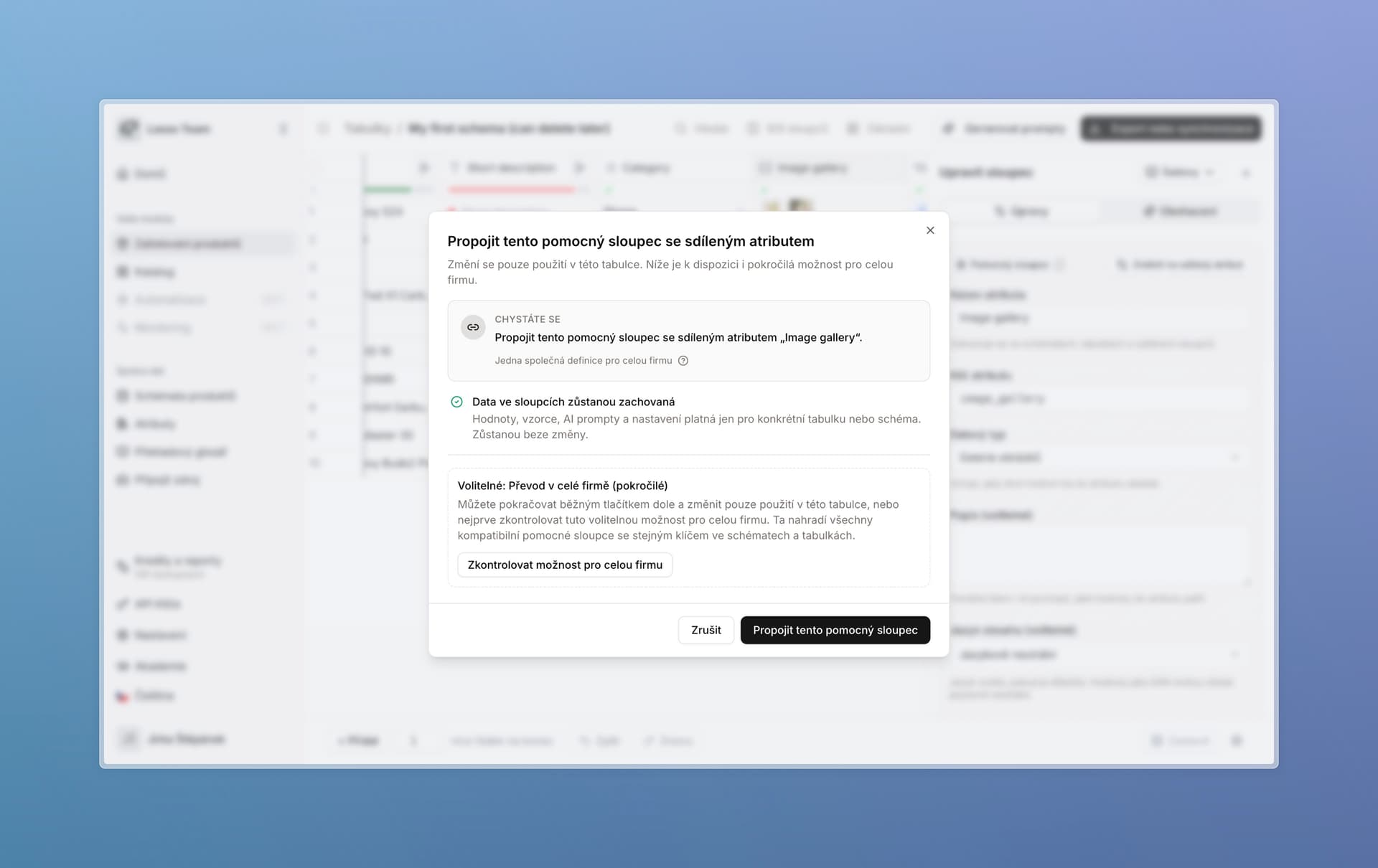
  • Converting a helper column to a shared attribute no longer forces you to update all data in Lasso. You can do it separately, just for a specific table. Impact indicators are much clearer — you can see transparently what happens if you decide to work with the attribute company-wide. Roles are involved more cleanly too.
  • Tables after a teammate leaves — we fixed the case where tables remained after someone left and nobody else had access. Administrators can now assign those tables to themselves. We are still working on this and want to offer full user-profile migration when someone leaves.

Modal for connecting a helper column to a shared attribute


Stability, speed, and more fixes

We are glad our automatic bug detection and repair system is working well. When a teammate hits an error, we register it in the background and start fixing it right away. Over the last 10 days we found and fixed more than 15 different bugs this way, without you having to report them. We also added more automated testing behind the scenes.

  • Keys for all column types now support special characters (especially slashes) and numbers — including at the start of the key.
  • Fixed issues around connecting synchronized attribute sets to the new schema (if you have sync set up with your system).
  • Cleared up the conflict modal when backfilling a schema from a table — everything is in Czech and much easier to read.
  • Improved Excel export from tables and removed possible edge-case errors.
  • Overall the app is faster and more resilient. Specifically, we hardened and fixed issues around:
    • enriching individual fields (protection against possible errors),
    • saving enrichment,
    • renaming columns,
    • partial write-back of information when enriching a cell,
    • saving a schema that contains archived attributes,
    • saving format/formula columns — a filled script is no longer required,
    • backfilling keys — more reliable,
    • loading the tutorial and checklist — without errors, and with an easy way to retry the action.
  • Plus a number of other improvements to general app behavior and copy — less technical, nicer for users.

What we are working on next

We are building shorter tutorials that explain how to use Lasso in a compact form, plus 80+ more items we aim to ship by the end of summer — all focused on tool stability and making day-to-day work simpler.

Shared attributes, a faster table, and dozens of fixes

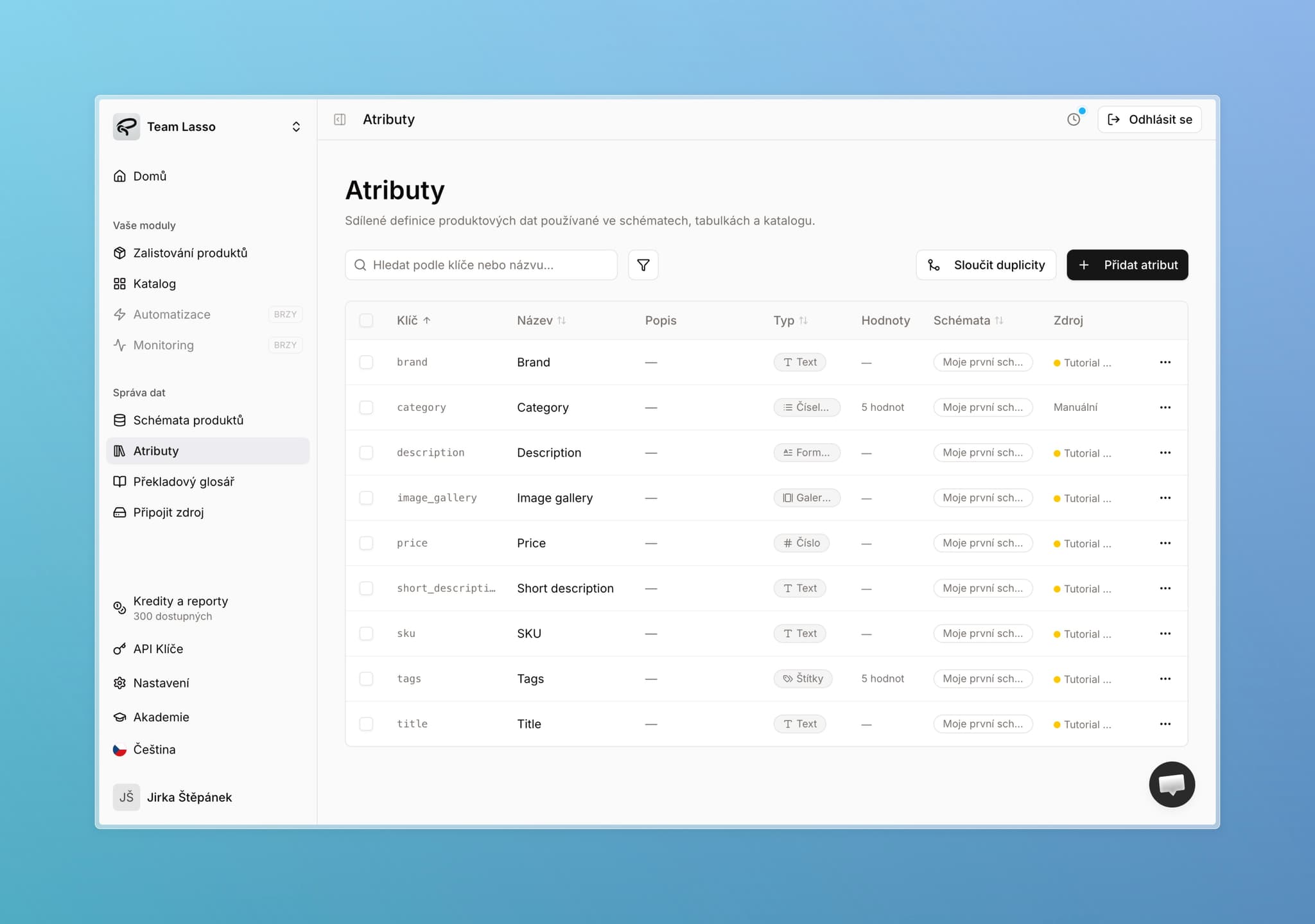
Attributes page with shared product data definitions

Let's start with the main change. It comes down to one thing: stop maintaining the same information in ten different places.

Every column in a table now knows what it is — a real product attribute that belongs in your store, or just a working note for your team. Lasso handles the rest.

You do not need to do anything. By the time you read this, the change is already live — rolled out overnight, with no downtime. Your data is exactly as it was. If anything looks off, reach out anytime.

What's in this update:

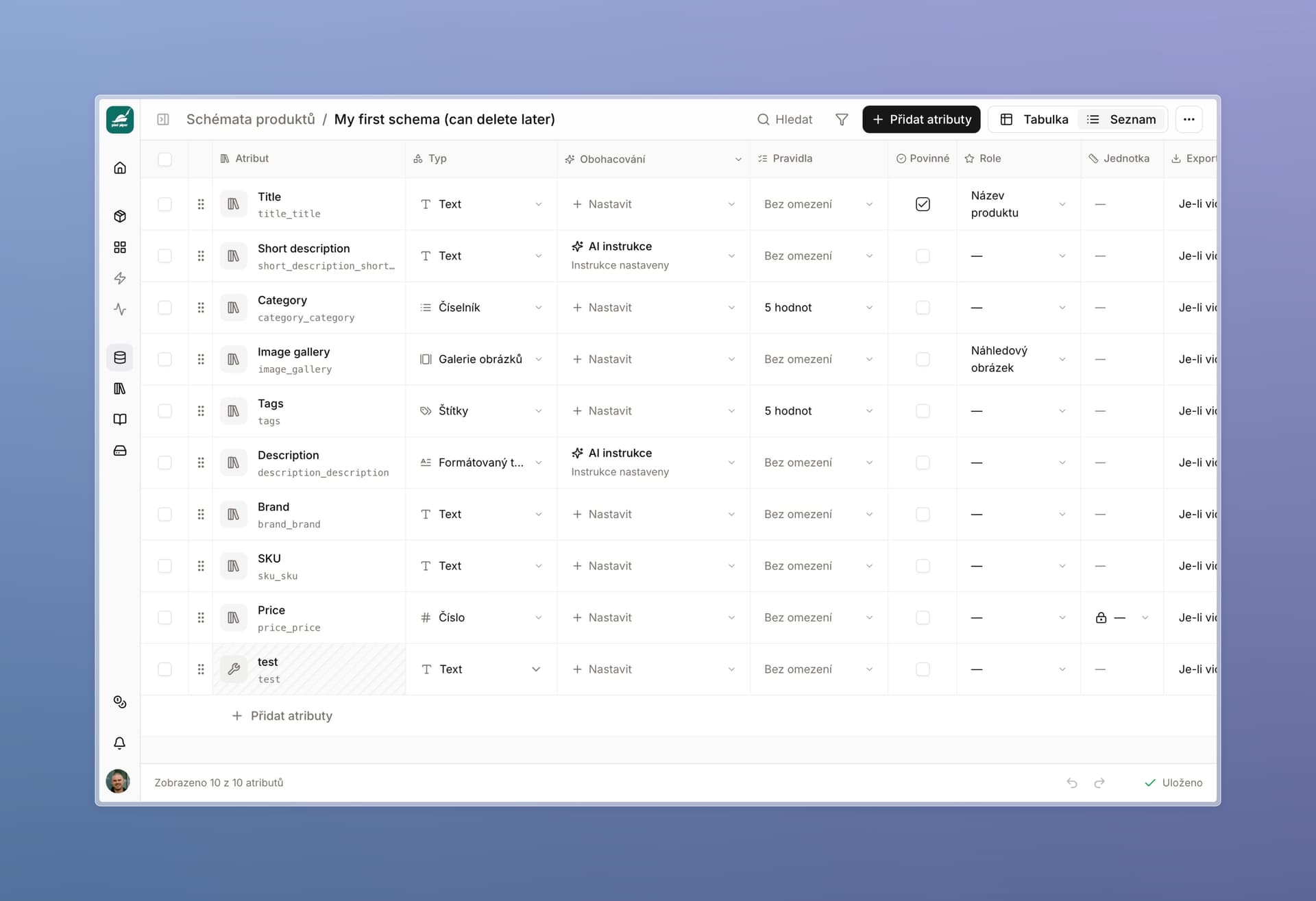
  • Shared attributes and helper columns — one attribute definition for the whole app, no more chasing changes across schemas by hand
  • A faster, smoother table — a clear speed-up on large datasets, Excel-like navigation, table duplication
  • Dozens of fixes and improvements — a rewritten credits system, AI image fixes, export, and catalog

Why we are changing this

Most of you work with large attribute sets and several schemas — often one per product category. Schemas usually share a set of common fields — title, short description, long description, gallery — and each also has its own fields that fit that category better.

Until now, every one of those copies was independent. Change a key or data type in one place, and you had to find and fix it everywhere else — or sync broke. Setting up a new schema meant a lot of work. And the more you had in Lasso, the messier it could get — and the less clear it was what lived where, or what a change would touch.

That ends here.


Two types of columns

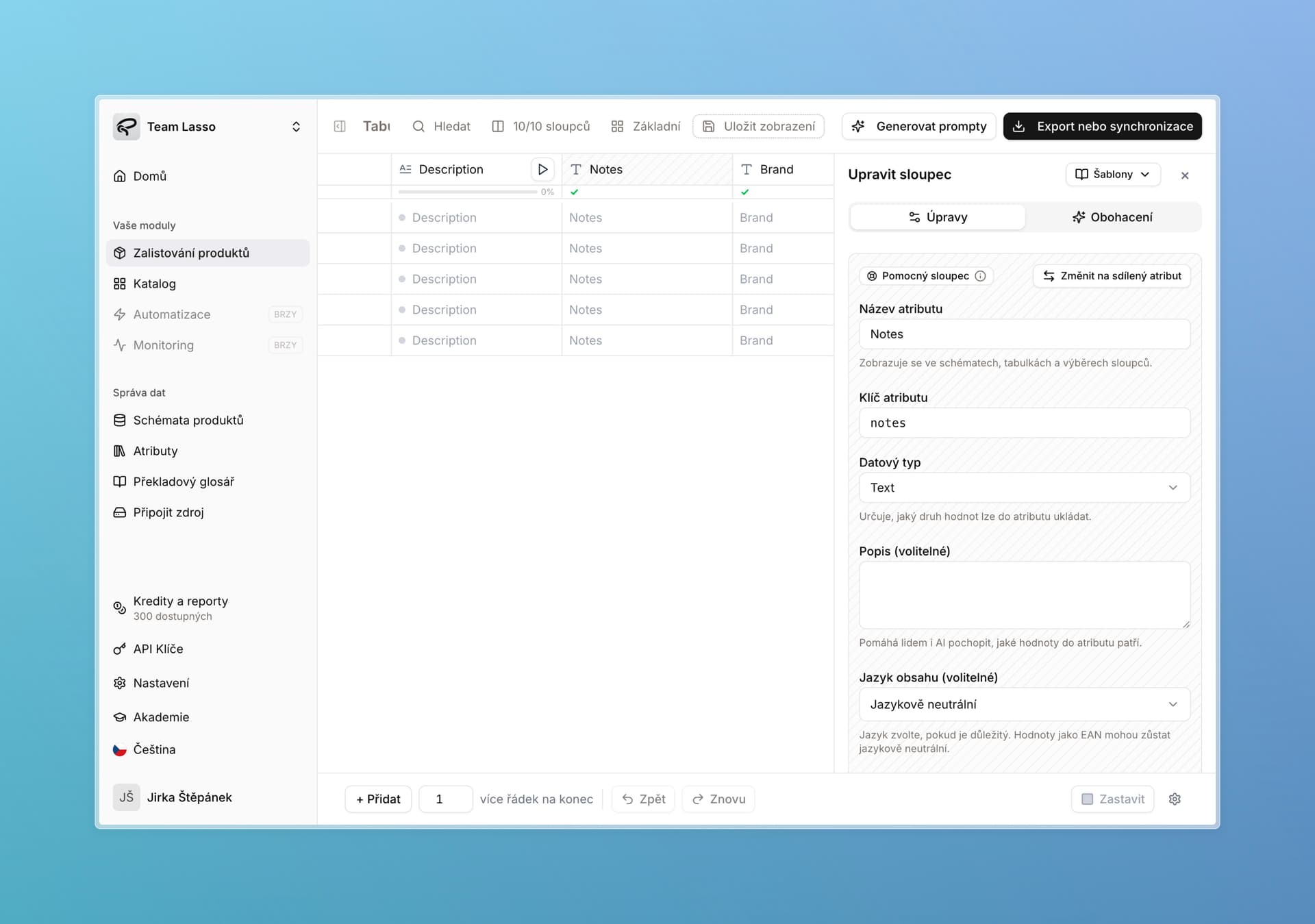
We are introducing two column types. Every column in a table is now either a shared attribute or a helper column — and Lasso treats them differently.

The difference is simple:

  • Shared attribute — use this for everything that belongs in your product database and should end up in your store: title, description, material, dimensions. It has a fixed definition that applies across the whole app and syncs to the catalog.
  • Helper column — your scratchpad. Notes, a supplier link, something looked up online, flags for you or your teammates. It stays only where you create it and never reaches the store.

If you are unsure, start with a helper column — you can promote it to a shared attribute later with one click.

File export works the same for both types. The distinction mainly matters for teams using the catalog or API — and for anyone who wants simpler attribute management.

Table with a shared attribute and a helper column side by side, helper column edit panel open

Shared attribute

One canonical definition for the whole app.

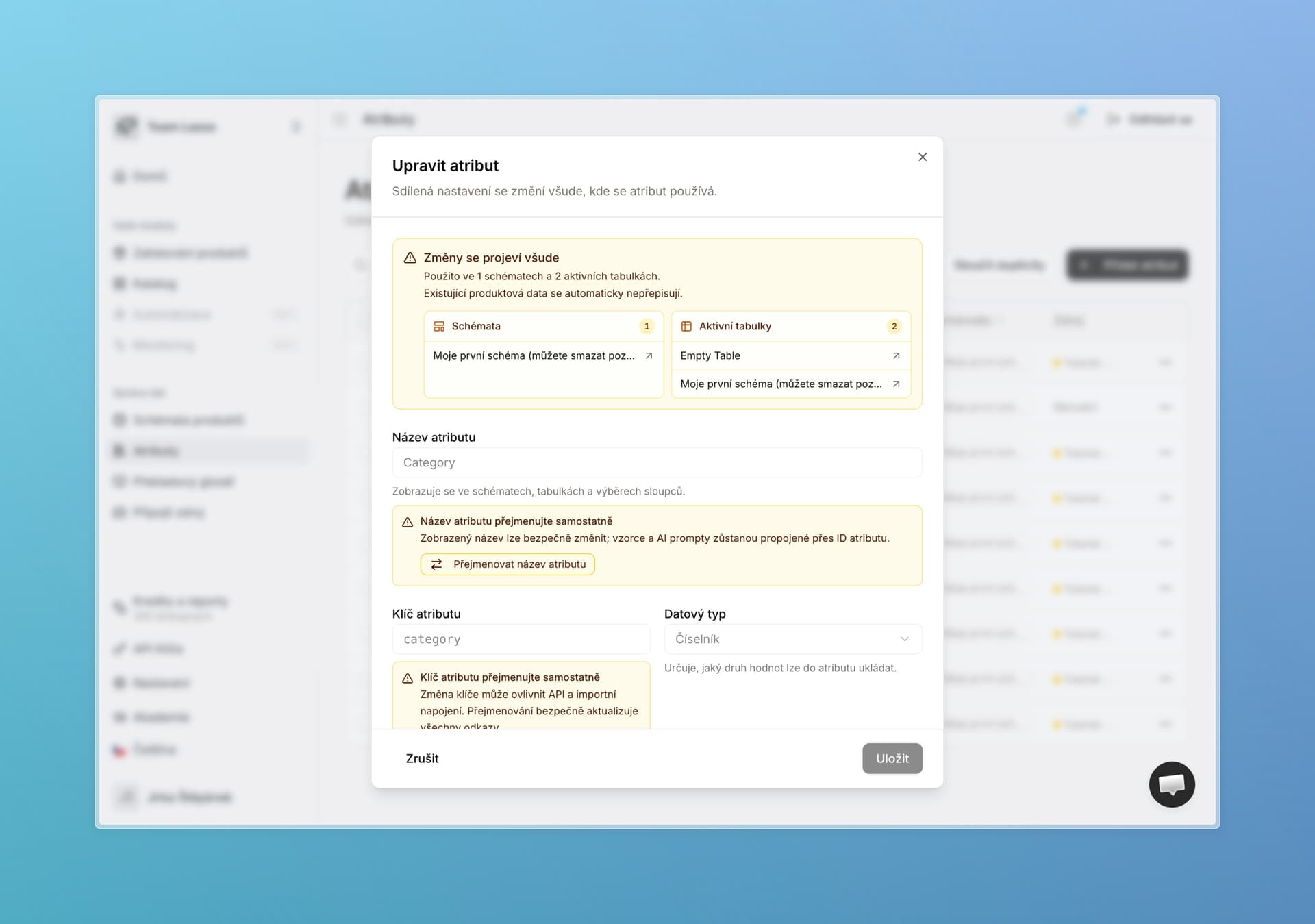
  • Fixed: name, key, data type, description, and other parameters (enum values, language, text and image validation).
  • Change them in attribute settings (open from the side panel) and the update applies everywhere. Before you confirm, you always see which tables and schemas are affected.
  • What stays flexible per assortment: AI enrichment, column order, exports, and rich-text templates still live on the specific table or schema. Same as before: experiment freely, then save settings back to the parent schema when you are happy.
  • Browse all shared attributes on the Attributes page.

Edit attribute dialog showing impact across schemas and tables

Helper column

Lives only in the table or schema where you created it — exactly how every column worked before.

  • Notes, a supplier link, a looked-up photo, working flags — anything that does not belong in your store.
  • Does not appear on the Attributes page.
  • Does not sync to the catalog. Only shared attributes go out.
  • Promote it to a shared attribute with one click — Lasso then applies it to every schema and table that already contains it.

For both types: exports and every other action work exactly as before.


What happened to your existing columns

We did not rewrite or merge anything for you. The split worked like this:

  • Attributes you already share with us have unique keys by design — those became shared attributes.
  • Every other column is now a helper. They keep working exactly as before, and you can promote them to a shared attribute whenever you want.
  • Columns with the same key but different content across two schemas stayed as helper columns — stored where they were, with nothing overwritten.

If you later promote such a helper to a shared attribute, Lasso detects the conflict, warns you, and lets you choose how to resolve it. Same logic you already know from Merge attributes on the Attributes page.

Merge duplicate attributes dialog with conflict warnings


How it works in practice

MilujemeSpánek s.r.o. sells pillows and alarm clocks. Each category has its own schema in Lasso.

Both schemas share a set of the same attributes — title, short and long description, gallery. Those are the shared attributes: defined once and synced to the store. Each schema can also have attributes the other does not need — alarm clocks have battery size, pillows have cover material.

For AI enrichment instructions, they want something different per category — functionality for clocks, design for pillows. That now fits together cleanly: the data structure stays the same across schemas, tables, and catalog, while AI enrichment instructions stay specific to each category.

And helper columns? Someone processing a new pillow shipment creates a “supplier phone” column right in the table and has Lasso look up the contacts. Nothing breaks for anyone else, nobody else is affected, and that column never reaches the store.

When a battery-powered pillow shows up, they add the existing battery size attribute to that one table in two clicks — without touching the schema. On the site it lands under the right attribute.


What you gain

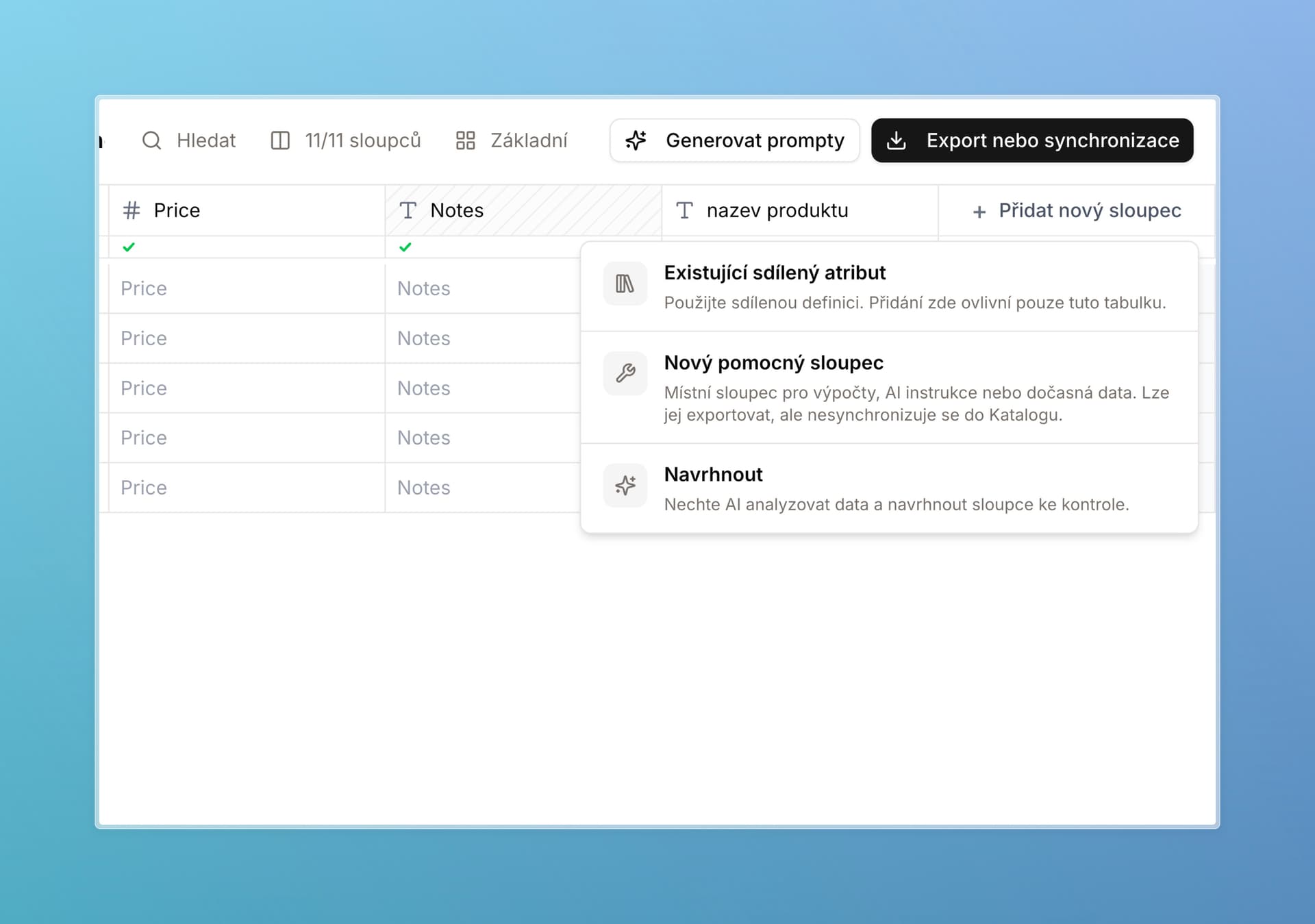
  • Faster schema setup. Add an existing shared attribute to a schema in two clicks.
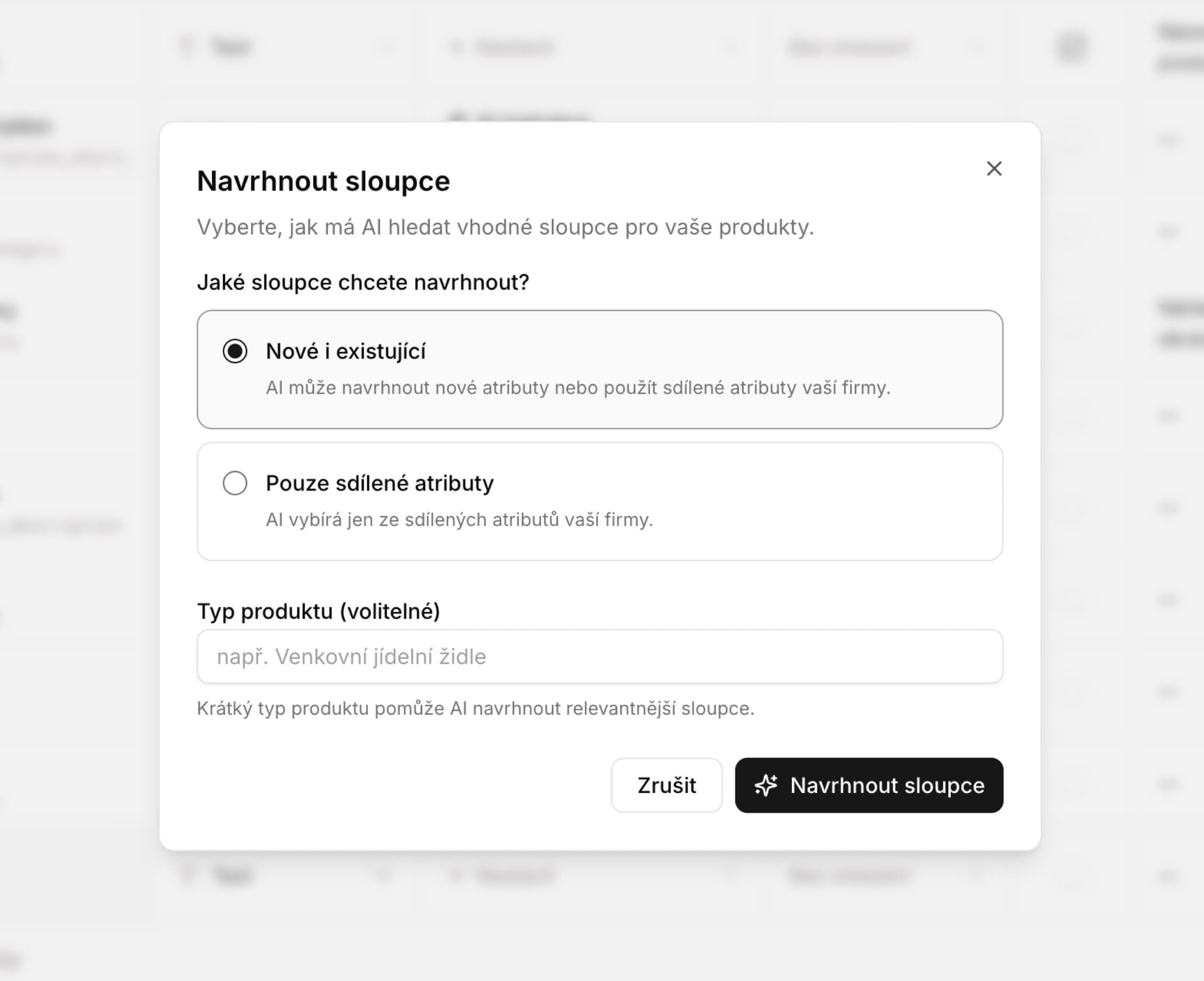
  • Smarter suggestions. “Suggest new attributes” now prefers attributes you already use somewhere — both in the table and right after AI extraction.
  • See impact before you confirm. Every attribute shows which tables and schemas use it.
  • Consistency without hand-chasing. You do not have to wonder whether a change will break the site, mappings, or catalog.
  • A cleaner catalog. Only what belongs goes into sync.

Add column menu with options for existing shared attribute, helper column, and AI suggest


Deletion and archiving

Removing an attribute from a table or schema destroys nothing — the attribute stays available to use elsewhere.

Deleting from the Attributes page is different: that removes the attribute from the whole database and can affect the catalog and historical tables. So we added archiving — the attribute is hidden for future use, but history stays intact. You can restore it anytime.


Access and API

Roles. Editing shared attribute definitions and promoting helper columns falls under “Manage schemas and attribute dictionary.” Everyday users without that permission still have full freedom for what they need daily: AI enrichment, column order, exports, helper columns.

Admins can also unlock part of an attribute definition for others — specifically adding and editing allowed values on enums and tags. For a color attribute, anyone on the team can add “red” as soon as you start selling it — no need to ping an admin. It is toggled per attribute, so where you want values locked down, leave it off. We covered how roles work in the previous changelog.

API. Existing integrations keep working unchanged. Only new parameters were added — language, for example.

Schema linking. Historical linking of multiple schemas still works, but you can no longer set up new links. Shared attributes take over that role — same outcome, more reliably.


More updates in this release

Attributes and enums

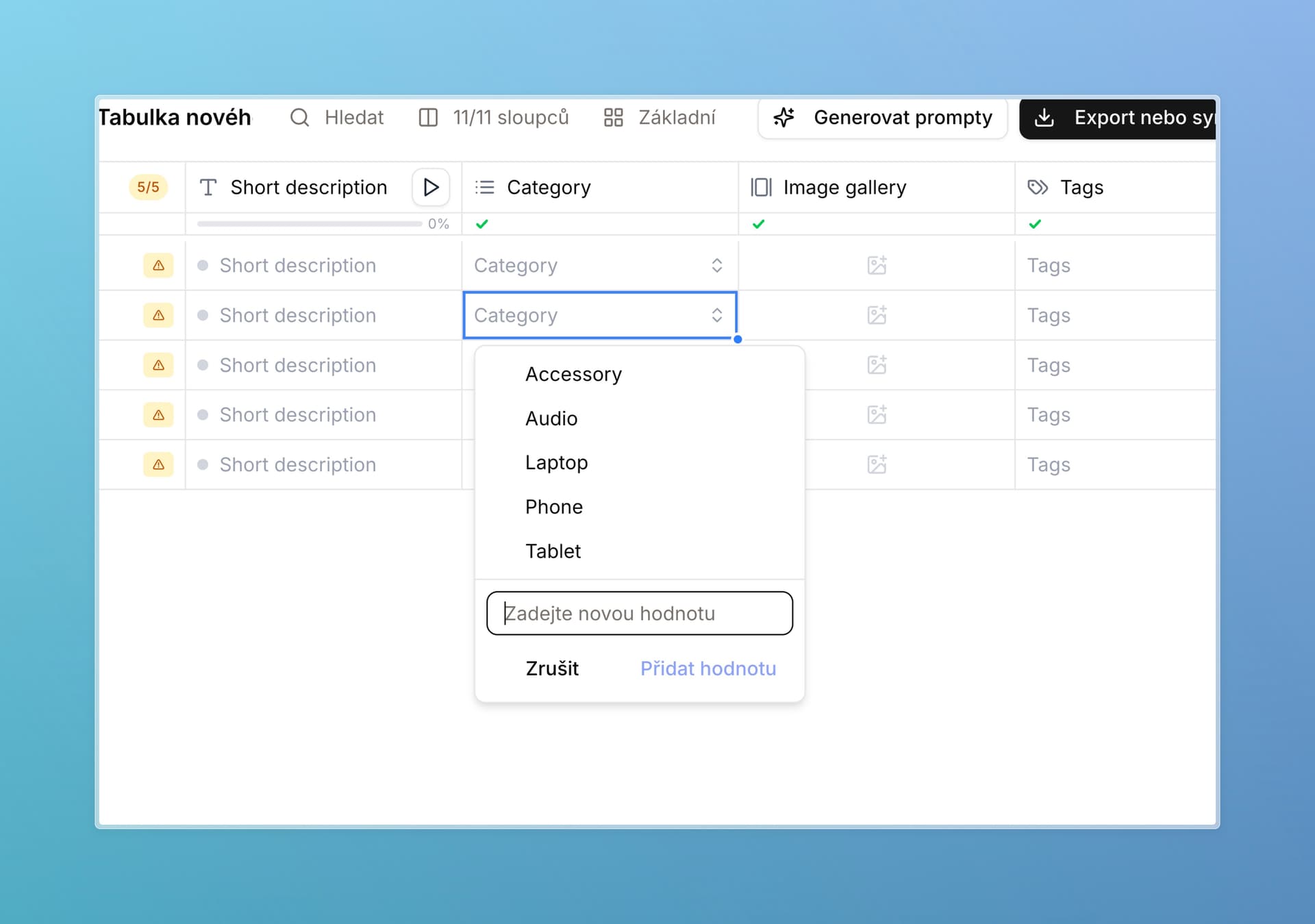
Add new values right in the cell. For enum and tags columns, you no longer need to open settings — need a new color? Add it in one click where you are working. Existing values can be edited the same way. Whether your team has this option is controlled by an admin per attribute.

Adding a new category value directly from a table cell

The Attributes page can do more. Fully edit, add, and deduplicate attributes there — plus new filters for faster orientation.

Attribute language. Optionally set a language on each attribute. For now it is mainly used by the API, but we plan to use it more — filtering, catalog, enrichment.

Text length validation. Set minimum and maximum character counts on text attributes. Nothing is blocked — out-of-range cells are simply marked invalid so you notice. We know many of you handle this today via AI enrichment instructions; this is a more reliable check. In later updates we will follow with automatic repair and regenerating text to fit the limit.

Working in the table

A much faster table. Large datasets are noticeably snappier — we tested up to 2,000 columns. Adding and working with thousands of new rows is faster too.

Excel-like navigation. Tabs, enters, drag, new shortcuts, Escape to close the side panel, more reliable copy-paste and Ctrl+Z.

New schema from a table. Have a table that already looks right? Create a schema from it in table settings (gear icon).

Table duplication. Someone shared a table without edit rights? Make your own copy and work there.

Decimal separator by language. Czech shows a comma, English a period. Reminder: export and API return the value as a number — how Excel renders it depends on your Excel settings.

“Show keys in header” moved to table settings (gear icon, bottom right).

AI and enrichment

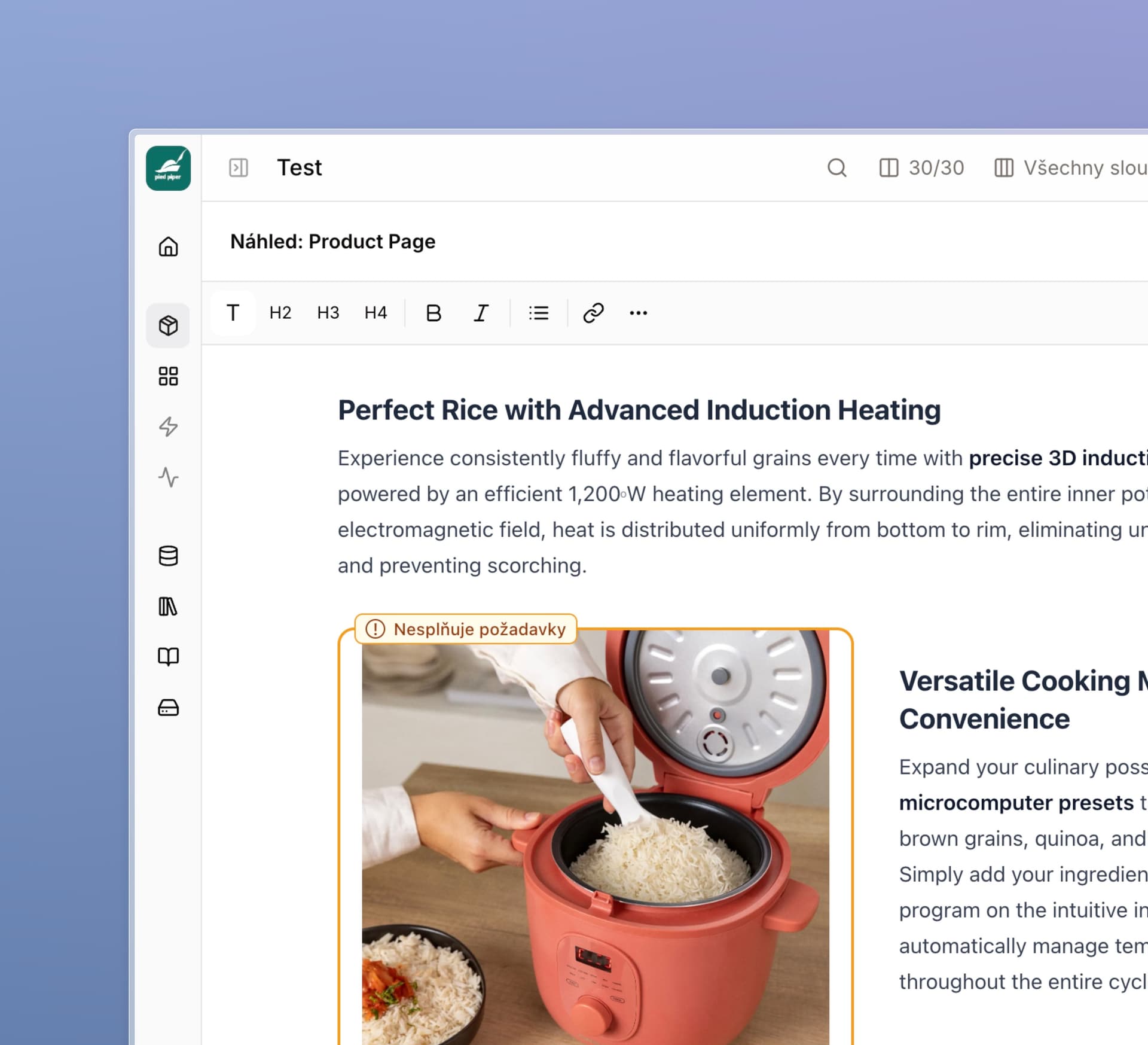
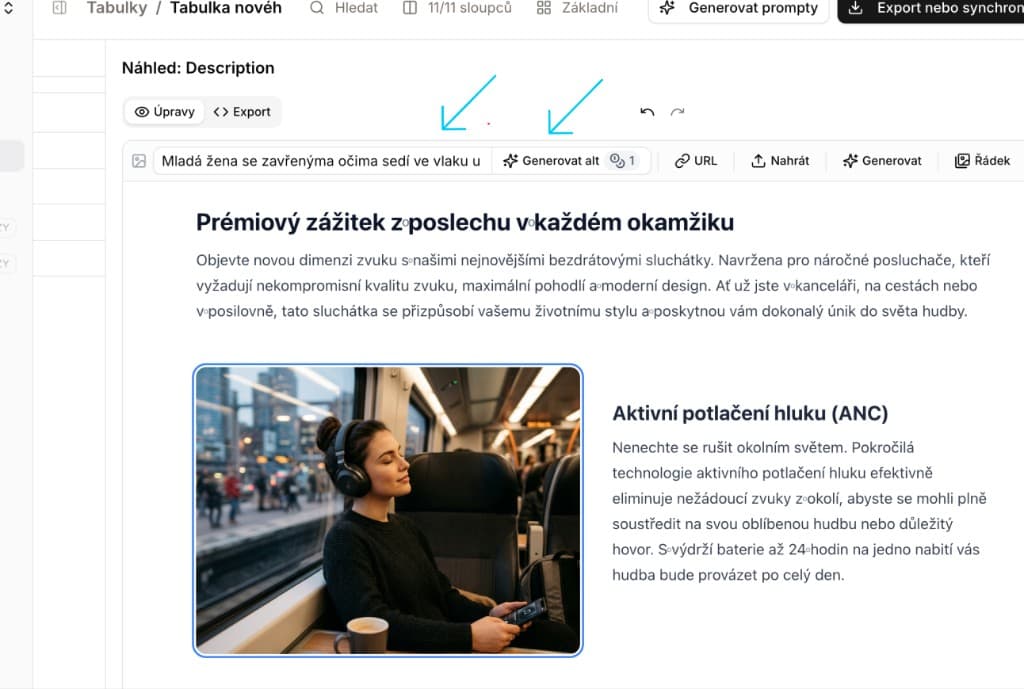
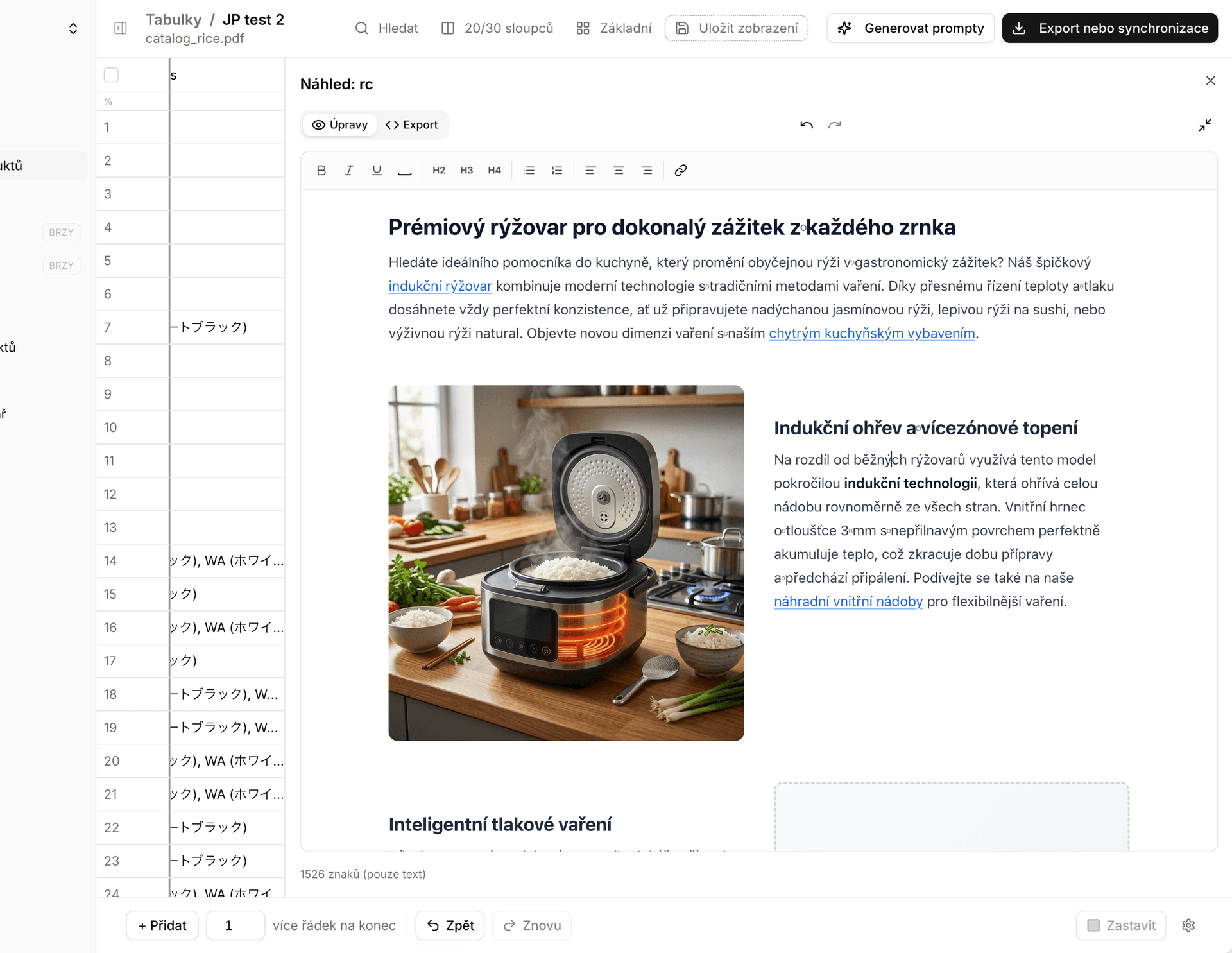
Alt text from uploaded images. In the rich-text editor for templates, you can regenerate and edit alt text even for freshly uploaded images. AI takes into account what is actually in the photo.

Rich text editor with AI-generated alt text for an uploaded image

Reliability

Automatic error reporting. When an error hits in the app, we learn about it immediately — without you having to report it. Only technical error details are sent, not your product data. Keep writing to us — we appreciate it — but if you forget, we already know. We want this to reinforce our commitment to keeping the app stable.

New emails. We reviewed every email the app sends. They are clearer, nicer, and in your language.


Fixes and improvements

Performance and stability

Last week several companies kicked off very large enrichments at once and others slowed down for a few dozen minutes — results arrived later than they should have. Sorry about that. We made a series of changes so it does not happen again. Lasso also now warns you when you are about to enrich a really large batch (over 1,000 credits) — just a confirmation you click through; nothing is blocked.

  • Fully rewritten credits system — the app handles thousands of users at once and live-syncs current balances between them.
  • More resilient live attribute sync.
  • Faster adding and editing when working with thousands of new rows.

Attributes and schemas

  • Fixed a bug where some schemas showed fewer columns than they actually had.
  • Fixed several issues around schema back-sync when editing a column in a table (“update schema”).
  • Duplicate names with different keys no longer block table work.

Enrichment and formatting

  • AI image fix — edge cases where an image needed a second pass before passing validation are resolved. It now works on the first try (formats, resolution, and similar).
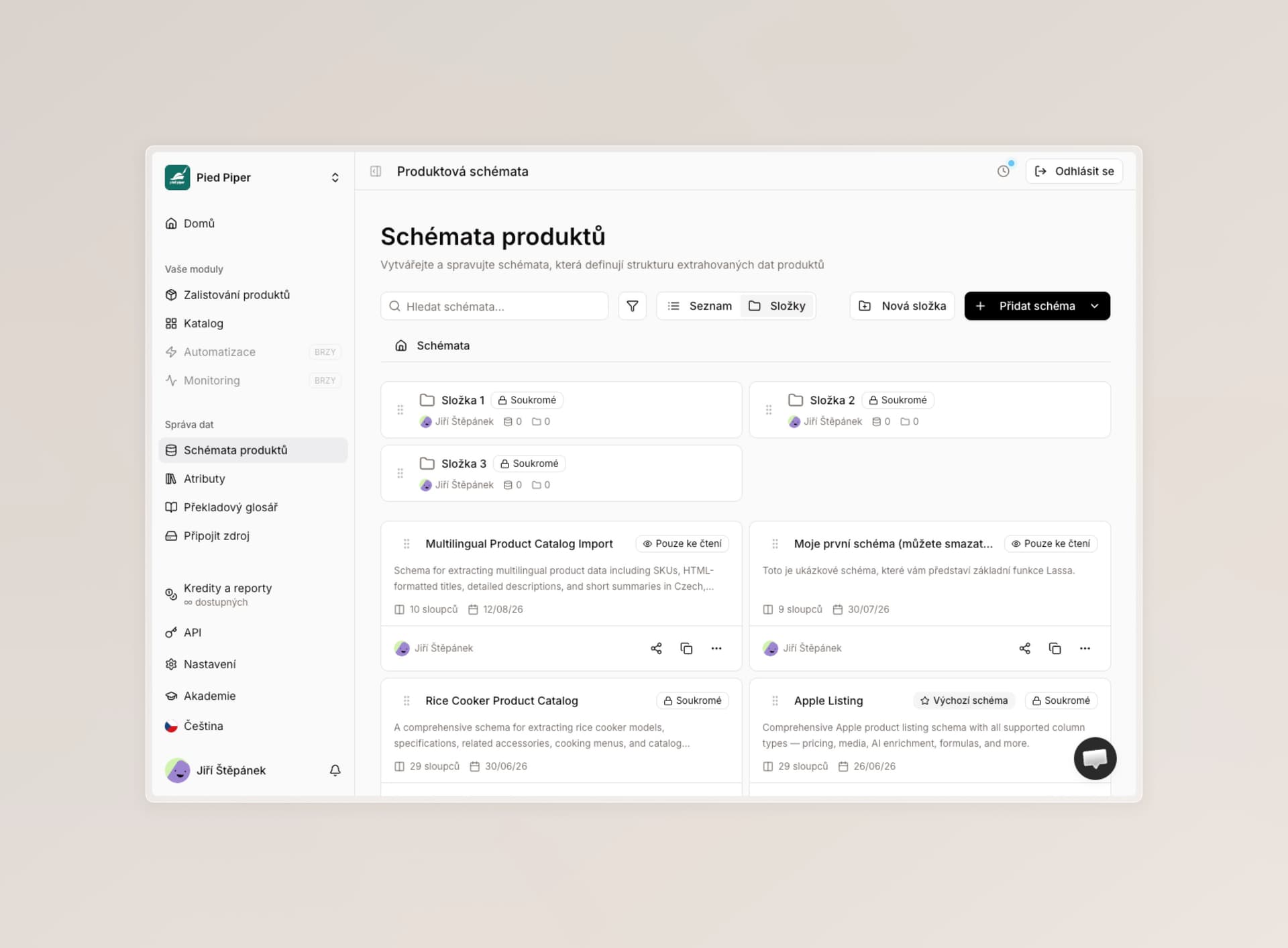
  • Smoothed out potential errors when generating rich text into templates.
  • Fixes for format columns — mainly support for various JavaScript and Excel functions and preview display for different value types. We are continuing fixes here and plan a deeper redesign to simplify this column type.
  • Better support for copying complex instructions out of the app and back (including conflict handling when names collide).

Export and catalog

  • Cleaned up “never export” and “always export” logic. We also handle edge cases — for example a required column that must never go into an export. Better catalog compatibility and clearer display in the app.

Accounts, roles, and access

  • Stronger passwords. Stricter rules for new passwords across the app. Existing passwords stay valid.
  • New role option: user can see all schemas.
  • Authorized users can now choose whether they see all jobs and schemas, or only their own.
  • Onboarding tutorials for new users now respect their specific role.
  • More small sign-in fixes.

Small fixes

  • Fixed missing source-file preview in tables when the file was imported (not extracted).
  • Fixes around saving views.

What's next

Next month we keep simplifying the app: better catalog work, schema creation and editing, references to other products, and more performance work.

Thank you for every piece of feedback — we truly appreciate it.

Roles, permissions, and a faster Lasso

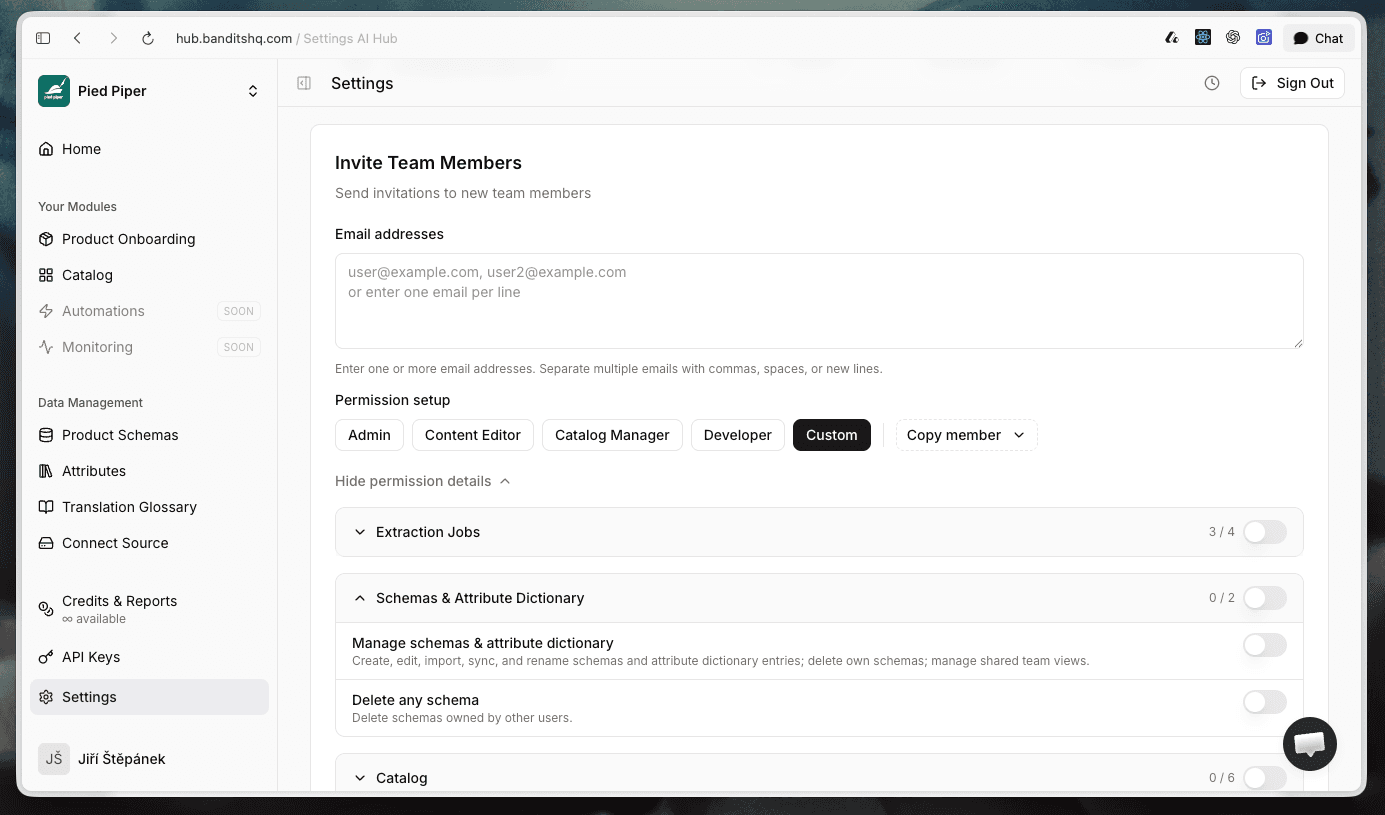
Role and permission settings when inviting a new team member in Lasso

Yes, we are writing again — this soon after the last update. Sorry, but a few of these changes are important enough that we do not want to wait for the next roundup. The new roles and permissions are especially worth a look.

Roles and permissions

This is our biggest update and the feature you have asked for most often.

Until now, Lasso had two roles — administrator and user. That was not enough for larger teams.

What is new:

You can now configure up to 20 individual permissions for every user, controlling exactly what they can and cannot do. These cover API access, schema access, catalog editing, company settings, and more.

To make setup easier, we have prepared 4 templates that reflect how teams most commonly work: Admin, Content Editor, Catalog Manager, and Developer.

When you invite a new team member or edit an existing one, you can either choose a template or configure their access exactly as needed.

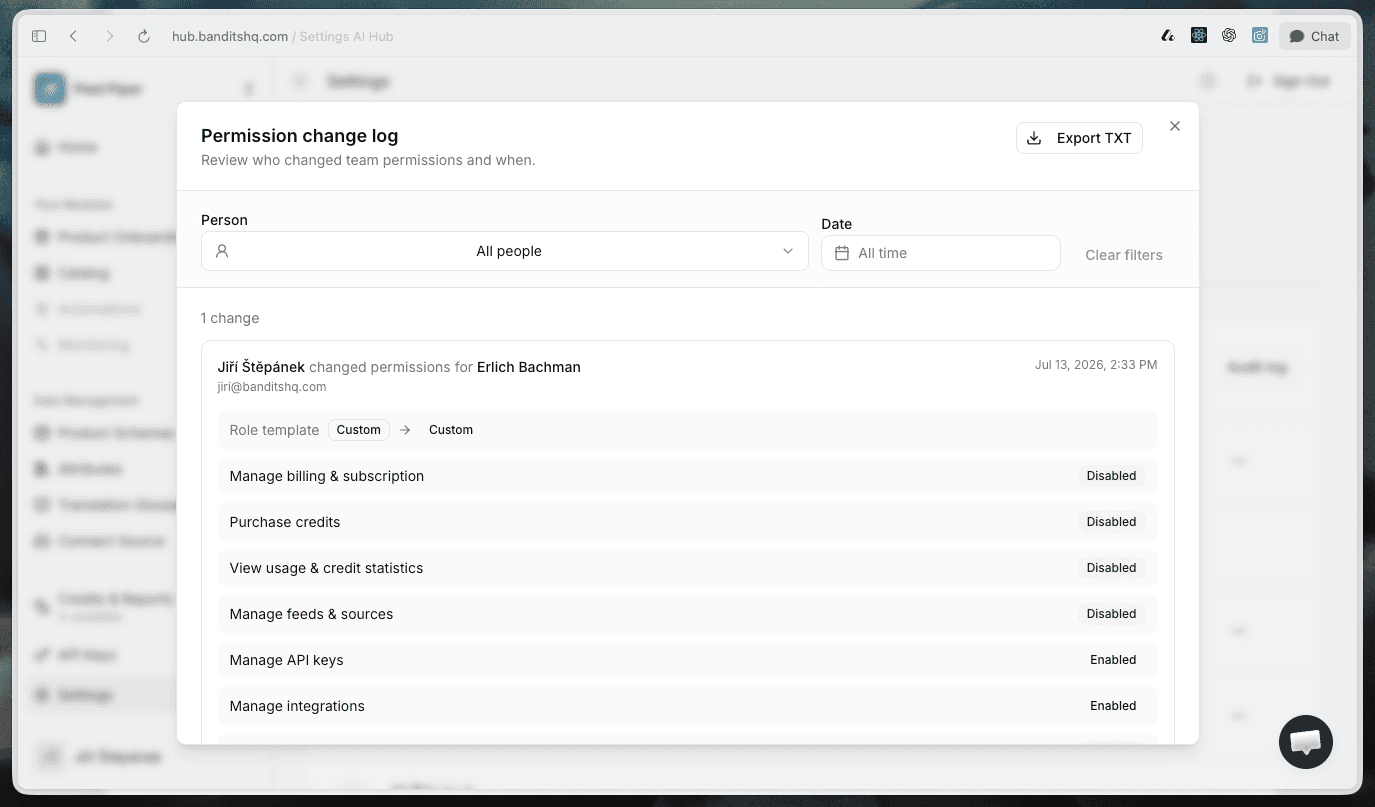
There is also a new Permission change log, where you can see what access was granted or removed, for whom, and when. It gives larger teams better security and oversight.

What this means for you:

We have automatically migrated all existing users so that everyone has exactly the same access as before. Nothing will break. We do recommend reviewing the new settings when you have a moment — open a user profile in Settings and fine-tune their access.

Permission change log showing a user's updated access

Faster app and a new unified design

As you may already have noticed, we are working through the app and simplifying it wherever we can.

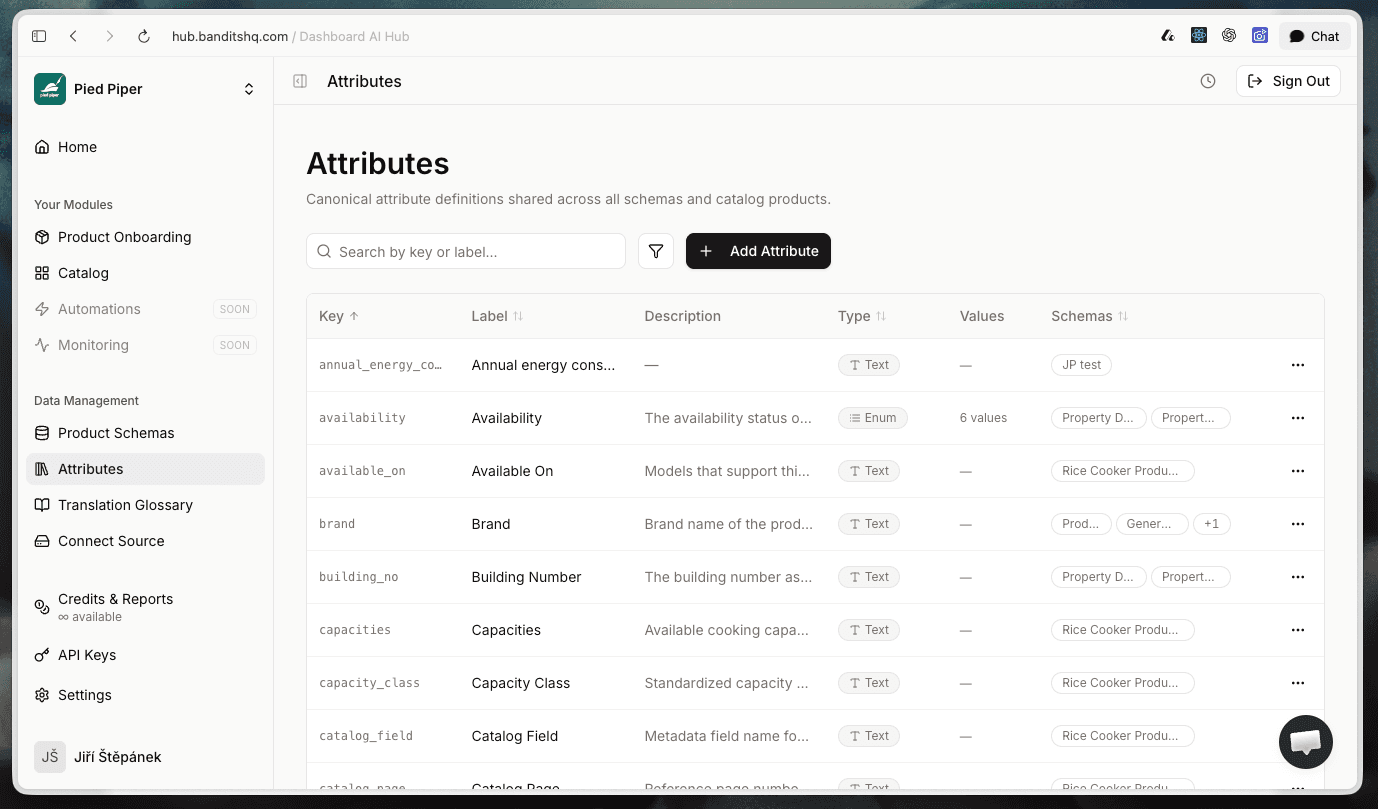
Every list now has new filtering, a clearer design, and more useful information.

Loading is noticeably faster.

The goal is clear: the app must be much more intuitive. We will keep improving it.

New streamlined attribute list with search and filtering

Image validation by aspect ratio

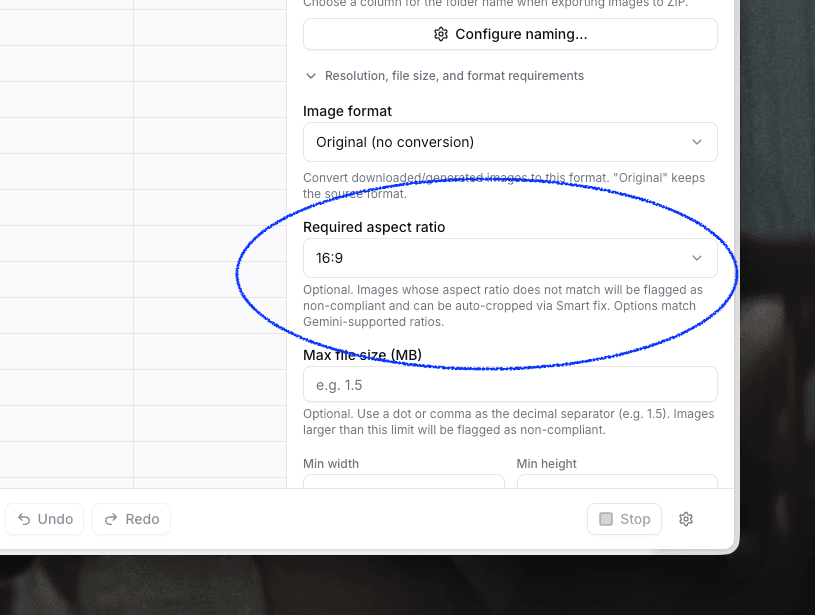
There is a new validation option: aspect ratio.

If an image does not match the ratio you need, AI can either crop it automatically or generate the missing space.

Required image aspect ratio set to 16 by 9

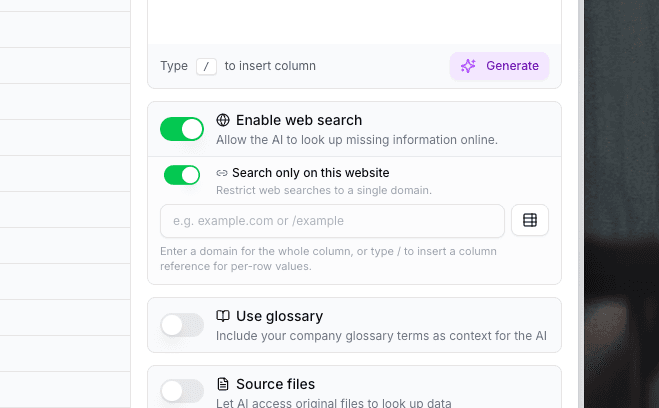
Search on a single website only

We have added an optional way to restrict Lasso to a single website.

A typical request might be: “Find product information on the supplier's website.”

Previously, we recommended writing this directly in the instruction, and Lasso usually handled it well. If the URL was entered incorrectly, it could even reason about the address and correct the path itself.

In the new mode, Lasso explicitly blocks every other website from its answers. This may not be ideal for less technical users who might enter an incorrect address. But for advanced users who are certain of the URL, it is an excellent way to gain even more control over the output.

You can find it directly under “Enable web search.”

Enable web search field with the single-website search option turned on

More updates

Sitemaps — you can now refresh and manage sitemaps used by the internal linking feature.

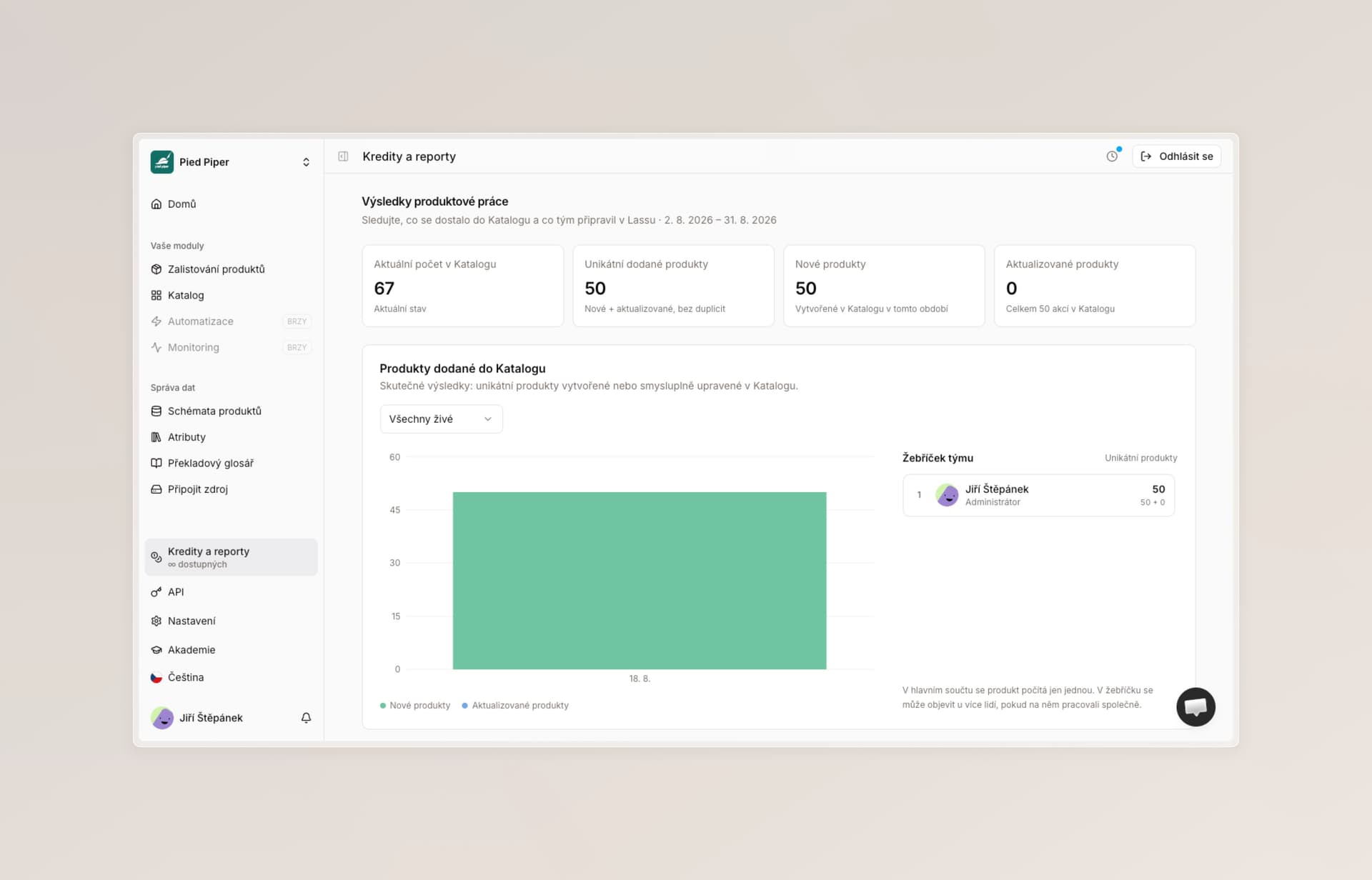
New statistics page — clearer and easier to read.

Copying and pasting enrichment instructions — copied instructions now find hidden columns too and work reliably across external apps, for example when teammates send instructions to one another.

Email and notification review — we reviewed and polished them throughout the product.

Stronger database security against attacks.

Apple listing schema for new users — we changed how the sample schema and jobs from the trial tutorial are regenerated. Each new user now gets just one private version, keeping your workspace a little cleaner.

Bug fixes

This is by far where most of our work goes. We are steadily fixing every issue we know about, and we are not slowing down.

Thank you for all your feedback. It is what helps us decide what to address first.

Deterministic import, rich text overhaul, Max mode, bug fixes, and platform hardening

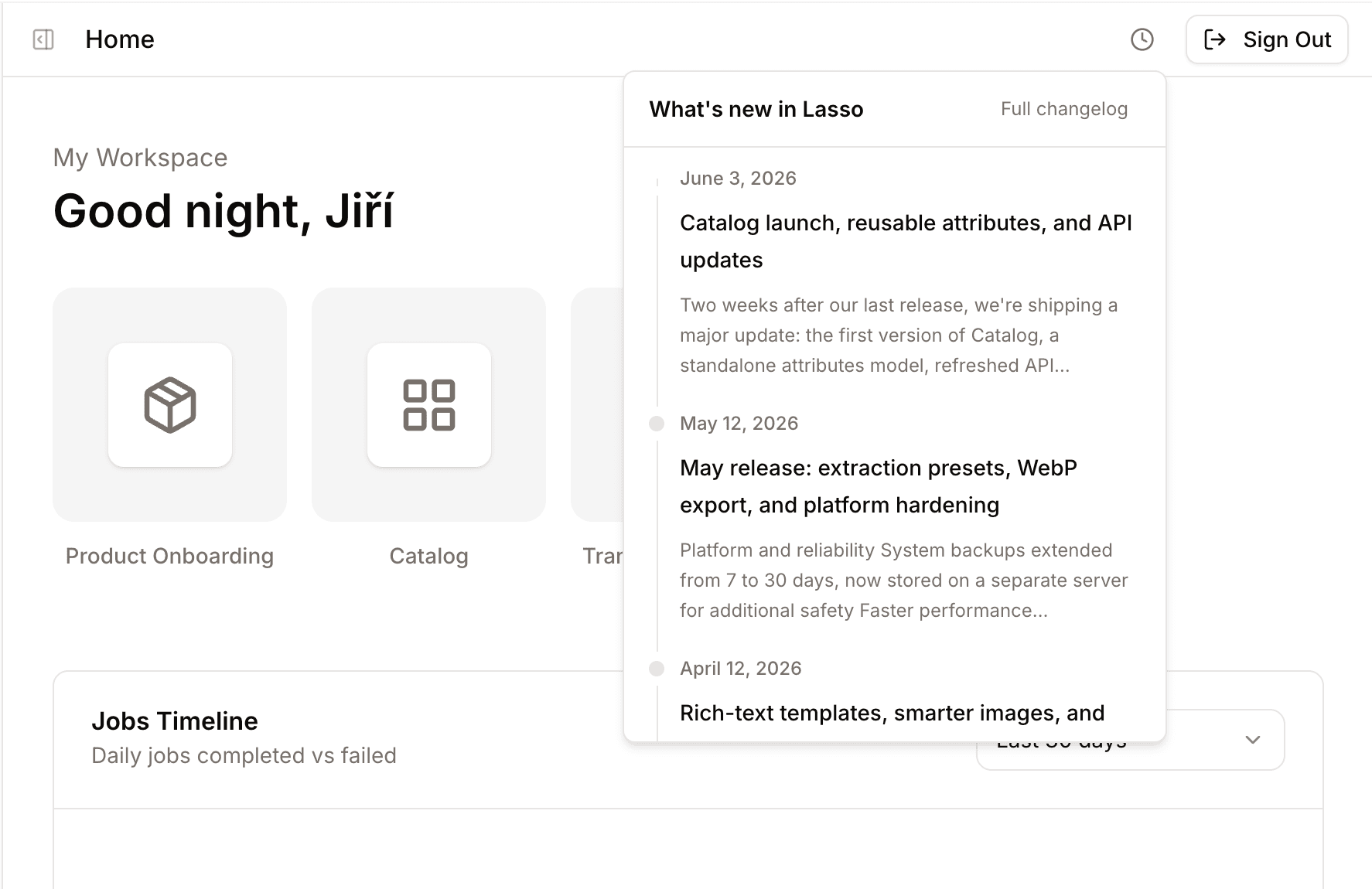
Lasso release notes inside the app

You can now read release notes directly in the app — click the icon in the top-right corner.

This is one of our largest updates yet. We added deterministic file import, a major overhaul of rich text, Max mode for image sourcing, our own CDN, significantly better statistics, and hundreds of fixes behind the scenes. Below is everything from the biggest changes down to the details.


Headline features

Deterministic file import

Alongside extraction and empty tables, there is now a third way to get supplier data into Lasso — direct import.

Many of you told us that extraction sometimes failed to build a table correctly, even for formats you use over and over. Import solves that: a known supplier format lands in your enrichment table clearly, deterministically, and the same way every time.

When to use what:

  • Extraction — new supplier tables with a specific format you do not want to handle manually.
  • Import — a repeating, well-known format that should always map the same way.
  • Empty table — when you want to paste data in yourself.

Import is the second option in the product listing flow.

Choosing between Extraction, Empty table, and Import when listing products


Rich text — major overhaul

The rich-text editor gained new capabilities and better performance:

  • Support for non-breaking spaces directly in formatted text.
  • More HTML export options — inline styles, classes, and custom formats on request.
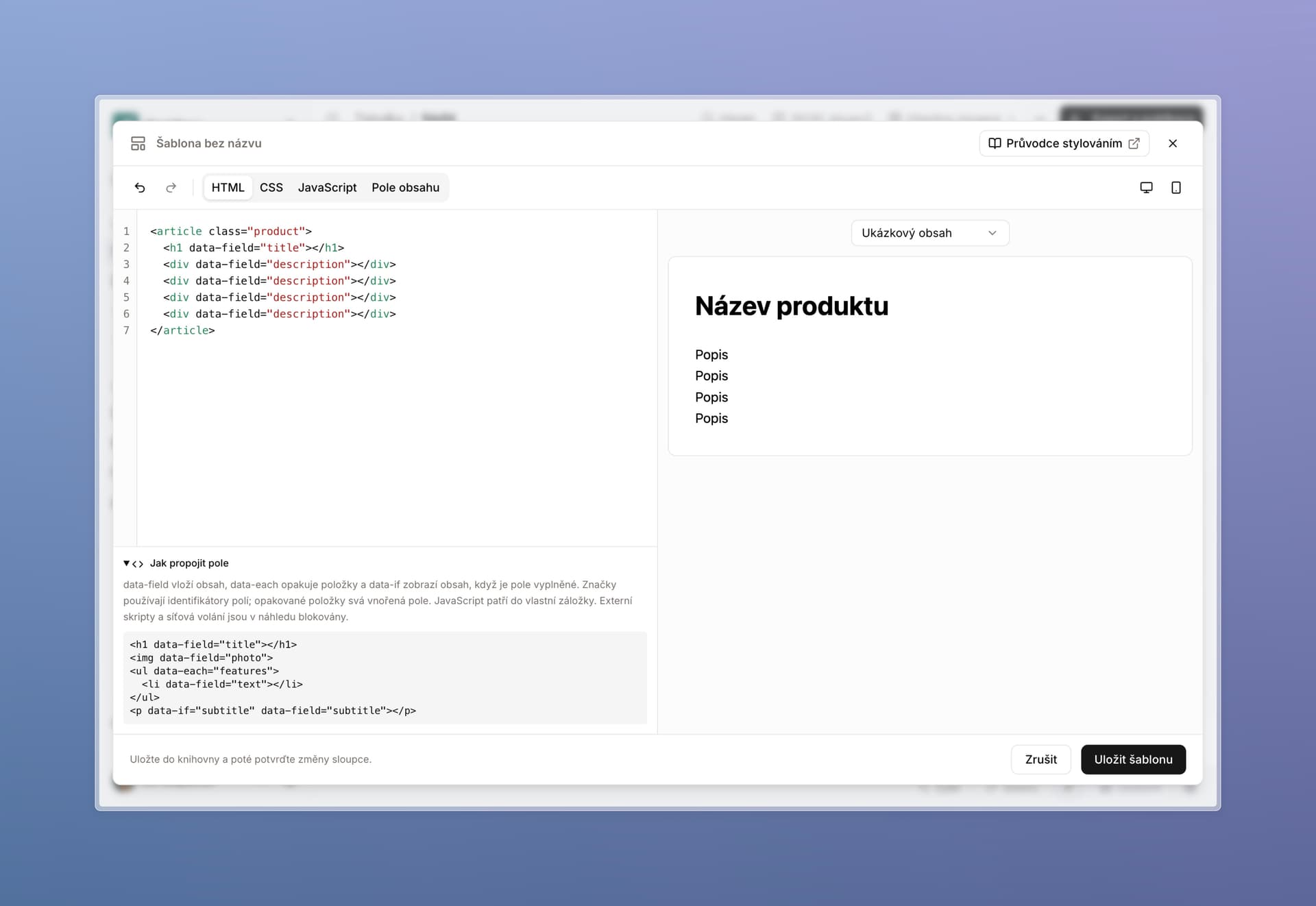
  • HTML templates can include variable sections based on content length.
  • General improvements to features, speed, and day-to-day editing.
  • When placing images, Lasso now looks at their content and writes stronger surrounding copy.
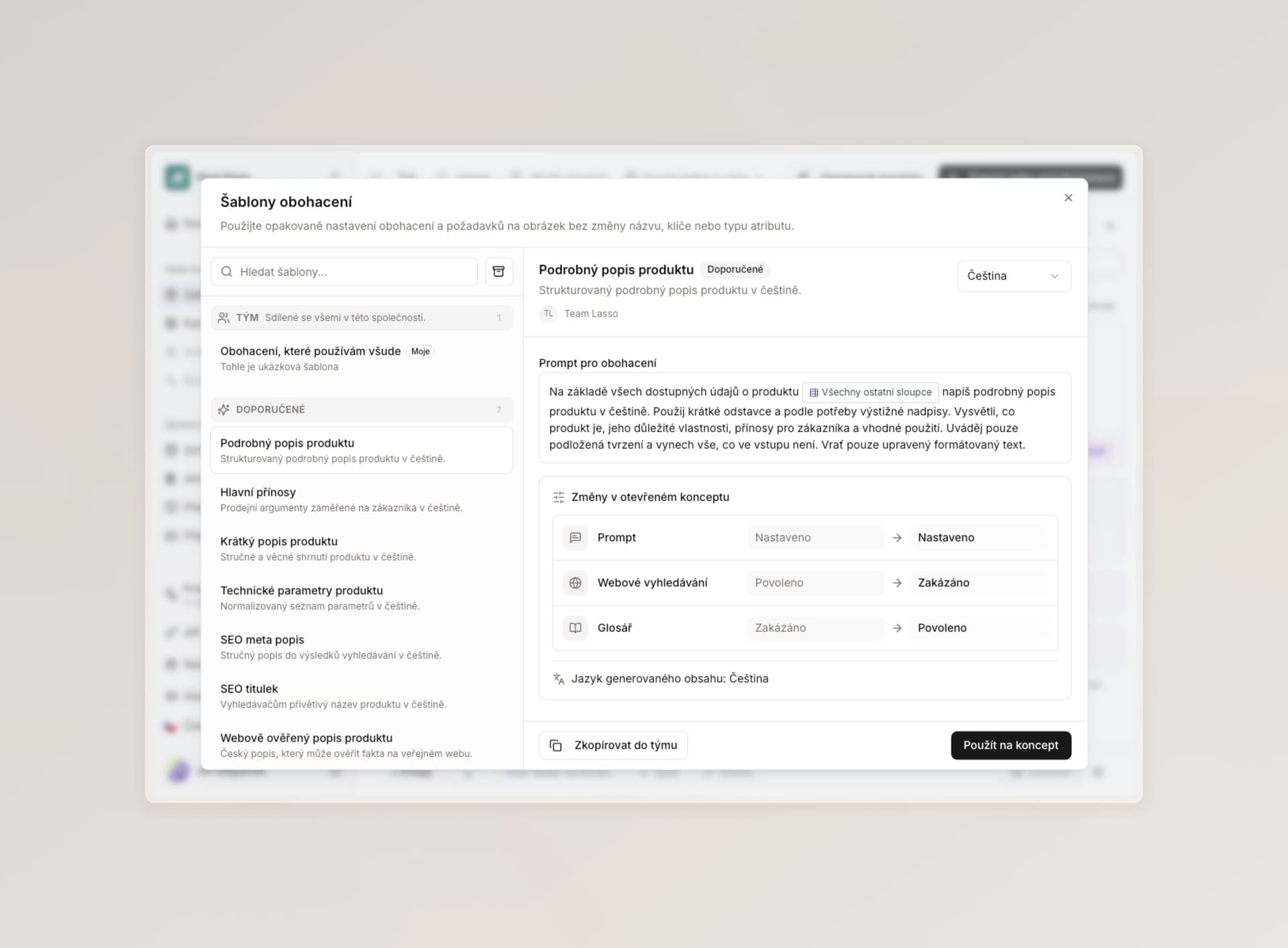
  • You can duplicate, delete, create, and preview custom templates before generating content. We can also add your own export format on request.
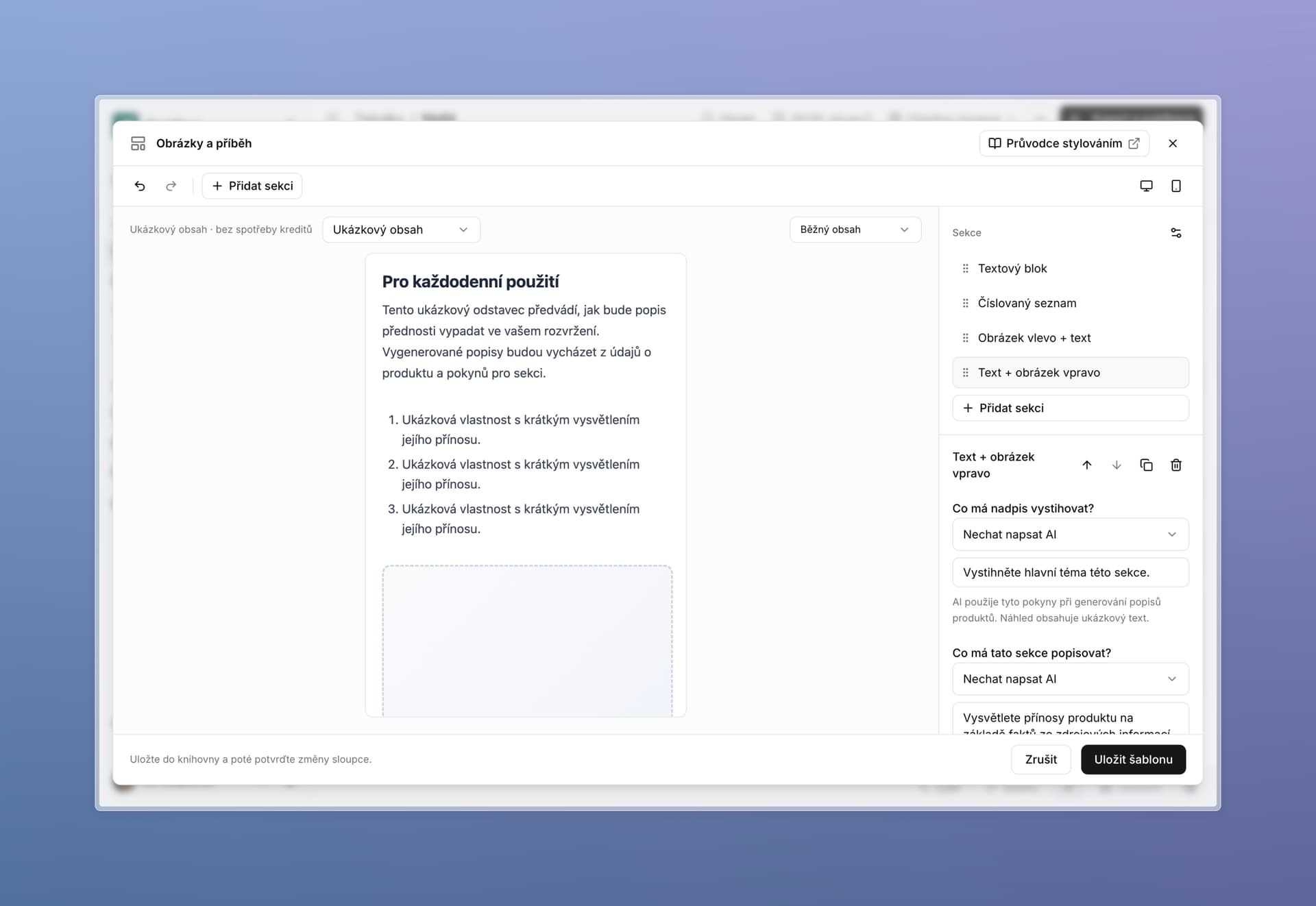
  • Image placeholders — when Lasso does not have an image yet, it suggests where one should go and lets you fill it in later.
  • Internal link building — add your sitemap and Lasso can insert internal links to other pages on your site while generating text.

Rich text with internal link building


Images — Max mode and generation

Max mode (experimental) Ultra-precise image sourcing where the Lasso agent uses its own browser. It can click, type, pass CAPTCHAs, and open complex galleries. Much better for instructions like “on site X, find every image for product Y.” It is still expensive to run (100 credits), and we will bring the cost down as the technology matures.

Manual image generation

  • Available in galleries, rich text, and when editing existing images.
  • Multiple cheaper models to choose from.
  • Worth trying — for example, turning reference images from the web into polished lifestyle shots for your products.
Other image improvements

  • Better standard image sourcing (the 2-credit flow).
  • Validation and automatic adjustment — minimum resolution, file format, compression, and more.
  • Reorder images in galleries.
  • More metadata shown, including resolution and file format.
  • On request, we can connect image sourcing to your own database or FTP.

Max mode agent browsing a gallery and a generated lifestyle photo


Dedicated CDN

Downloaded images are now stored on our CDN. You can keep images hosted through Lasso on your site without worrying that older assets will disappear.


Enrichment

  • Type /all in an enrichment field to pull the full row into the agent’s context.
  • Several AI models updated in the background.
  • Better language detection for translations and unit conversions.
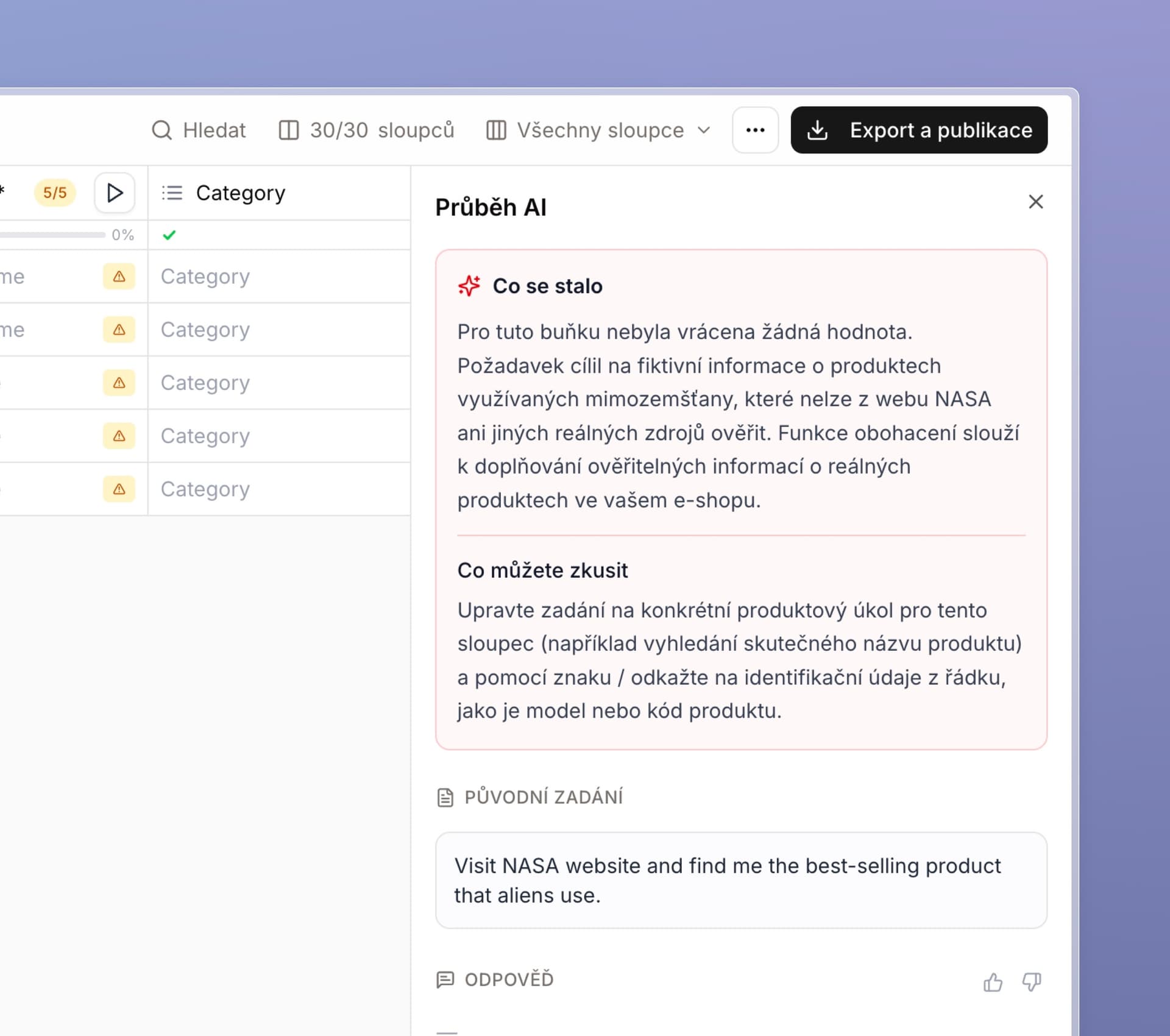
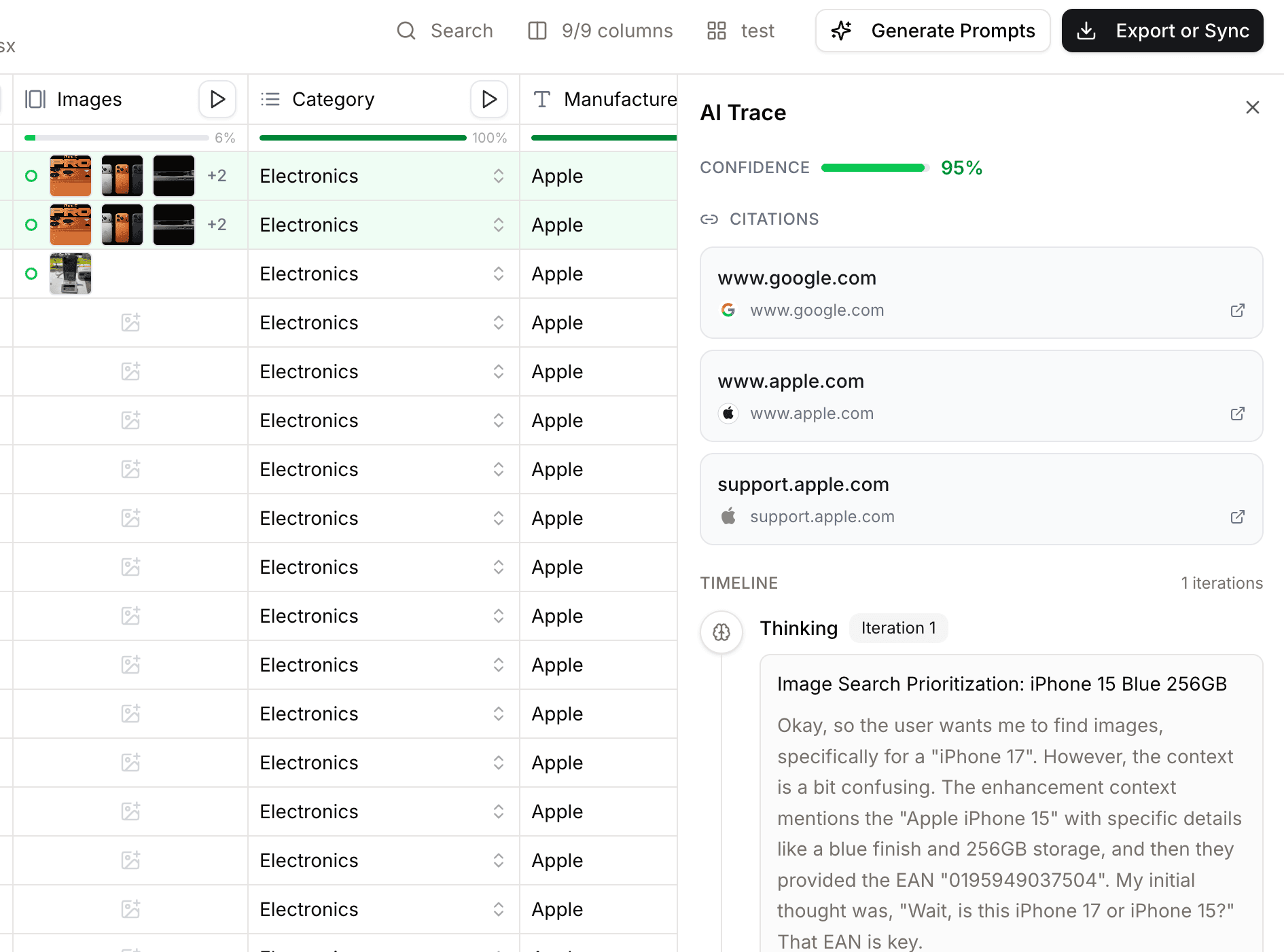
  • A fully redesigned AI reasoning panel (question-mark icon) — see more detail about how the AI thought through a response. For selected features, including video and screenshots of its reasoning steps.

Redesigned AI reasoning panel with a reasoning step


Statistics — major improvements

  • More useful metrics, including conversion to Czech koruna.
  • A new API endpoint — pull statistics into Power BI or your own automations.
  • Better and more accurate date selection.

Smaller but welcome updates

  • Never export — column settings now let you exclude a column from every export. Useful for helper columns used for validation or lookup that should stay in the table but never ship in the final file.
  • Tags and enum column values can be edited after creation.
  • xlsm file support (Excel with macros) for extraction and import.
  • New API endpoints for attribute management.
  • Updated API documentation — see the API quickstart.

Simplification and design

We keep simplifying the app — refining copy, contrast, and small details across attributes, sign-in, settings, table work, and more.


Bug fixes and performance

In our last changelog we promised better reliability. Here is what shipped:

  • 300+ automated tests and 24/7 AI agents now hunt for new issues before we or you notice them. Reliability remains our top priority.
  • If you received a mistaken low-credits email — sorry about that; it is fixed.

Enrichment and performance

  • Fixed slow loading and general enrichment behavior.
  • Faster deletion of cells and large row batches.
  • Fixes for undo/redo and saving column values when several people work in the same table.
  • Fixed waiting on enrichment for a field that had already finished in the background (previously required a refresh).
  • Fixed enrichment results that sometimes did not write back to the cell.
  • Clearer error messages when cell enrichment fails.

Extraction

  • Custom extraction reads tags from a single field more reliably.
  • Extraction indicator loads faster.

Table work

  • Invalid enum values can now be corrected in place and added to the allowed list.
  • Fixed search in long enum dropdowns.
  • Fixes for pasting thousands of rows from Excel into Lasso.
  • Fixed paste overwriting cells in unrelated columns.
  • Fixed Cmd+Z on Mac.
  • Fixed a white screen that could appear after an hour or more of work.

Schemas and attributes

  • Fixed attribute key display on new tables.
  • Fixed attaching existing attributes to a schema.
  • Fixed file and image export settings on empty schemas.
  • Fixed reordering columns while editing a schema.

Export and views

  • Clearer saved-view management.
  • Fixes for CSV export and segmentation.
  • Batch mode fixes.

Other

  • Fixed Czech/English switching for texts that stayed in the wrong language.
  • Fixed duplicated tutorial videos.
  • Gallery fixes.
  • Fixed credit usage indicator.
  • Security improvements.
  • …and many other issues we caught along the way.

What we are working on next

  • More roles for different people and more teams.
  • Continued bug fixes and performance work.
  • Relationships for products and metaobjects (long promised — getting close).
  • Views — we want to invest much more here, especially when several people on one team work in the same table on different columns. Easier sharing, reuse, and organization.
  • Integrations to your favorite services.
  • Enrichment sequences (some steps earlier, some later).
  • Catalog improvements and more.

Have a great summer ☀️

Catalog launch, reusable attributes, and API updates

Lasso catalog product list with search, status filters, and XML feeds

Two weeks after our last release, we're shipping a major update: the first version of Catalog, a standalone attributes model, refreshed API and SDK resources, and improvements across the app.

You don't have to use Catalog — if your current workflow works, nothing changes for you.

Product catalog

  • Manage, edit, and publish products that are live in your system or ready for the web — sync with Lasso only, or store product data directly in Lasso
  • Move enriched table data straight into the database, without extra files on your desktop or manual deduplication in another system
  • Generate custom XML feeds for specific assortments — useful for Heureka, Zboží, Google Merchant Center, and other marketplaces
  • Filters, product families, change history, access controls, and custom mapping

Product detail view in Lasso Catalog with schema-based attributes and change history

Independent attributes

  • Attributes are now reusable units with their own rules — display name, value type, and enum values
  • AI instructions stay per schema and column, as before
  • See where each attribute is used and add existing attributes to new schemas without duplication
  • In Catalog, each product type keeps its own schema — you only work with attributes that make sense for that assortment

Add existing attributes modal showing reuse across product schemas

API and SDK

We updated the full API and SDK alongside Catalog — for syncing Lasso with your ERP, PIM, e-commerce platform, or moving more product management into Lasso over time. See the API quickstart to get started, or book a call if you'd like a walkthrough or team onboarding.

Other improvements and fixes

  • Enrichment agents can access original files from extraction
  • New File and Files attribute types for PDFs, certificates, and similar attachments
  • Updated AI models across the platform
  • More tooltips on buttons that weren't always self-explanatory
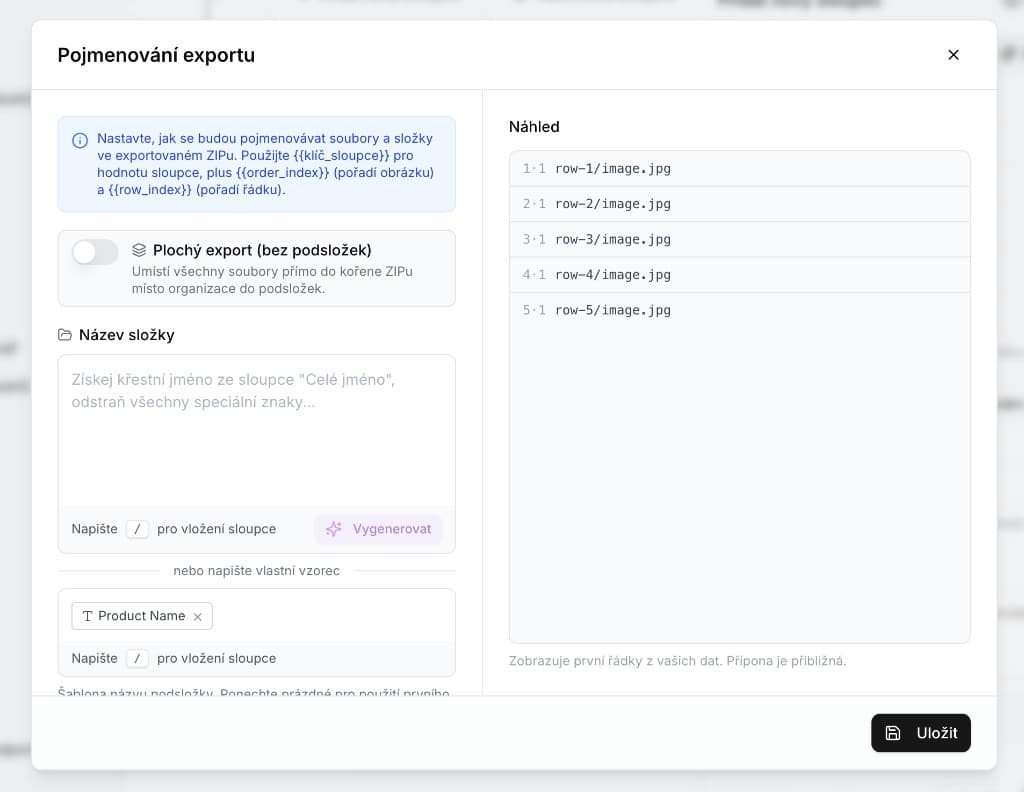
  • Custom file and folder naming when exporting images and galleries

Export naming dialog with folder templates and live preview

  • Reorder images in galleries and simpler image insertion for non-technical users
  • Fix: table-wide enrichment context no longer makes every column enrichable — only columns with their own instruction stay enrichable
  • Change your password directly from Settings
  • Select multiple rows faster with Shift+click
  • Bug fixes, better enrichment performance on large field counts, and security hardening

Our next development cycle focuses on fixes, clearer parts of the app, and performance tuning. We'd love your feedback — follow future updates on the changelog.

May release: extraction presets, WebP export, and platform hardening

Platform and reliability

  • System backups extended from 7 to 30 days, now stored on a separate server for additional safety
  • Faster performance when enriching very large batches of cells at once
  • Credits are returned automatically when an operation fails in the app
  • Improved quality of auto-generated prompts, rolled out across more workflow steps
  • Security, database, and infrastructure optimizations

New and improved features

  • Pre-generate enrichment at extraction — automatically draft values for every column based on the extracted assortment, so teams spend less time on manual setup
  • WebP and image export formats — WebP support plus conversion to other formats when exporting images
  • Invisible characters in descriptions — support for characters such as non-breaking spaces in product copy
  • Alt text in rich-text — image alt attributes for better SEO in formatted product descriptions
  • Credit usage emails — notifications when credit consumption reaches configured thresholds
  • Onboarding tutorials — four interactive walkthroughs and a task checklist for new users
  • PDF instructions — upload PDFs (copy manuals, SOPs) directly into workflow instructions

Fixes and UI polish

  • Simplified export menu, easier copying, and cleaner UI across several screens
  • Fixes for bulk enrichment, enum formats, user permissions, modal visibility, and dozens of smaller issues
  • Stability improvements to the competitive monitoring beta

Rich-text templates, smarter images, and API docs

Rich-text HTML templates. Rich-text columns can now generate more complex HTML layouts from predefined templates, including embedded images. The feature is optional out of the box, and your team can upload custom templates to match your brand.

Smarter image handling. Lasso analyzes what appears in product images and uses that context to decide how each image should be processed in the background — improving consistency when enriching large catalogs.

Suggest new attributes during extraction. When mapping a new product category, Lasso can propose new columns and fill them in one step — not only pick from attributes you already have. Available in the extraction flow and directly in the table view.

API and developer resources. The REST API received several improvements, alongside expanded documentation and SDKs for building custom integrations. See the API quickstart to get started.

Lasso launched

Lasso is now live — an AI-powered platform for e-commerce product data. Import messy catalogs, enrich products with missing specs and descriptions, and publish channel-ready output at scale.

Core workflows include CSV import, AI mapping, enrichment, and review before export. Start free or book a demo to walk through your catalog.