

Automatic schema selection, category trees, and AI table filters
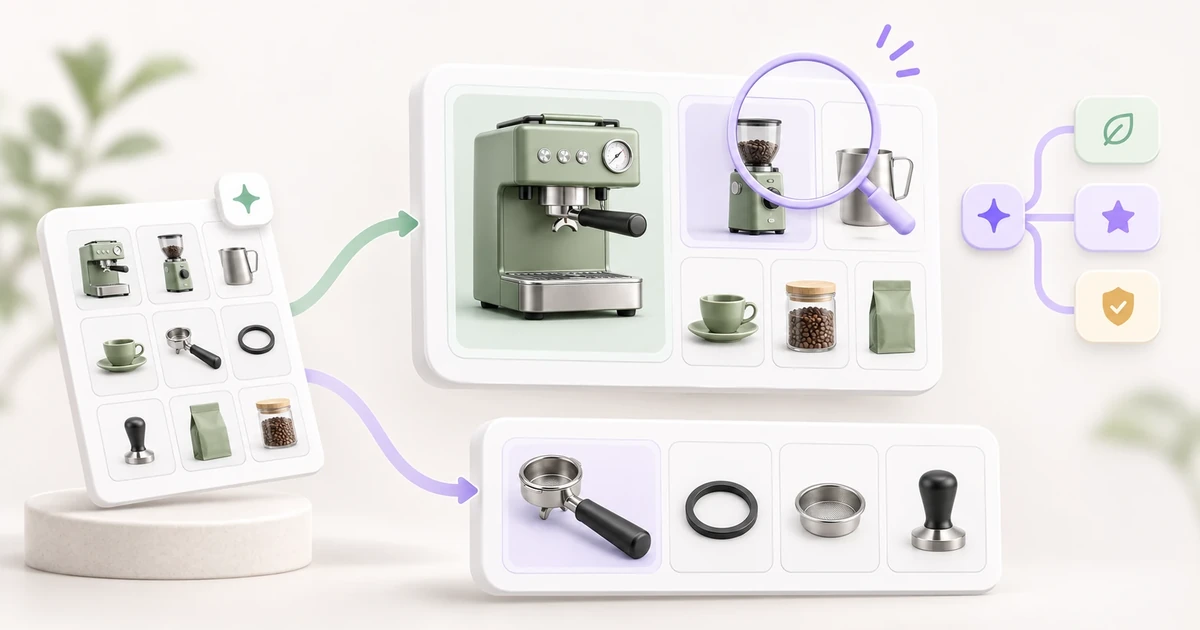
Split mixed supplier files into product tables, organize products across stores and campaigns, and ask AI to find the rows that need a second look. Image generation is now cheaper too. The new default, Nano Banana 2.1, costs just 5 credits per image.
Split one supplier workbook into separate product tables
Coffee machines and spare parts in the same file? In Product Onboarding, look for Auto (Experimental) next to the schema picker. Choose the existing schemas Lasso can use. It matches each product to a schema and creates one table per schema used. If the match is unclear, open Needs your input to check the source and choose a schema before Lasso creates the tables.
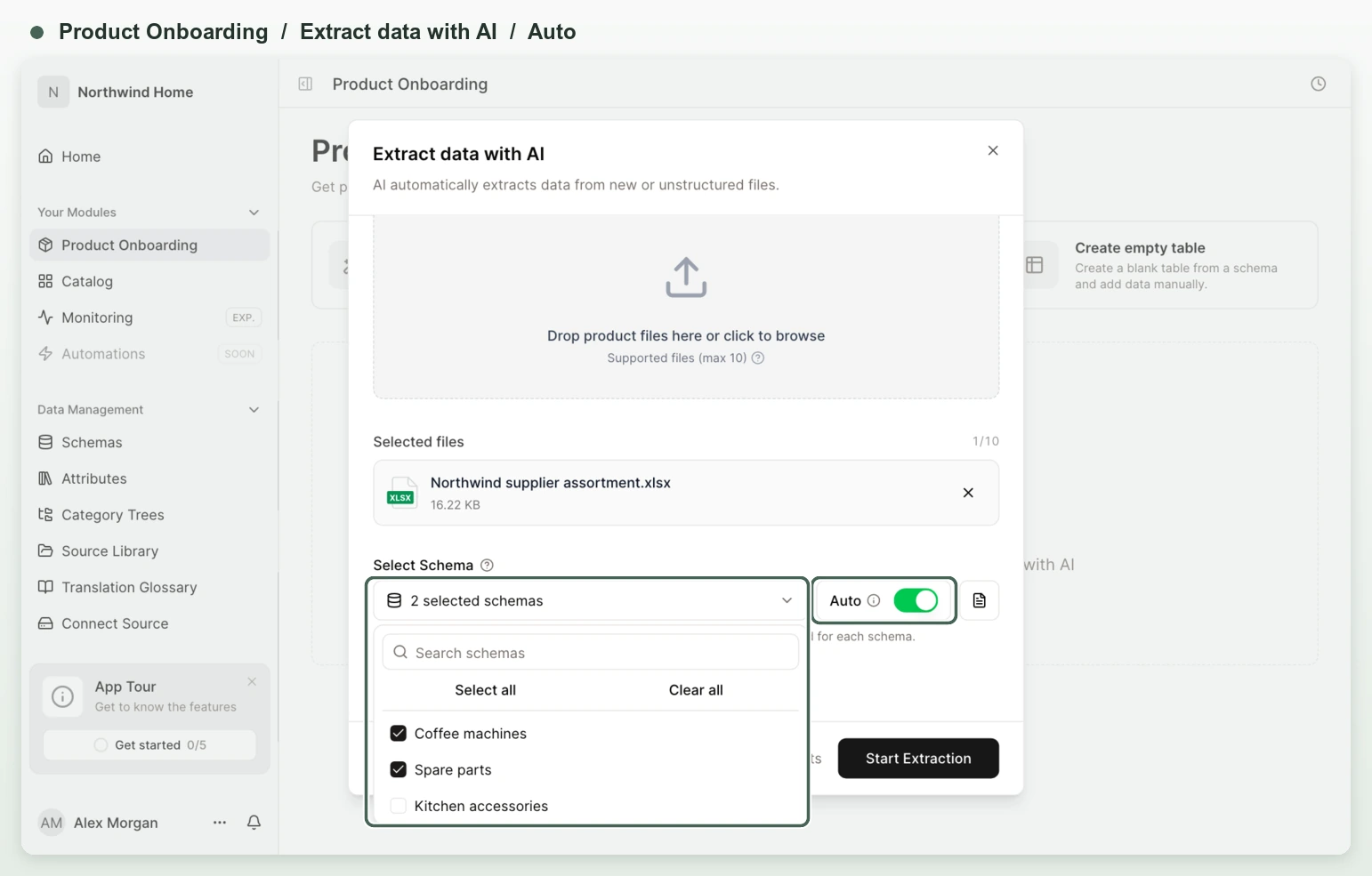
You can include separate sheets for prices or specifications. Imports now handle more layouts and better preserve codes with leading zeros, Excel text formatting, and pictures Lasso can match to a product. In Schemas → Create from File, check the detected headers and review one schema draft per selected sheet.
Organize one Catalog for several stores or campaigns
In Data Management → Category Trees, build or import a hierarchy for each storefront, market, or campaign. Put the same coffee machine under Kitchen Appliances and in a holiday campaign that starts in December. Assign products in bulk or from a product’s Categories tab. Preview what’s active on a given date, send changes to a teammate for approval, or use Link trees to carry product assignments between paired categories.
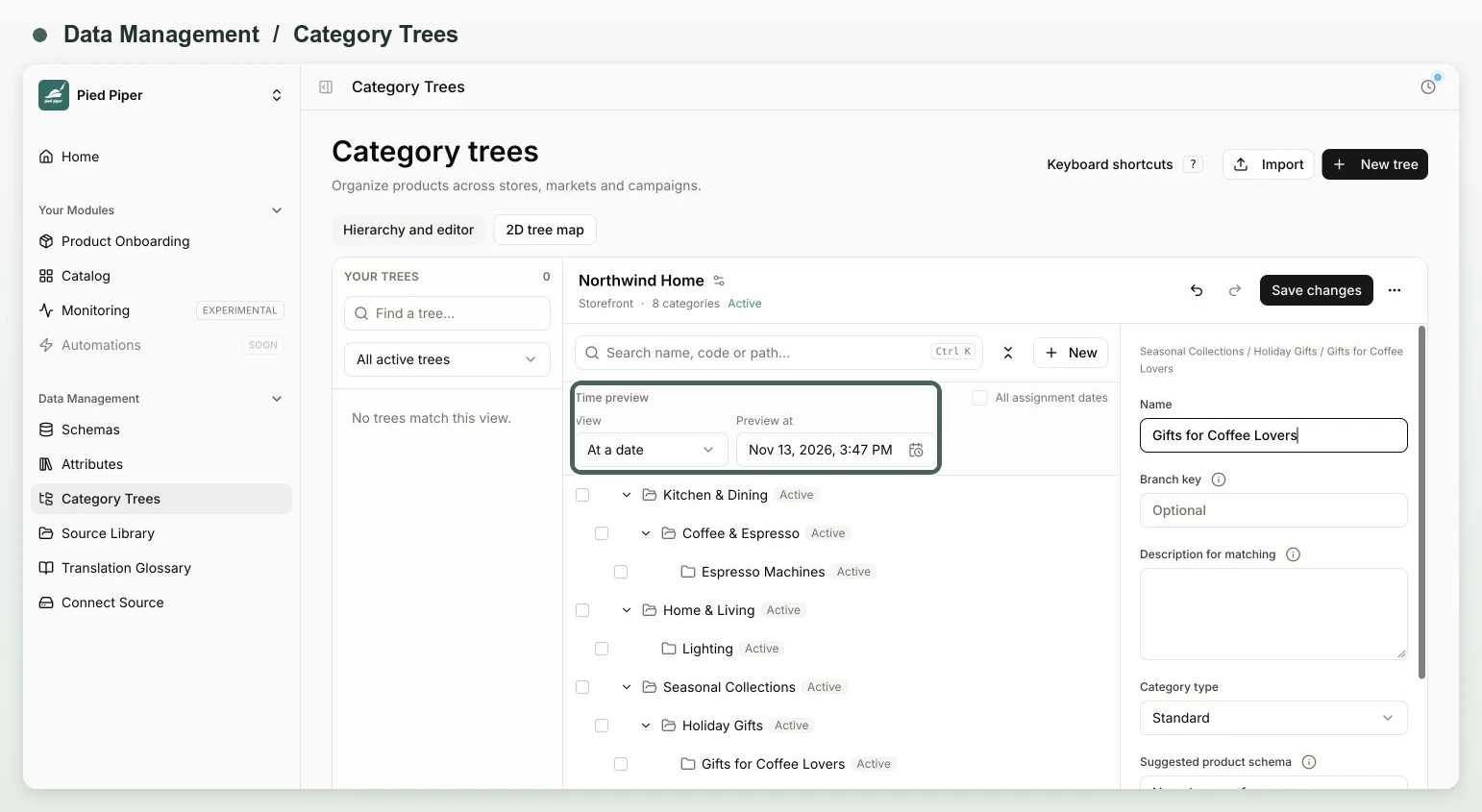
To classify a supplier list, add a Category Shared Attribute, pick categories manually or have AI suggest matches from your trees, then review and Sync to Catalog. Existing placements stay in place.
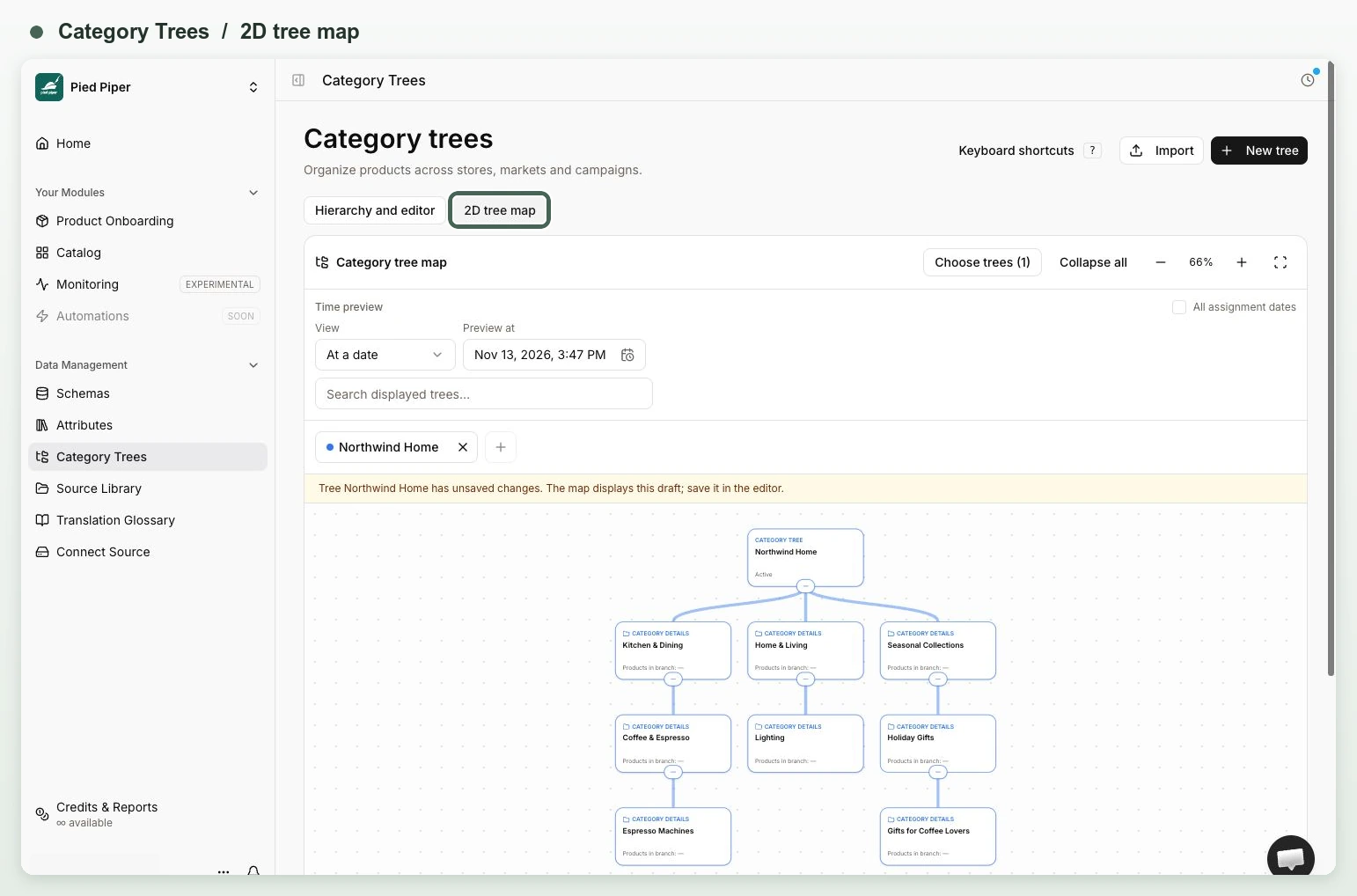
Switch to 2D tree map to see how your categories branch.
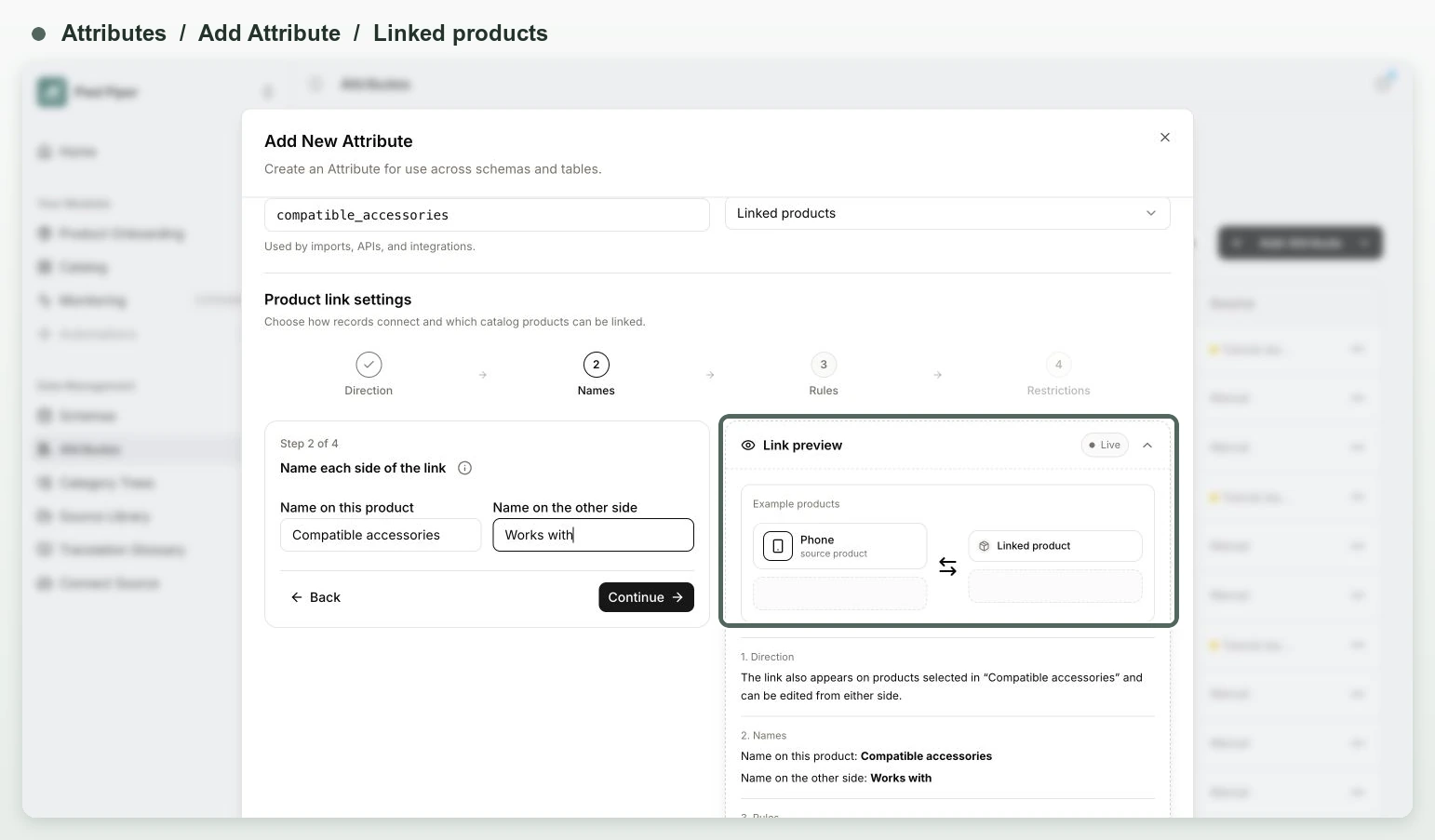
For accessories, spare parts, and other related items, choose Linked products when adding an Attribute. The setup previews both sides of a link. Open the Product link map on a Catalog product to follow those connections.
Find the rows that need your attention
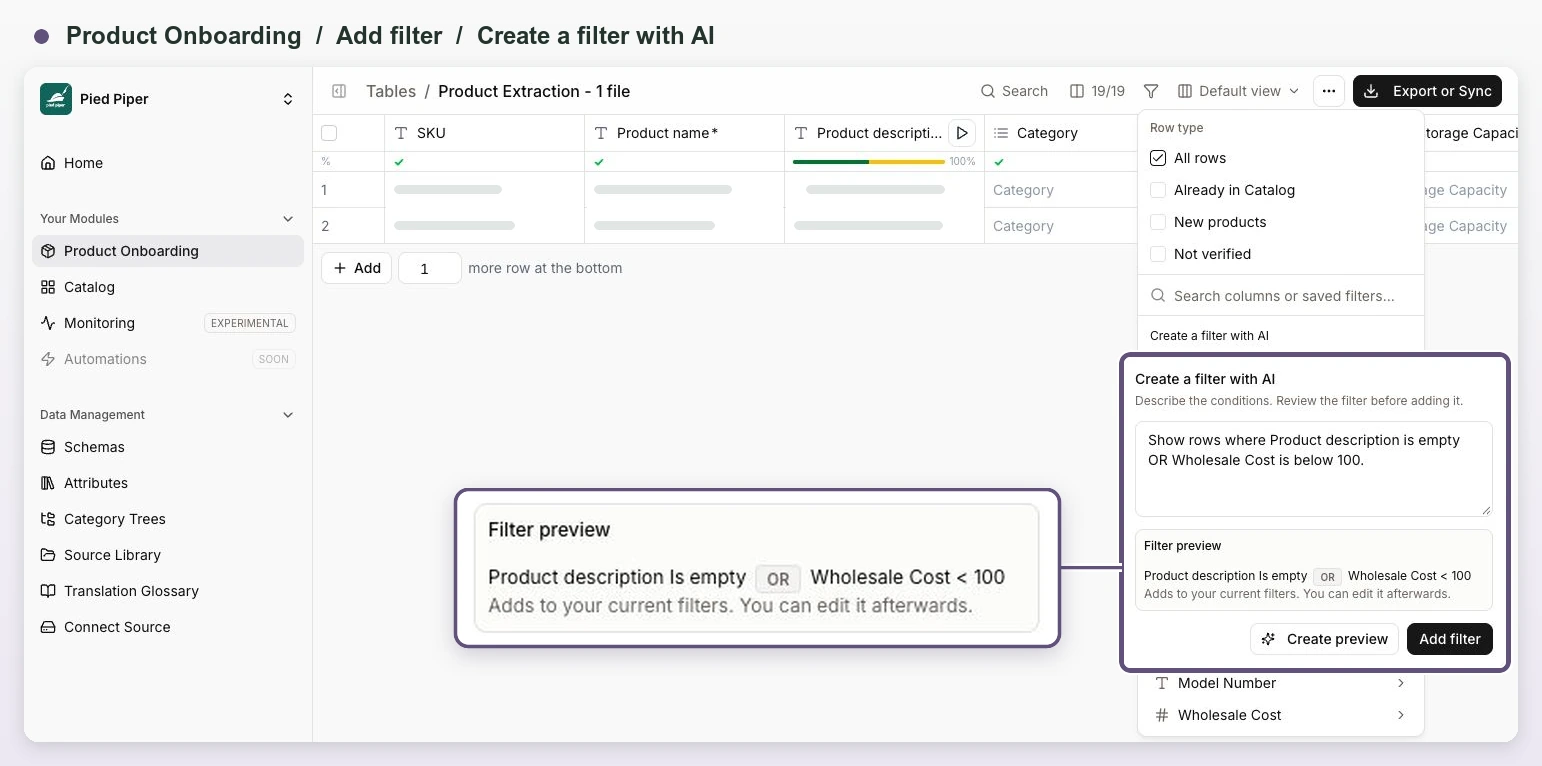
In a Product Onboarding table, open Add filter → Create a filter with AI and try “Show rows where Product description is empty OR Wholesale Cost is below 100.” Review the preview before applying it. You can also build AND/OR groups by hand, filter by AI confidence, and save filters with the bookmark button. Find them again under My filters.
Use Add filter → Row type to find products Already in Catalog, New products, or Not verified. Open matched products straight from the row. Search, counts, and Select all cover the whole filtered table, including rows you haven’t scrolled to. Use Export filtered rows for CSV or Excel.
Reuse sources and build richer descriptions
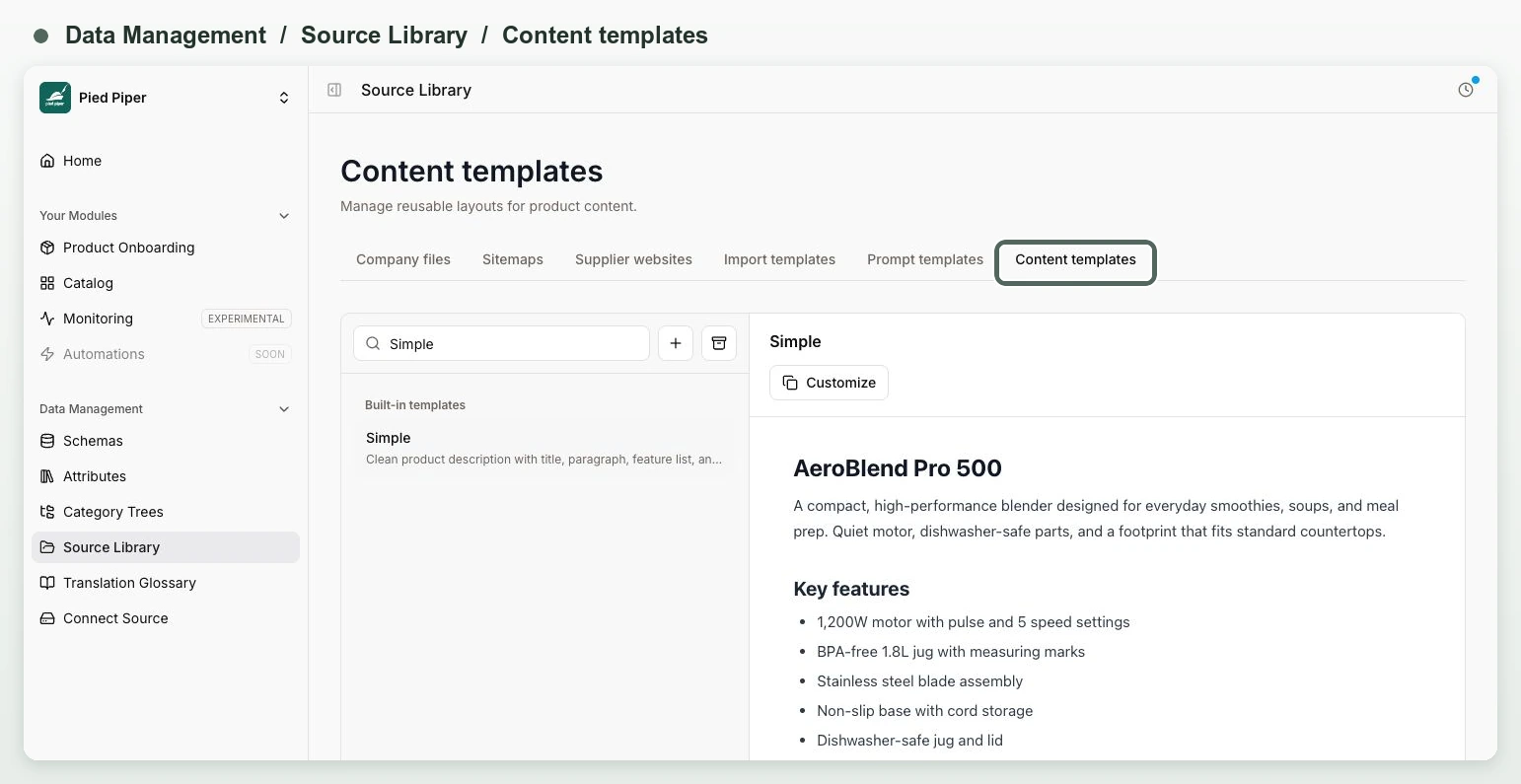
Find company files, sitemaps, official supplier websites, and templates under Data Management → Source Library. Start an import with Use templates to reuse a schema and instructions. Save AI prompts and product layouts there too. For enrichment, attach files through Source files and sitemaps through Internal links.
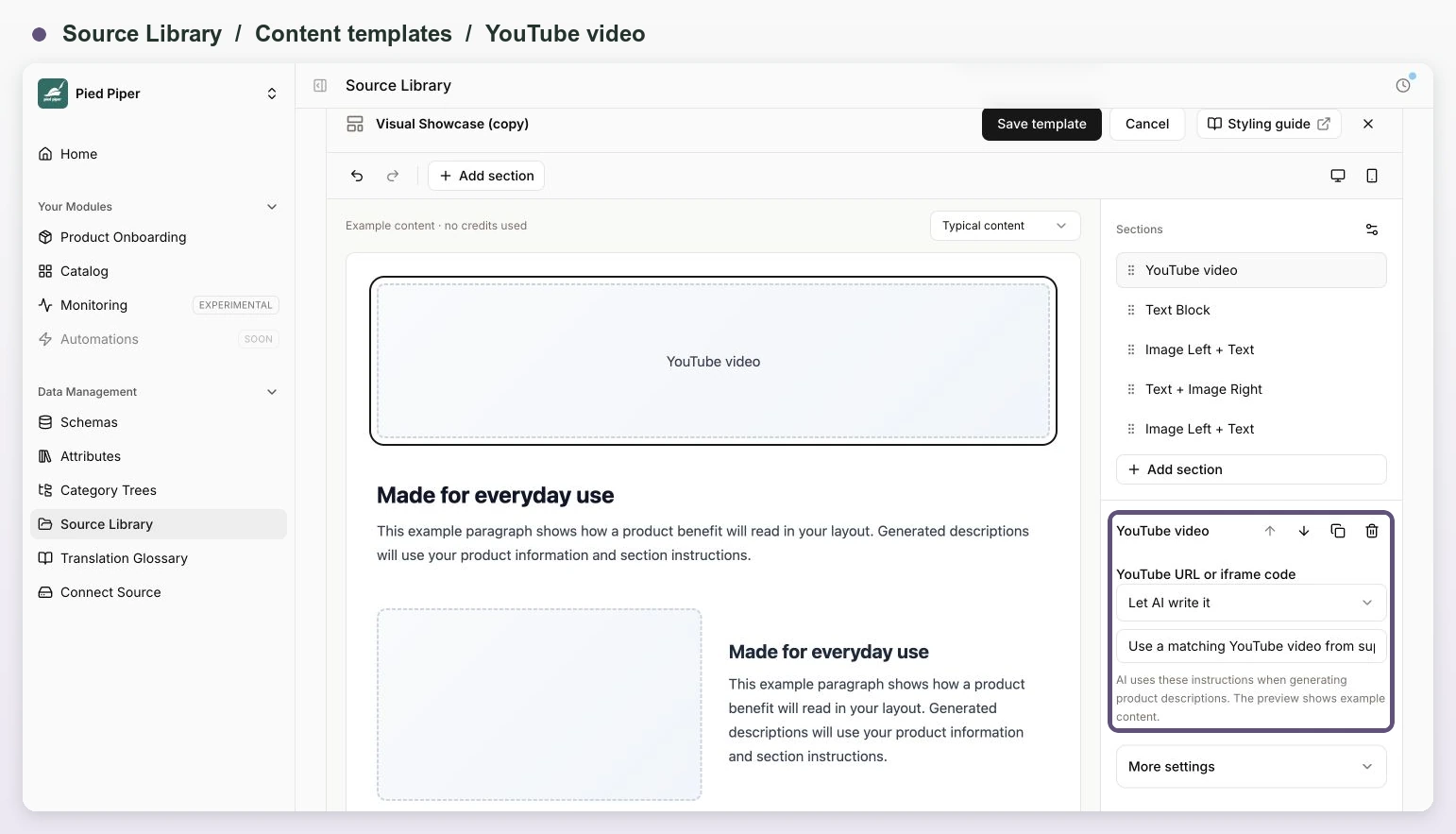
Use the video button in Rich Content to add a YouTube link, or choose Add section → YouTube video in a visual template. Supported HTML and spreadsheet exports keep the player. Double-click to preview Rich Content in a read-only table. For Word descriptions, attach the DOCX in Enhance with AI → Source files to carry over more of the original formatting, tables, links, and pictures.
Run related AI steps together and catch image issues sooner
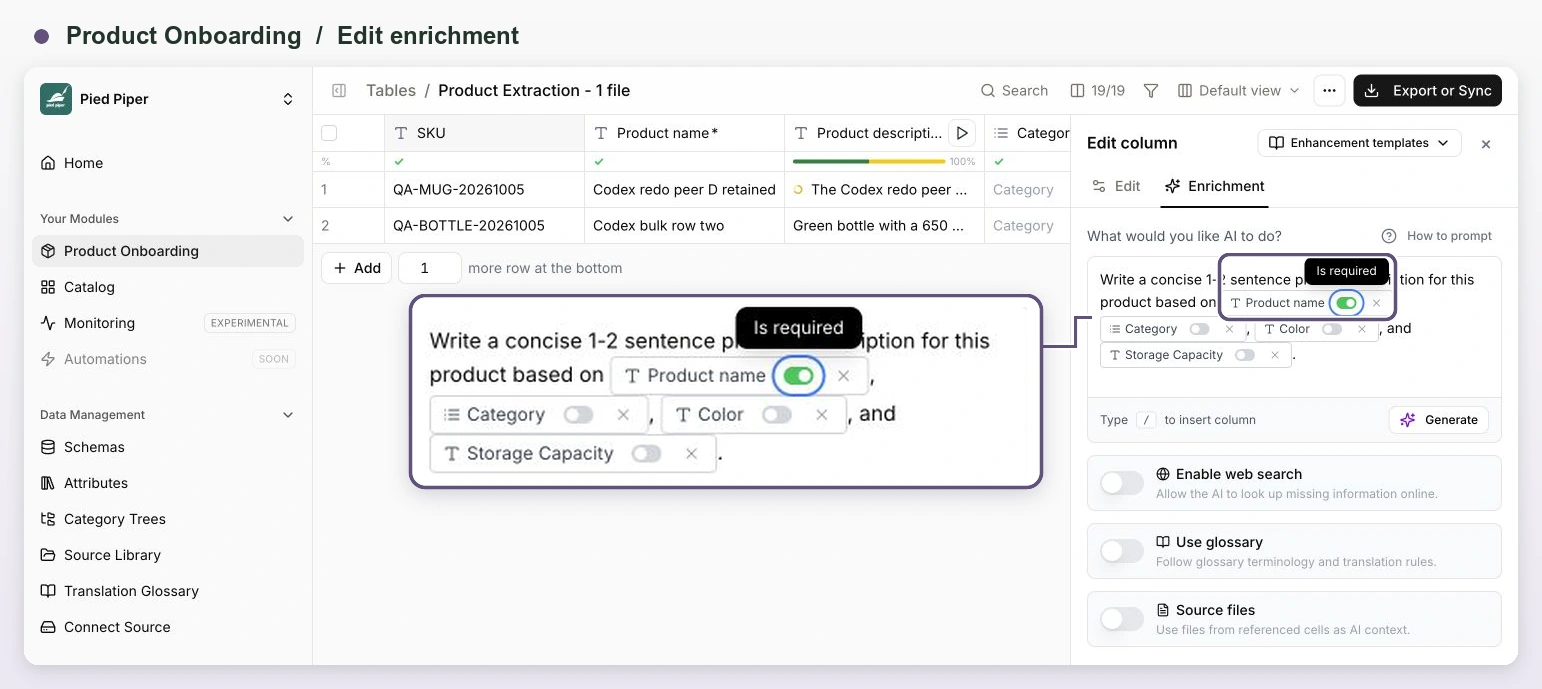
Generate a Czech description and its German translation in one run. In the translation prompt, type / to reference the Czech column, then run both columns together. Lasso finishes the Czech description first. In the column menu, choose Edit enrichment and turn on Required beside the column reference in the prompt. A missing required input stops the next step before it uses credits. Optional inputs can fall back to their last saved value. Use AI Trace → Edit prompt to adjust future runs, or reference a file column to use each product’s own manual.
Free image checks now flag issues in Rich Content cells. Use Fix all noncompliant in the column menu to review fixes and their cost together. Open a single image to replace it, use Smart Fix, or check its history. Choose an image model in column settings. Nano Banana 2.1 is the default at 5 credits per generation when there’s no saved choice.
Compare products and prices across stores
We built Monitoring (Experimental) with DeepScout. See what competing stores sell, how much they charge, and what’s in stock. You can also compare details like brand and EAN.
Open Monitoring in the sidebar to preview products and get a quote for collecting data from an entire store or selected URLs. Once you have data from both stores, try the free sample in Matching. Exports → View data shows matched products, match scores, and price differences when both prices use the same currency. Use Lasso credits or connect your own DeepScout key.
We plan to develop Monitoring further and connect it with more of Lasso’s features. If you’d like to see how it could work for your catalog, get in touch. We’d be happy to walk you through it in person.
More improvements and fixes
- Bulk work. Run unprocessed cells skips successful runs, including empty results. Stop all reaches work outside the current view. Retry a zero-result import with new instructions and the same files.
- Reusable views. When a view can’t be reused in another table, Lasso shows which columns are incompatible.
- Catalog sync and exports. See which products will be created, updated, restored, or skipped. Review changes to shared choices before applying them. Catalog CSV includes category paths, and long export warning lists are split into pages.
- ZIP downloads. Image and file ZIPs follow each column’s export settings and keep files with duplicate names. If some downloads fail, Lasso shows how many files were exported and how many failed.
- AI Trace. See whether a source page is missing, requires sign-in, or couldn’t be reached because of a temporary error.
- Integrations. Large XML feeds go beyond 1,000 products. Version 2 feeds and webhooks can include product relations. The category management API requires a new key with the relevant permissions.
- Accounts and billing. Drafts are safer when a save conflicts or a tab needs to reload. Signup is easier to resume. Checkout can collect a business VAT ID, and credit reports show what you spent after refunds.