

Back to the roots
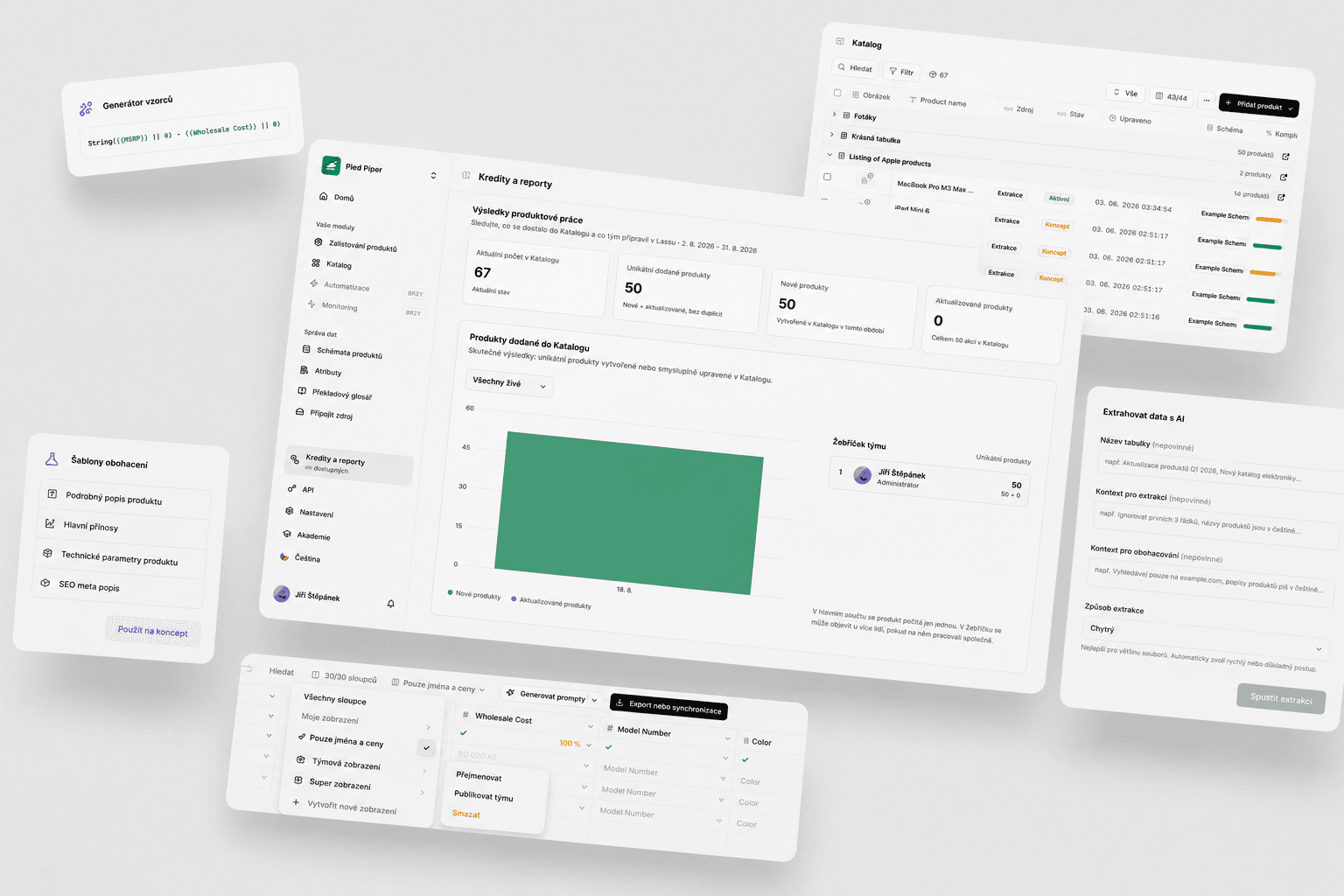
This time we focused on the features you use in Lasso every day. A number of things we ourselves had been saying “we would do this differently today” we rewrote from the ground up — extraction, simultaneous table editing, and enrichment templates. And Max mode is now almost five times cheaper.
Max mode is more accurate and costs 16 credits instead of 70
You ask this a lot, so straight to the point: we found a way to optimize Max mode further and make it more precise. New technologies we updated the whole system onto helped a lot as well.
- For you that means more accurate results (according to our testing) and a price drop from 70 credits to 16.
- We believe we will go even lower over time.
- We would love your feedback on how it feels to work with.
At the same time, more and more stores and suppliers are starting to defend against automated actions on their sites. We therefore added a new error message in the “AI progress” section (the question-mark icon), so you can tell more clearly whether you are hitting an unusually strong block from the website. Max mode can handle ordinary protections. And when it gets through, you will also find a video in “AI progress” of Max mode walking the page — useful when you are tuning prompts.
AI extraction 2.0
Extraction is a feature Lasso has had from the very beginning. We have now rewritten it from the first line of code. Over the last few weeks we carefully wrote down all of your feedback and wanted extraction to be faster, more accurate, and more transparent.
What is new:
- Extraction runs on an entirely new system with more checks and optimizations.
- We support a range of new formats your suppliers may send you. In total:
.xls,.xlsx,.xlsm,.csv,.xml,.pdf,.docx,.pptx,.html,.htm,.txt,.jpg,.jpeg,.png,.webp - We use and dynamically rotate new AI models depending on the file you send us. We see a big step forward on complex tables, photos, and PDFs with unusual layouts. In Word and presentations we can handle complex tables as well.
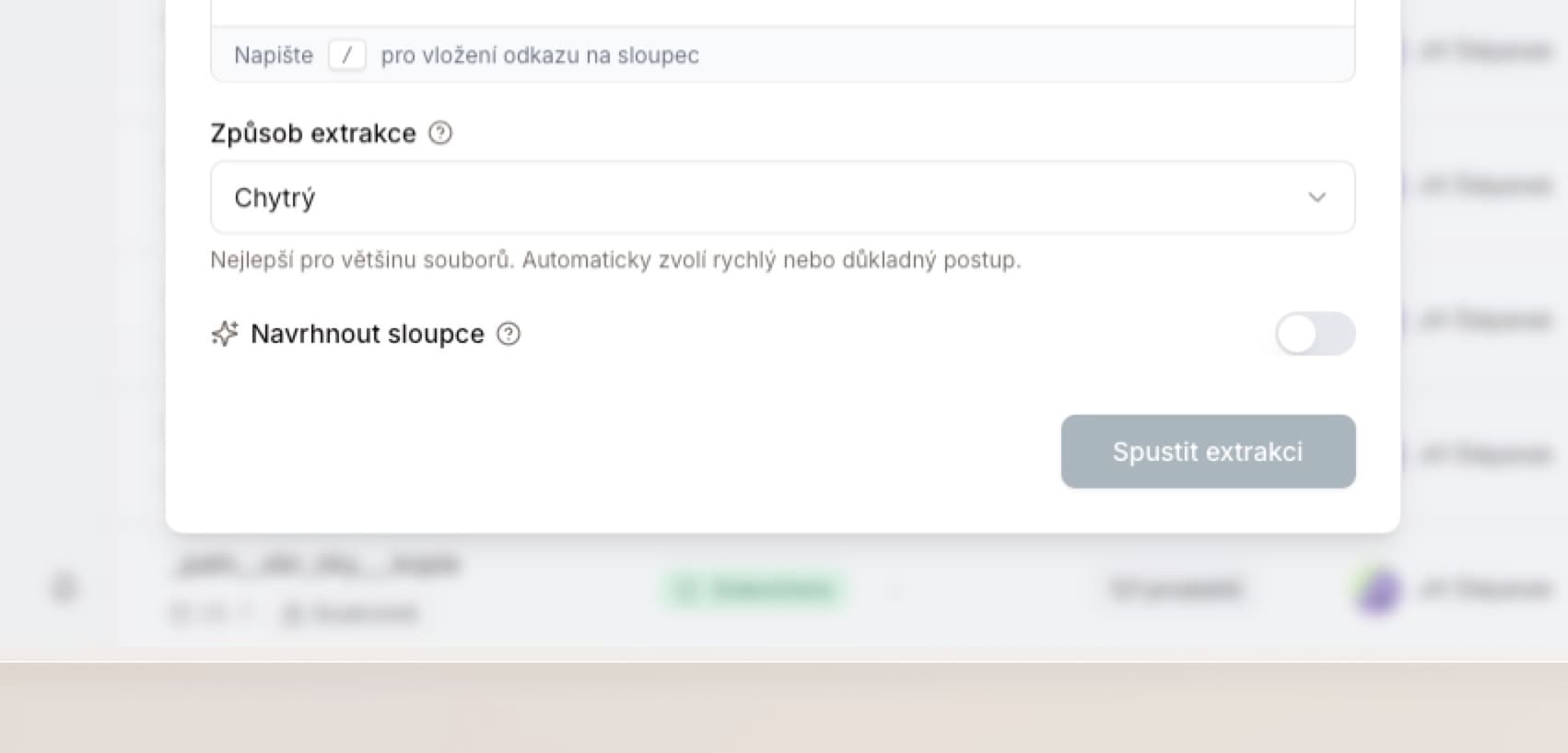
- There is a new optional “Extraction method” setting:
- Smart — Lasso decides on its own how deeply to think about the extraction. Simple tables can extract in as little as 20 seconds; more complex ones switch into a more thorough mode.
- Analyze everything — starts with the most thorough analysis right away.
- When something fails, you get a more precise error message and can rerun extraction in one click.
We also limited support for very old CSV files that have poor compatibility across languages. We focus primarily on standard UTF-8 encoding, and the app will warn you if there is a problem. We are not seeing issues with other file types.
In the future we want to add extraction into multiple schemas at once. If anything about extraction comes to mind, write to us anytime.
Simultaneous editing of one table
We rebuilt this feature completely from the ground up. As Lasso grew, editing the same file with multiple people at once stopped working the way we wanted, and some features were not supported.
Editing with multiple people now works almost instantly. You can enrich, edit tables, add columns, prompts, and copy at the same time — even when each user has a completely different view. You also see when a colleague is typing and where they are moving in the table. Actions like CTRL+C or CTRL+Z stay yours alone.
If you use this feature with colleagues, you will notice the difference right away. More features for faster collaboration are coming soon — maybe even with AI agents.
Schemas and a new folder system
At a number of companies we see a problem with organizing schemas — you have a lot of them in your accounts, and we should be ready for several thousand (say one per subcategory). We decided to make organizing them easier.
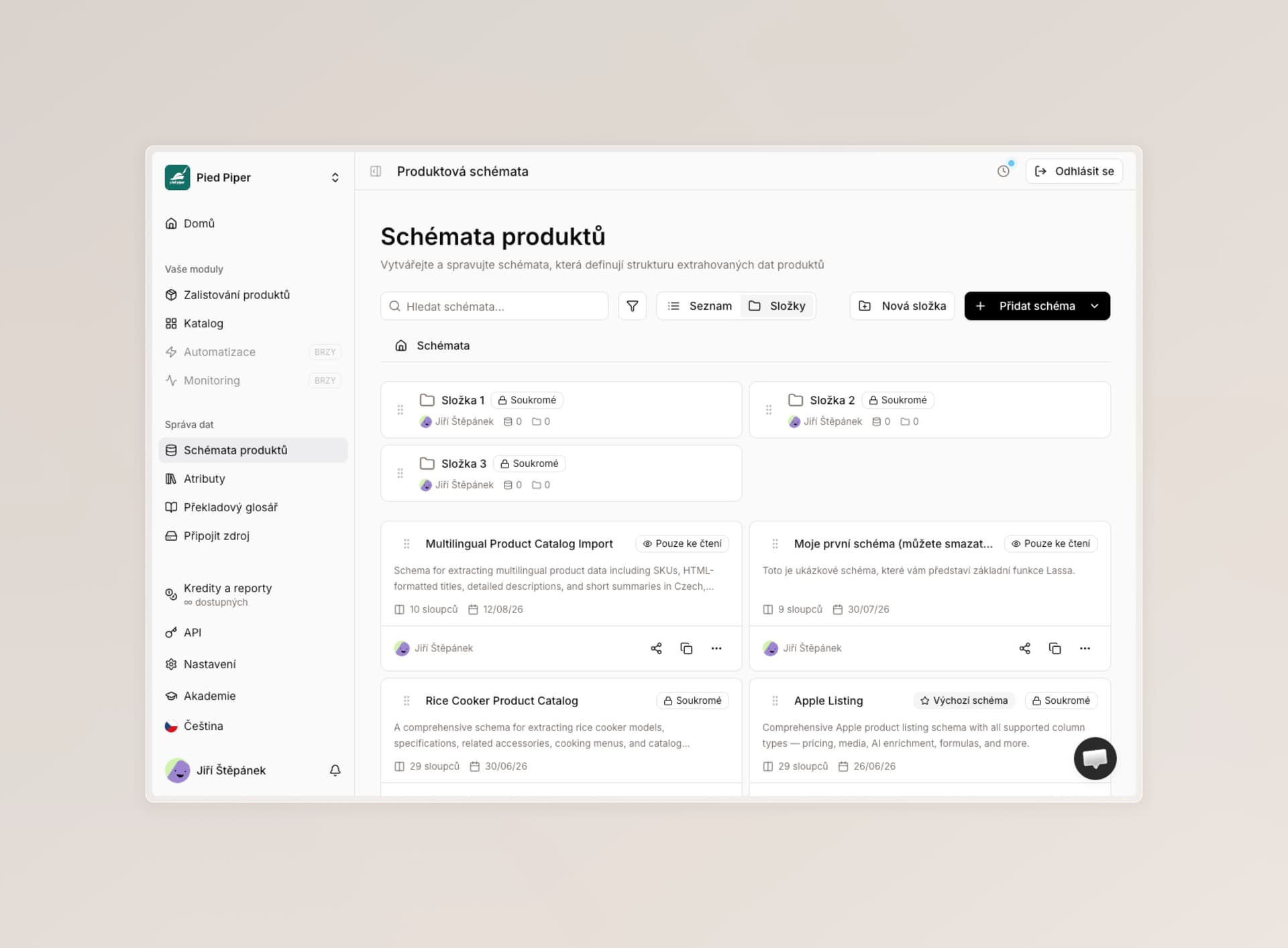
- On the schemas page you will find a new switch between “list” and “folders” mode. In folders, Lasso shows all schemas in a more compact form and lets you create new folders.
- Folders work the same way as on Google Drive, SharePoint, or Dropbox: you can move them, rename them, share them with colleagues, and nest them inside each other. Over time you can assemble the structure the way your schemas should look.
- Sharing: when you share a folder with someone, every schema inside inherits the same settings. You can grant access to multiple schemas at once, for example by what each person focuses on.
- Settings and hierarchy also carry through to other places in the app where you pick schemas.
We would love feedback, and a tip on what you use folders for.
Saved table views
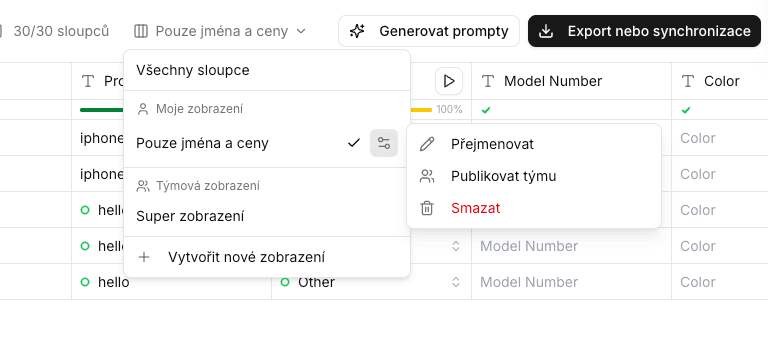
We updated the whole views system in tables — that is, when you want to save column order, width, pinning, or showing only the columns you are working on. Especially useful for teams that split attribute work.
The system is now clearer, consistent, and easier to understand. You now save a view:
- for this table,
- for tables with this schema,
- for all compatible tables across schemas (if they use the same shared attributes).
You can also share views with colleagues. We added a new “Manage team views” permission for that.
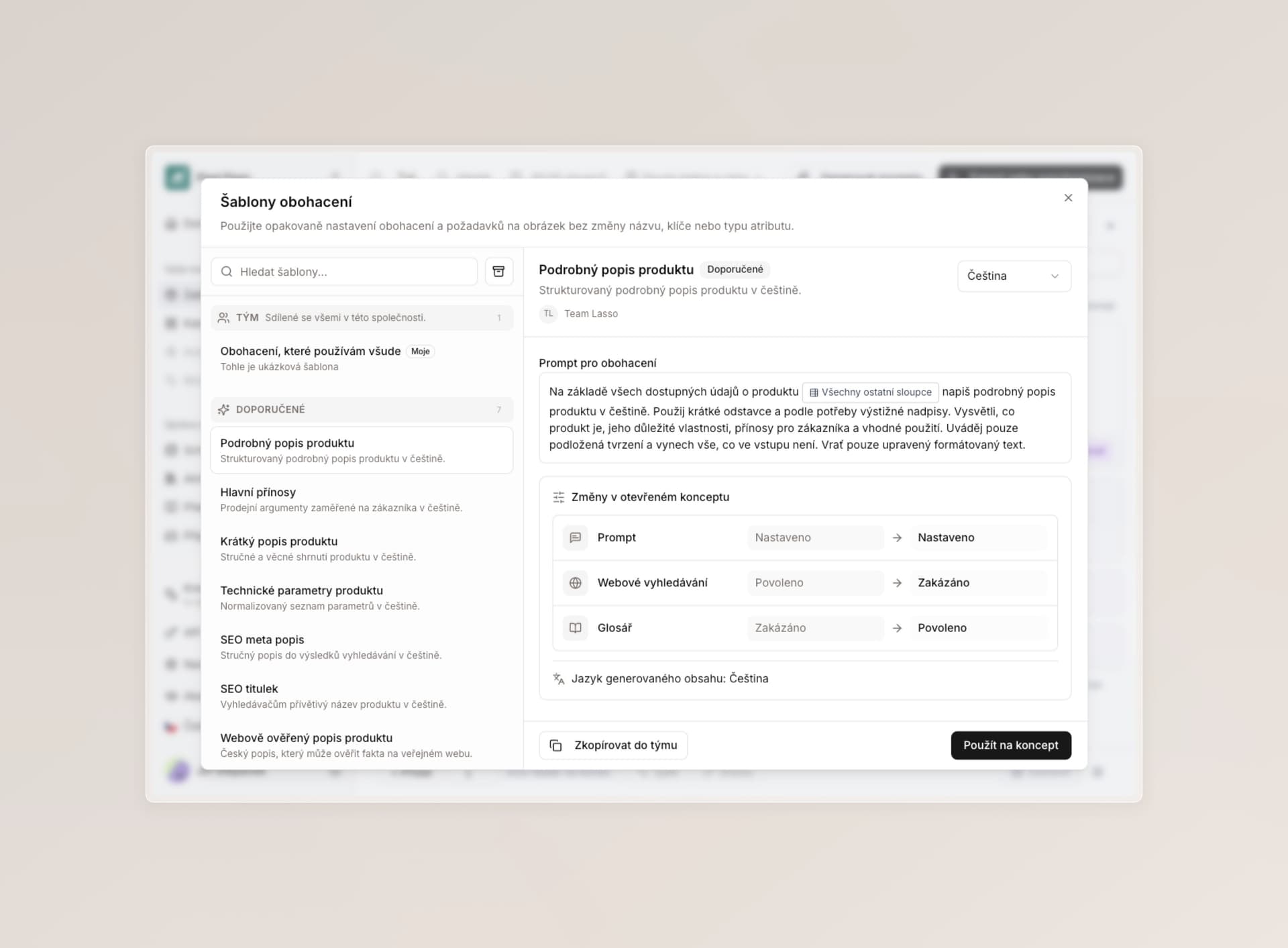
New enrichment templates
If you often copy enrichment instructions into other columns — including specific rules for images or formatted text — templates put proven prompts into any column in two clicks.
- Everything now shows in a clearer layout with a preview.
- We simplified mapping new columns, archiving, sharing with the team, and updates. You can see who created the template, and we check compatibility between column types.
- We safely migrated all existing templates into the new shape.
- In the “Recommended” section we added a few of our favorite prompts that we use ourselves.
- There is also a new “Manage team templates” permission.
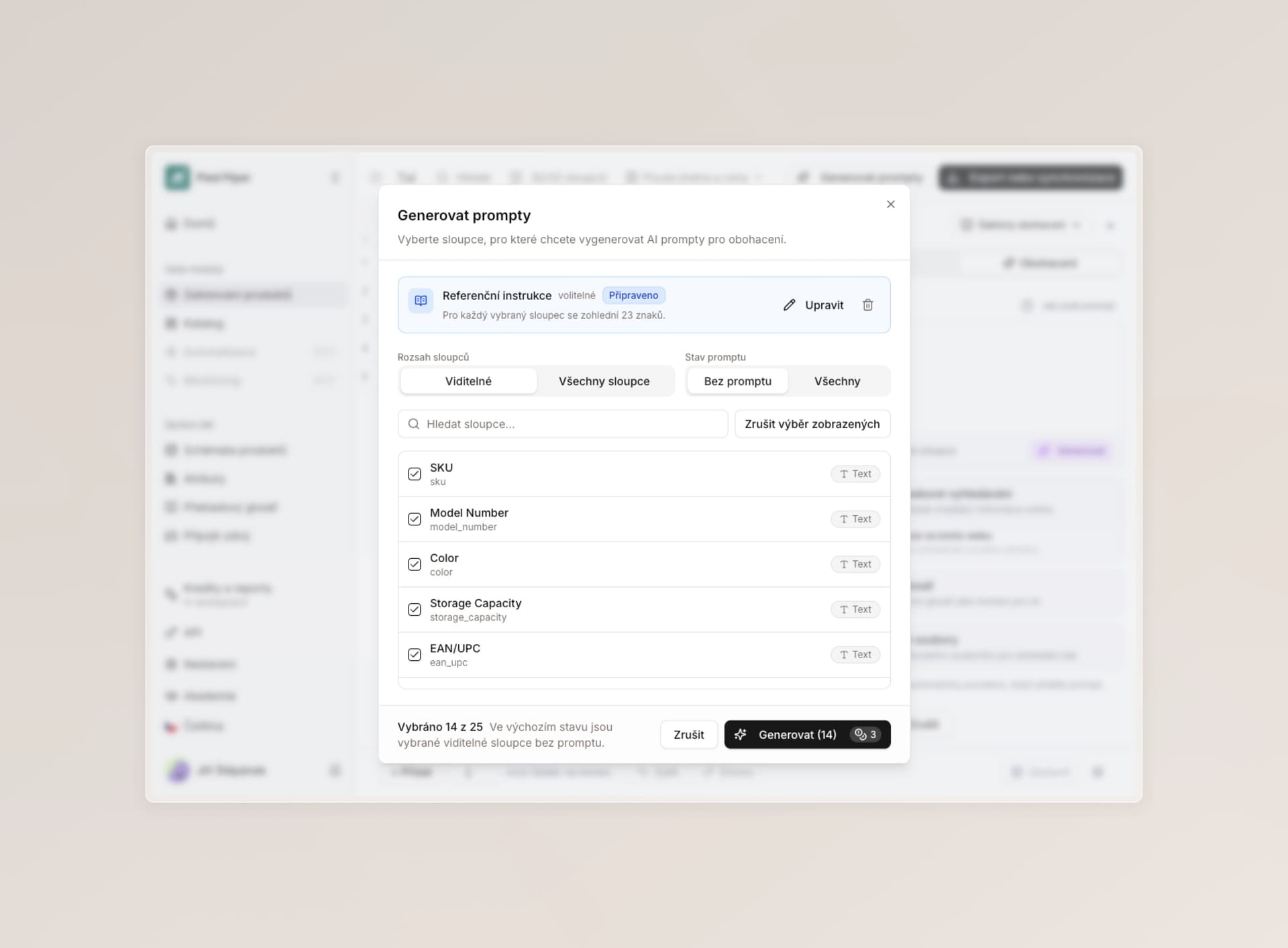
Generating prompts from your internal processes
Remember the improved “Prompt generation” from the last changelog? It got another large expansion.
You can now upload your own process before automatic generation — for example internal rules for what should be written and how — and Lasso fills in instructions for each matching attribute. If you already have specific instructions written down for some of the categories, this will save you a lot of inventing.
Lasso also shows you why it created the prompt this way and what information it based it on, and you can edit it by hand before confirming.
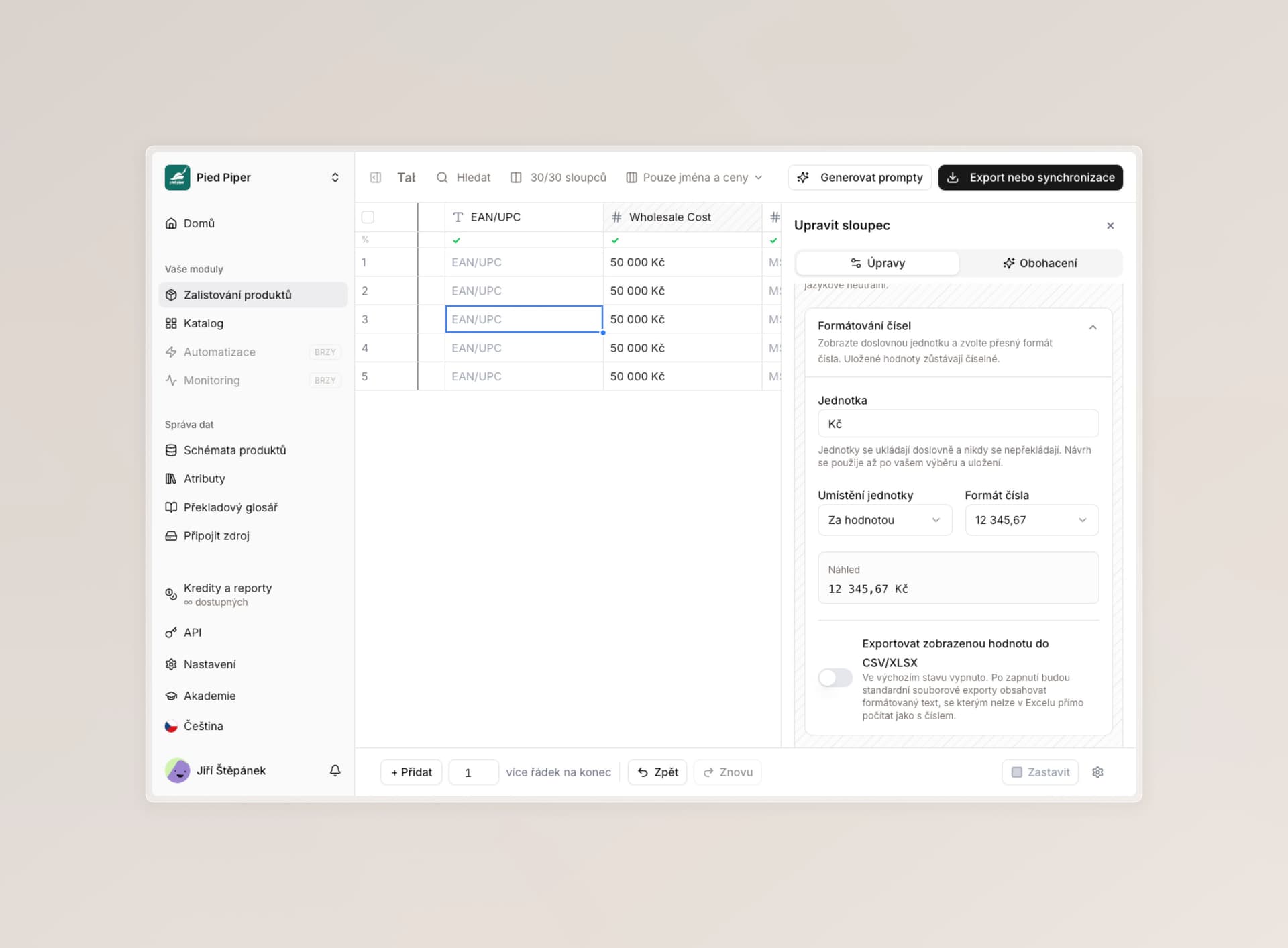
Units of measure and number formatting
We often see you using text attributes for things that should be numbers. Length needs meters, so you type “2 meters” — or you solve it with a format column that appends “meters”. A number is a number, and you should set the whole formatting directly in Lasso.
You can now set on numbers:
- a unit (meters, dollars, nits, crowns, and more) — Lasso will offer a smart suggestion from existing names,
- whether the unit shows before the number or after it (for dollars it needs to be before),
- the number format — spaces for thousands, dots, commas, and more, just like in Excel,
- whether you also want to export in this format to Excel, or it is only for your eyes.
It works in extraction tables, in the catalog, and when exporting to Excel and CSV if you turn it on. For developers we return the full definition in the API as well, so they can render it correctly on your store. Everything is optional, so you do not have to deal with any of it.
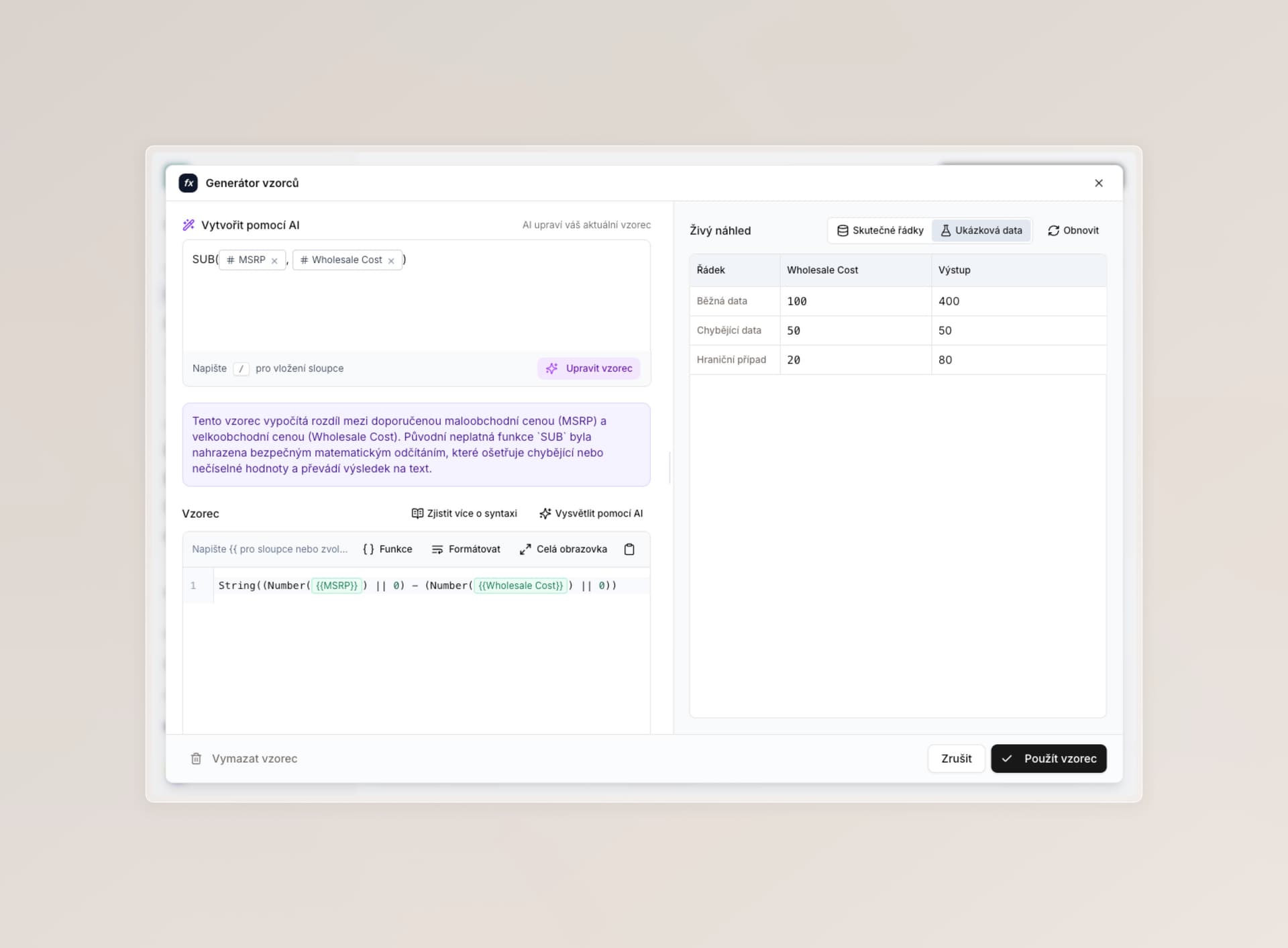
A better formula editor for format columns
We updated this feature earlier, but internally we were not fully happy with it, so we improved it.
- The editor takes up much more space on the page, and you can expand individual sections as needed.
- You see format changes either on your own data or on sample data you can keep editing — without going back to the table.
- A new AI mode not only creates formulas for you, but can also edit and fine-tune them after the fact.
- If you paste an existing format into the editor (for example from Excel), AI will help unpack what it means in plain language.
- We explain syntax better for advanced users directly in the app, and we removed a number of bugs that could show up during generation and in how the columns themselves worked.
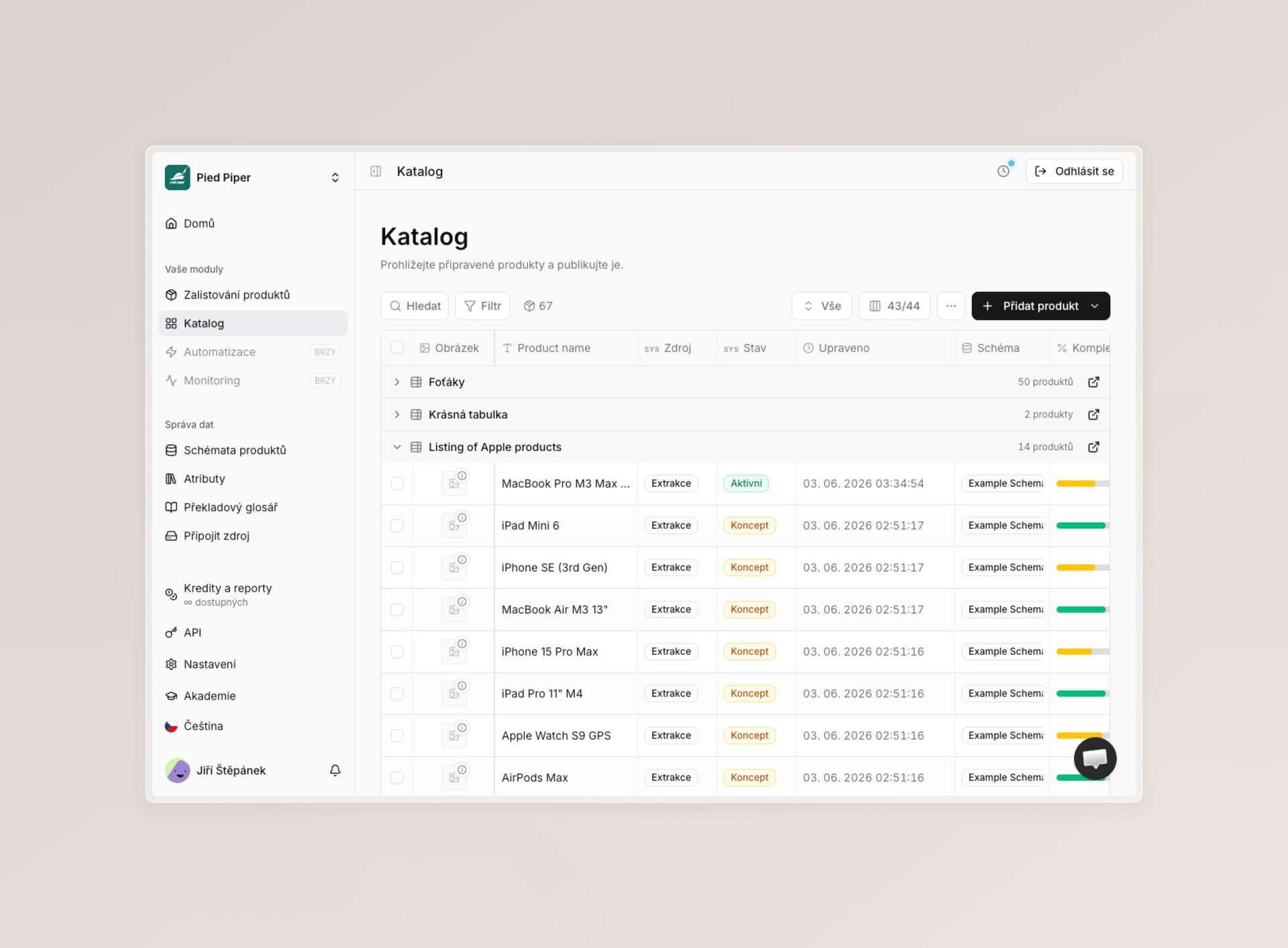
Catalog: a new view by source tables
Until now, every product in the catalog showed as a list you could filter or build new views from. We are now adding another mode (open it from the three-dot button) that groups products by the table you originally imported them into Lasso from — and gives you a link back to the original.
For teams that want to track their products by table, it is much clearer.
A new section in analytics
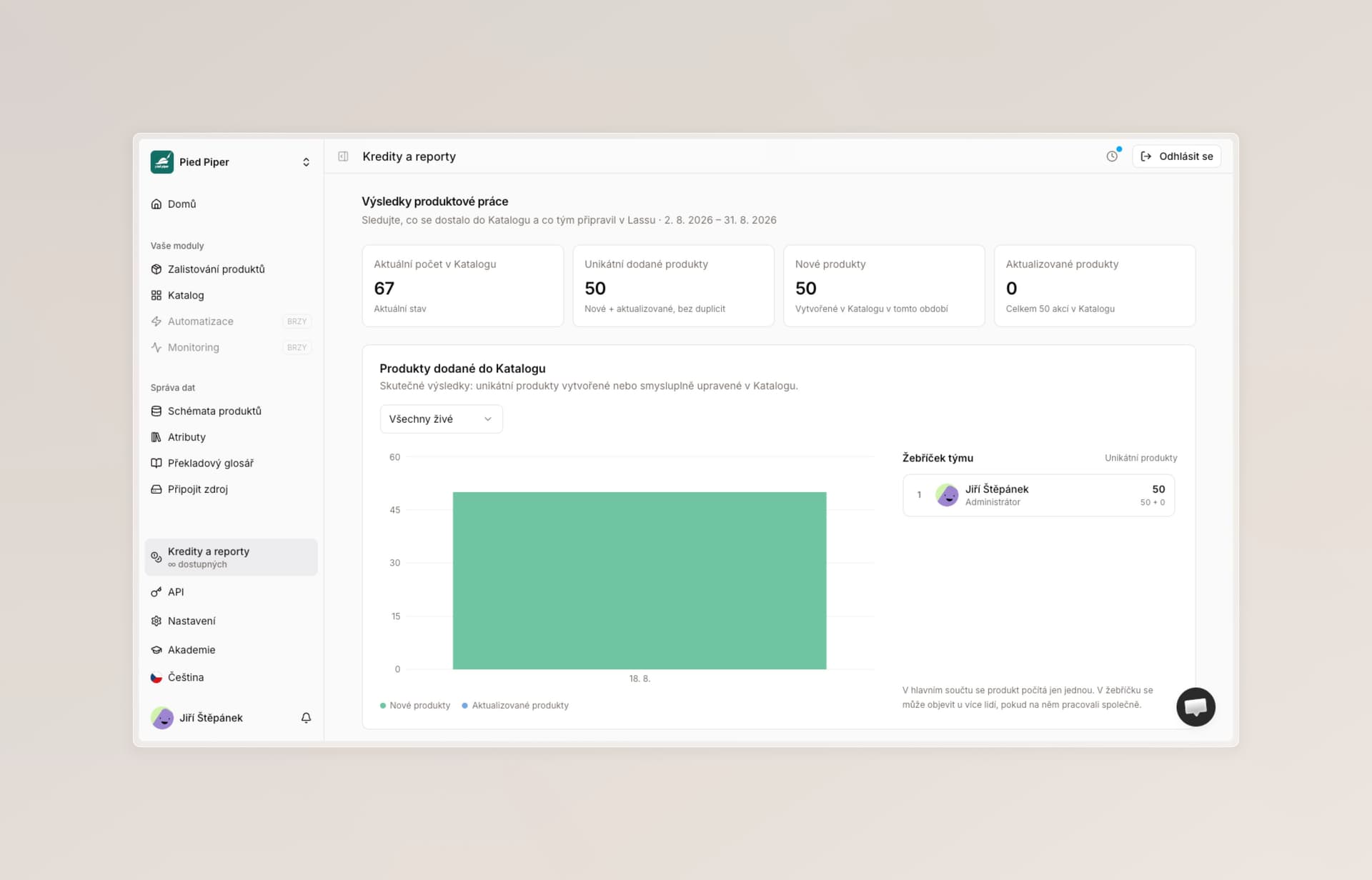
We added a “Product work results” section for more precise evaluation of how you work in Lasso.
You can now see an overview of products that were added to the catalog or updated, with detail on the specific person who worked on the product and the product status. We can also break it down by the table itself or by its creator, if someone else drives sync into the catalog. You will find all of this data both as charts and in our API for further export.
Notifications
We added a new bell icon at the bottom left. We plan to do a lot with it in connection with new features around collaboration and asynchronous work with AI agents.
Is there something you would like to get notified about? Let us know.
A new app address
Lasso is now also available at app.productlasso.com. Everything works exactly the same there, and the original address stays in service.
Smaller improvements
- We went through every notice and dialog in the app so they display correctly in all browsers and on all devices.
- We adjusted error messages so they are more precise and easier to understand even for everyday users.
Fixes
- We found and fixed another series of bugs you may have run into in Lasso — especially around everyday actions, extraction, and adding attributes. Sorry if a bug caught you off guard while using the product. Everything that was reported is already fixed.
- For example, adding new helper columns after another layout change in the same table, or when renaming attributes.
- Some of our vendors had outages as well. We are gradually migrating and building fallbacks.
What we are working on next
We are currently testing updates around app speed, processing large requests, and security, and we are gradually migrating part of the infrastructure to Europe so everything stays fast even at peak times.
Thank you so much for your trust, and we wish you a good start to the week.