

New content template editor, clearer AI Activity, and extra credits

Over the past two weeks, we have improved product content creation, image handling, and everyday data edits. We added a new content template editor, clear explanations of AI results, and the option to buy extra credits without changing your subscription. A range of fixes also protects work in progress and makes collaboration easier.
Product templates for beginners and advanced users
The settings for Rich Text attributes now include a new content template editor. Build content visually without coding, or use your own HTML and CSS, with JavaScript available for supported outputs.
- Combine text, images, and repeating sections. Content can be fixed, drawn from product data, or created by AI.
- Preview the result on a real product before generating it.
- Save templates to your company library, edit, duplicate, and reuse them in other columns. Edit individual fields in finished content without changing the entire code.
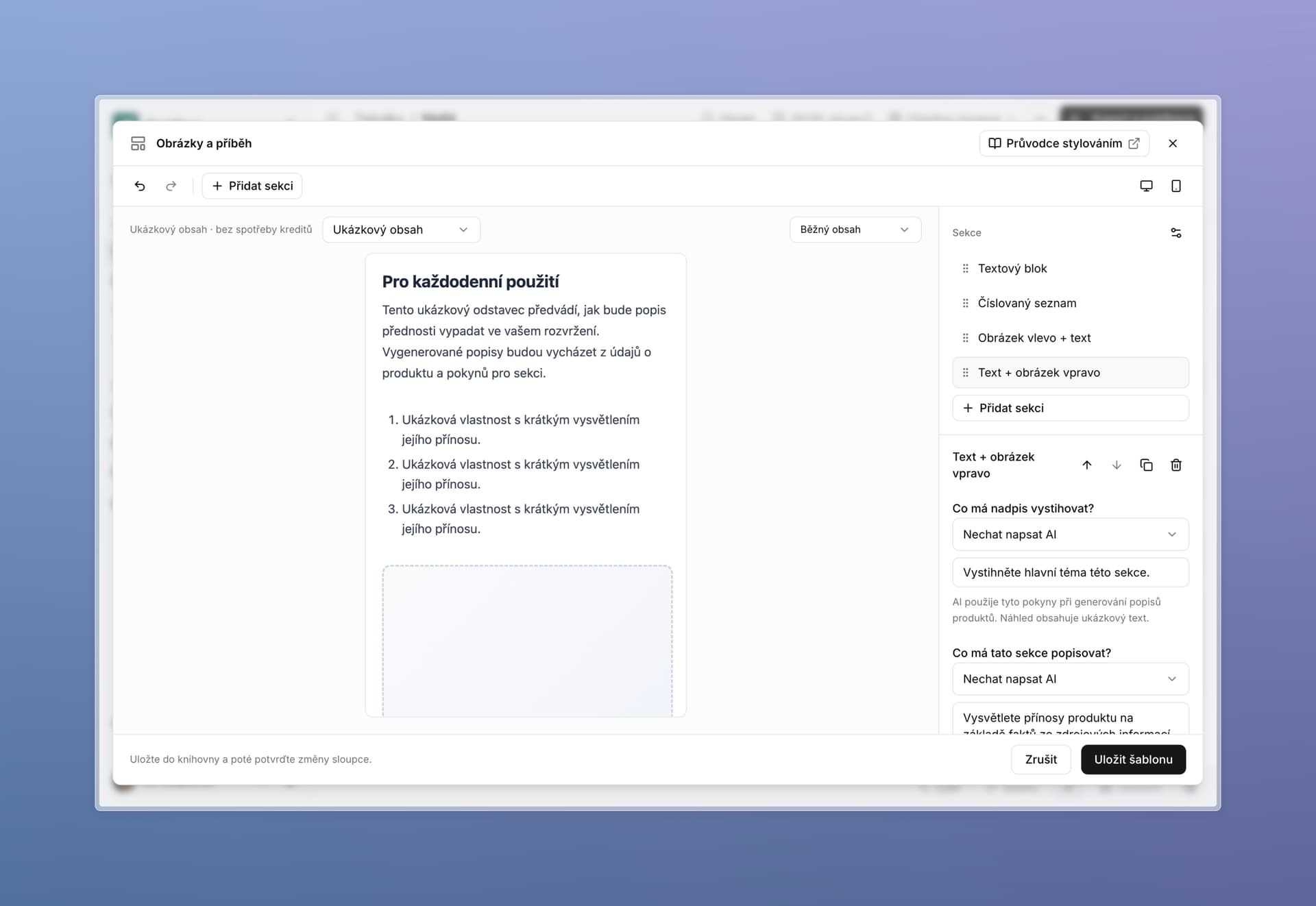
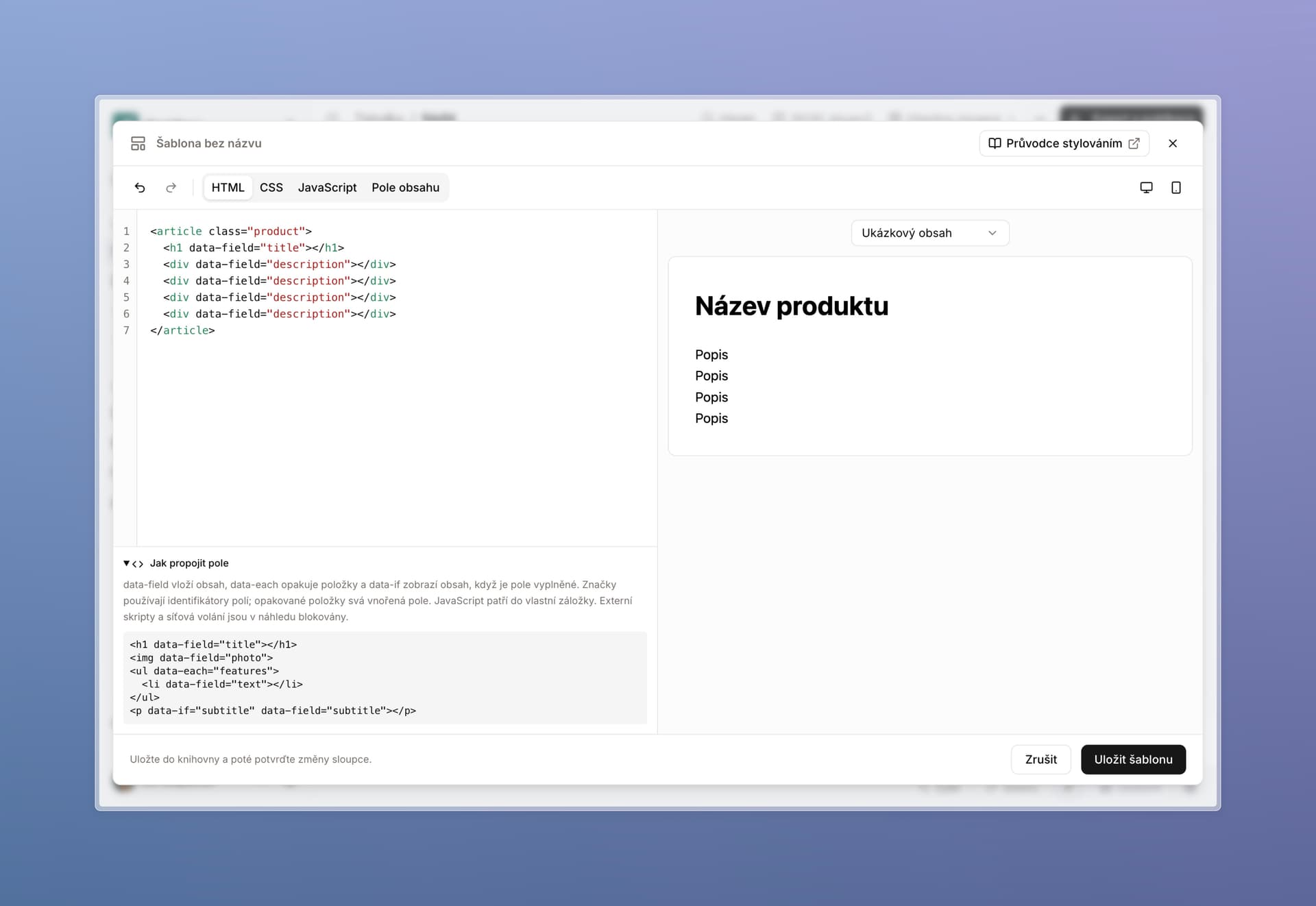
Changing a template does not overwrite previously created descriptions. A failed save or duplicate name will not discard your draft either.
AI Activity explains results in everyday language
If a cell enrichment has ever failed and left you wondering what to do, this feature should help.
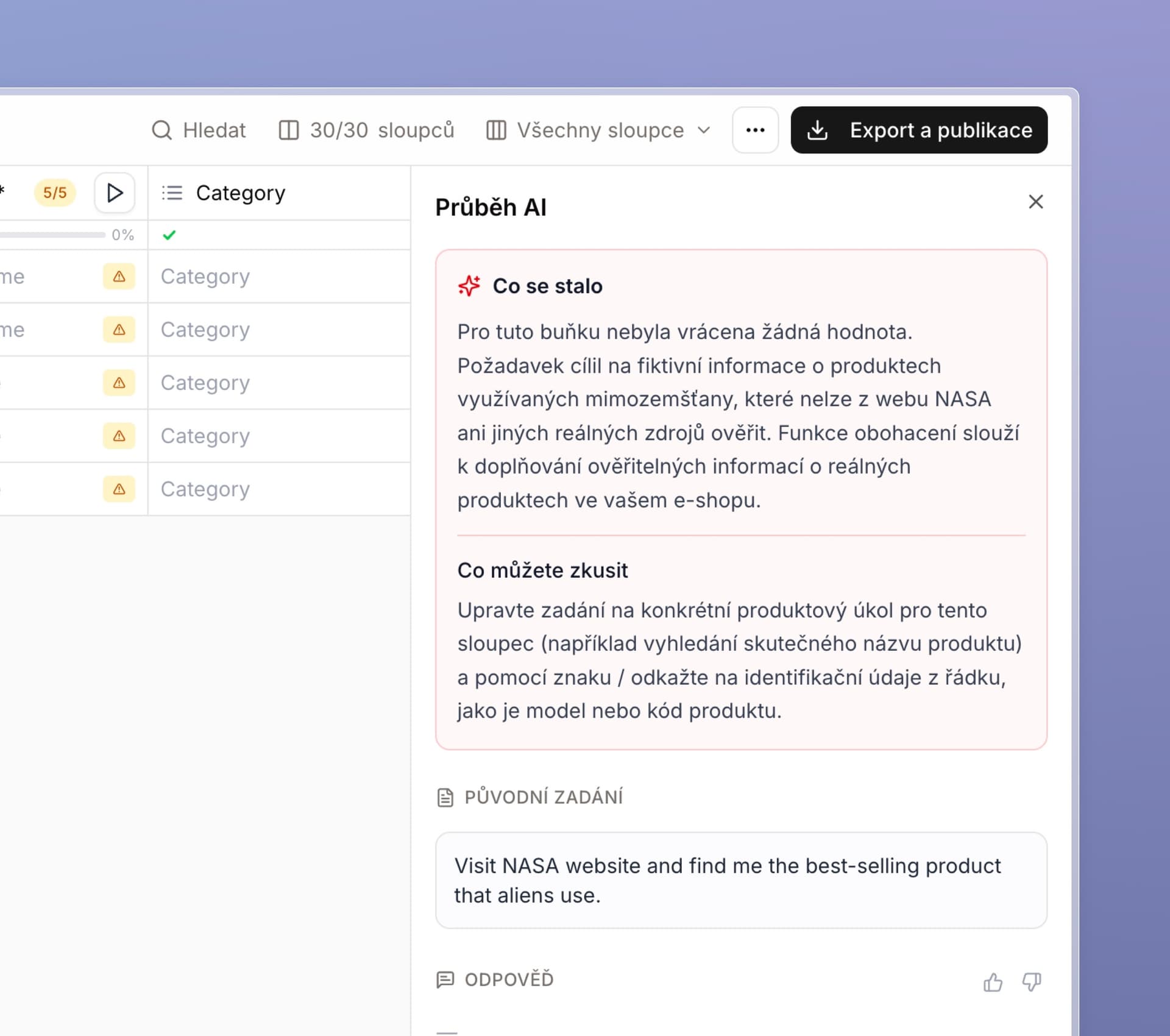
Open AI Activity using the question mark icon next to a cell. It now starts with a What happened summary and, where the record allows, adds What you can try recommendations. Explanations use everyday language, without unnecessary technical details.
It is easier to tell whether source material was missing, a website blocked access, or processing failed. The original instructions, sources, and detailed steps remain available below.
For new enrichments, we also save referenced cell values at the time of execution. Later product edits do not change the recorded inputs. Report an incorrect result directly from the panel with a short explanation.
Smart image fixes inside descriptions too
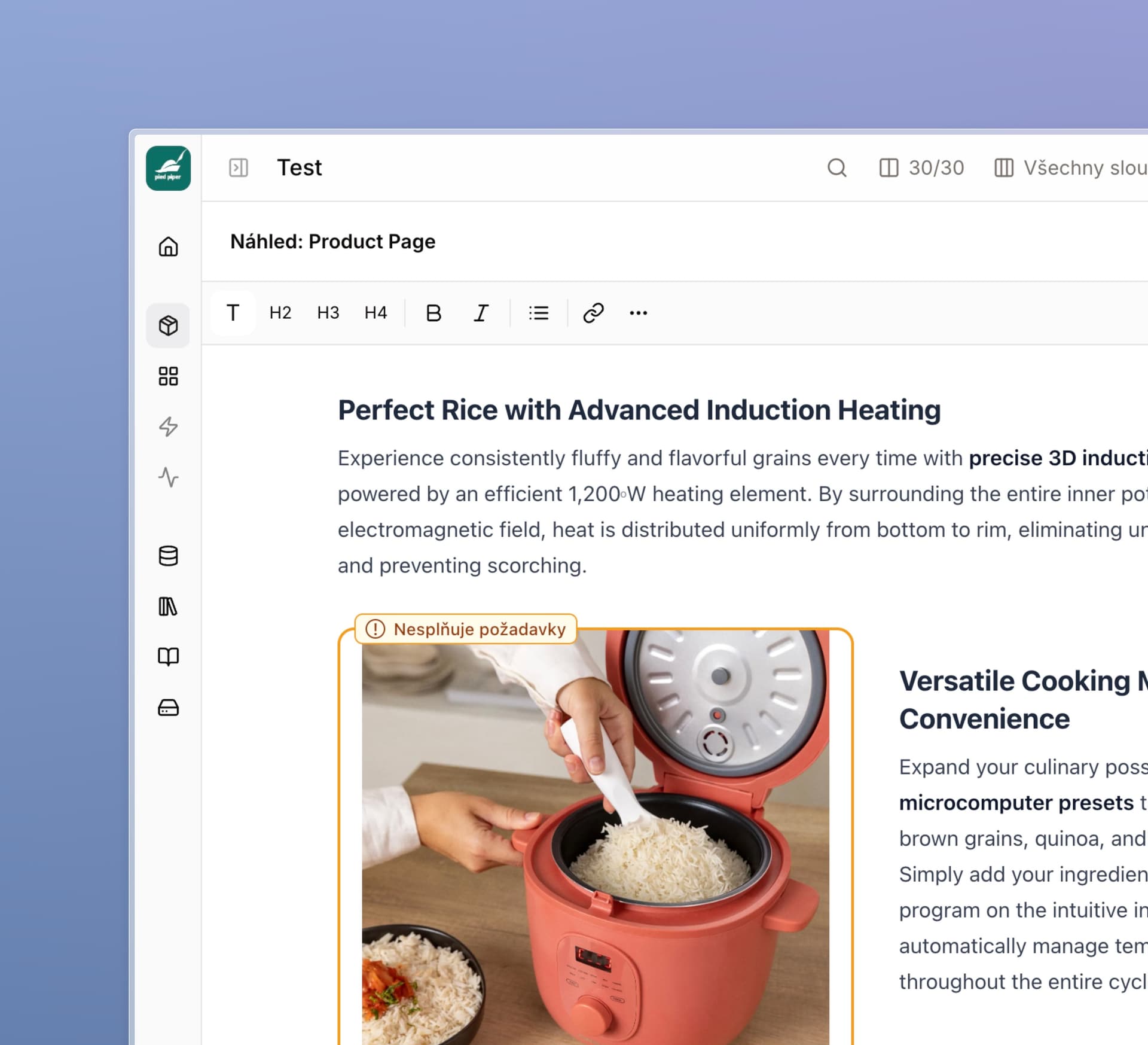
Smart Fix now supports images inside rich text and content templates. Check requirements, preview results, and choose a fix for individual images or in bulk. Free adjustments and paid AI fixes clearly show their price.
Upload, replace, add, or generate images, edit alt text, apply exceptions, and restore changes from history. Edits target the selected image, preserve surrounding content, and do not overwrite a location that has changed in the meantime.
We unified generation requirements and subsequent checks. Incompatible settings are caught before a paid run; background checks better distinguish an allowed soft shadow. Unchanged images reuse saved check results, and large overviews load progressively.
Easier schema settings and column suggestions
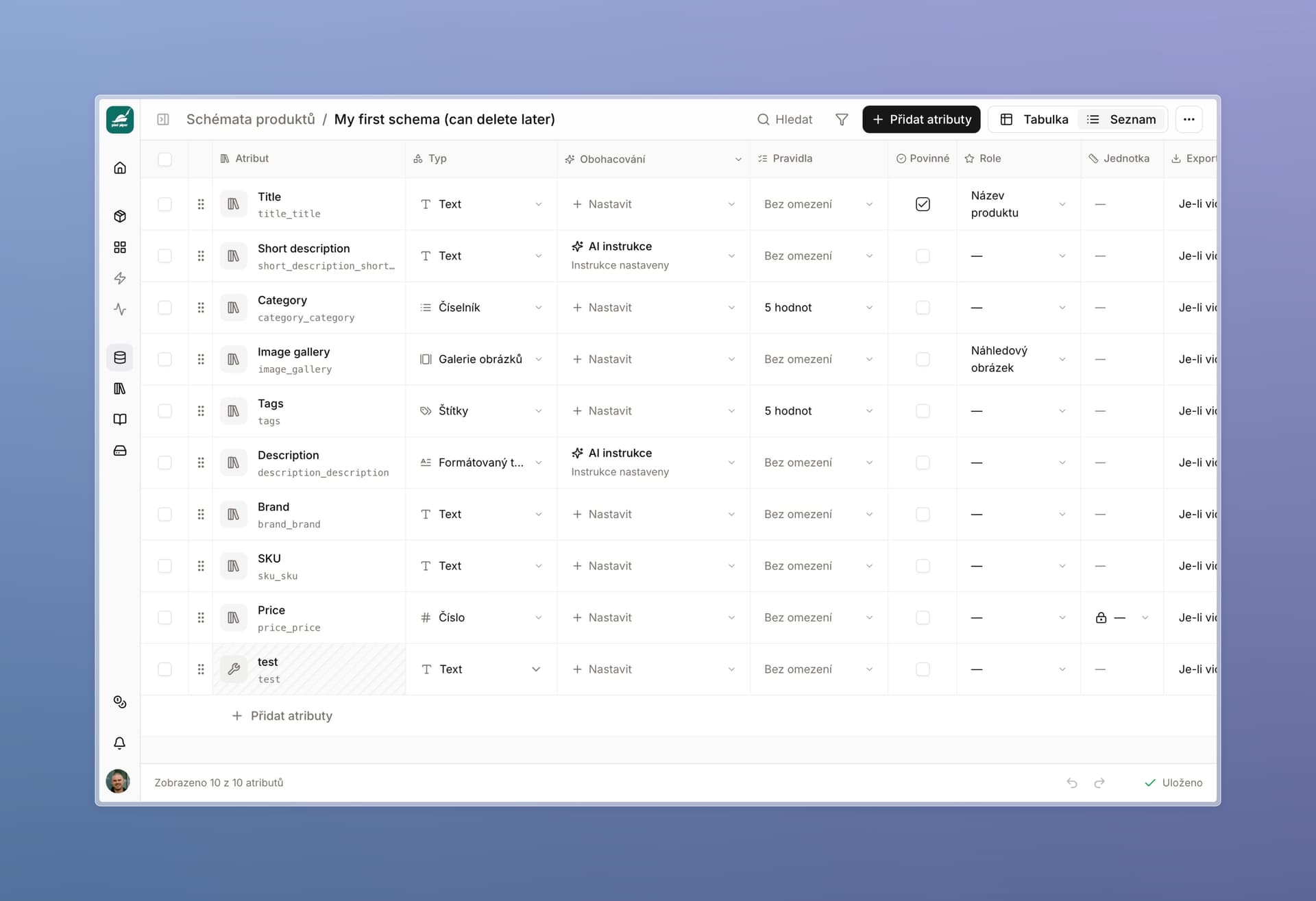
When creating or configuring a schema, switch from the standard table to List. Each attribute has its own row, making its settings easier to find.
Search, filter, reorder, and bulk-edit required fields, export settings, languages, units, numeric limits, and AI instructions. Undo changes, view attribute usage, and test rules on a sample value.
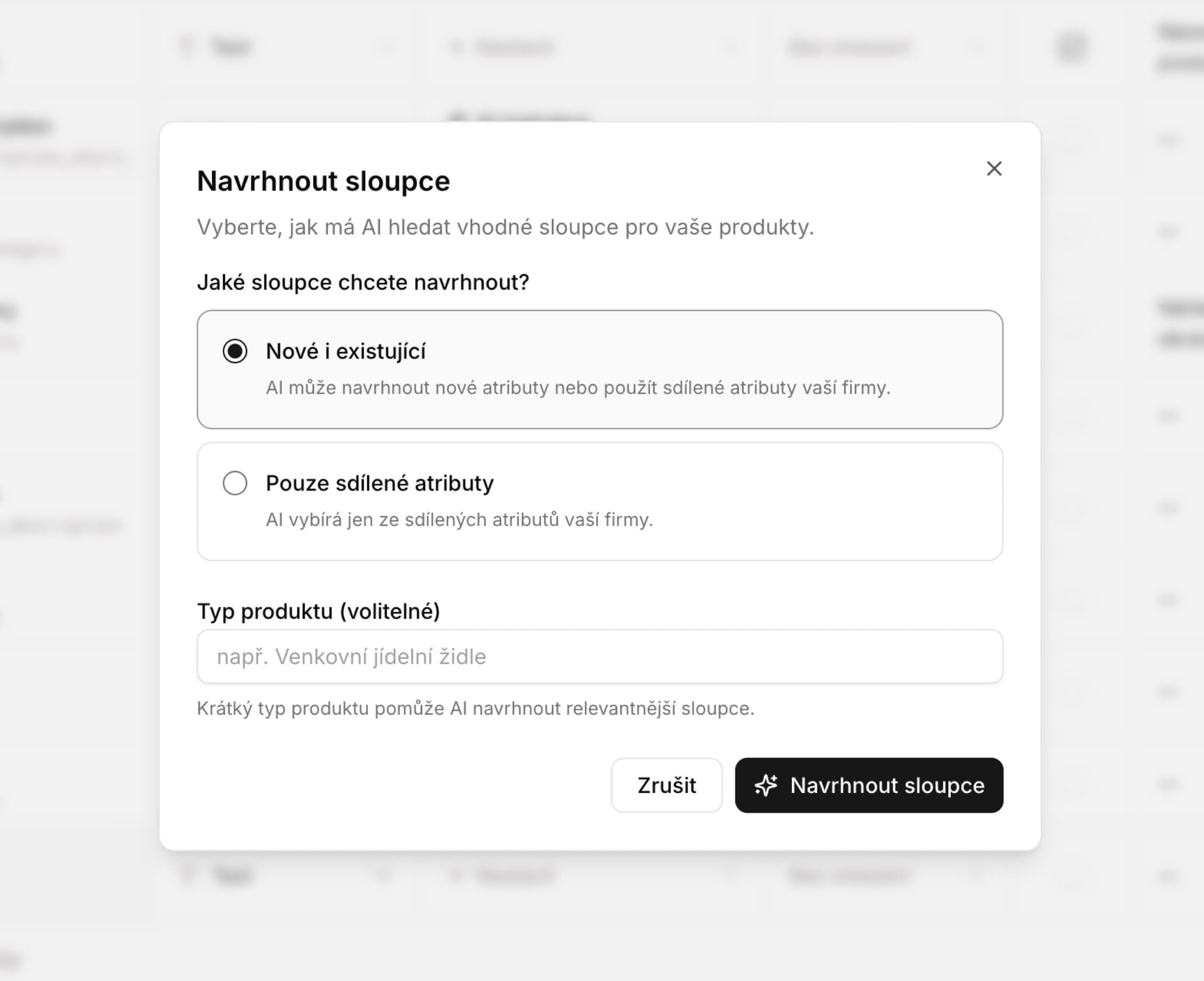
Not sure which data to track? In a table, use Add column → Suggest, or ask AI for suitable attributes while configuring a schema:
- New and existing: suggestions can use company attributes and add new data fields.
- Shared only: AI selects from your company list to help keep naming consistent.
We improved search in large lists. You choose which suggestions to add; new ones remain helper columns until you share them. Unaccepted schema suggestions survive a page refresh in the same tab. We also explain more clearly the difference between changing the current table and adding to its parent schema for future tables.
Extra credits without changing your plan
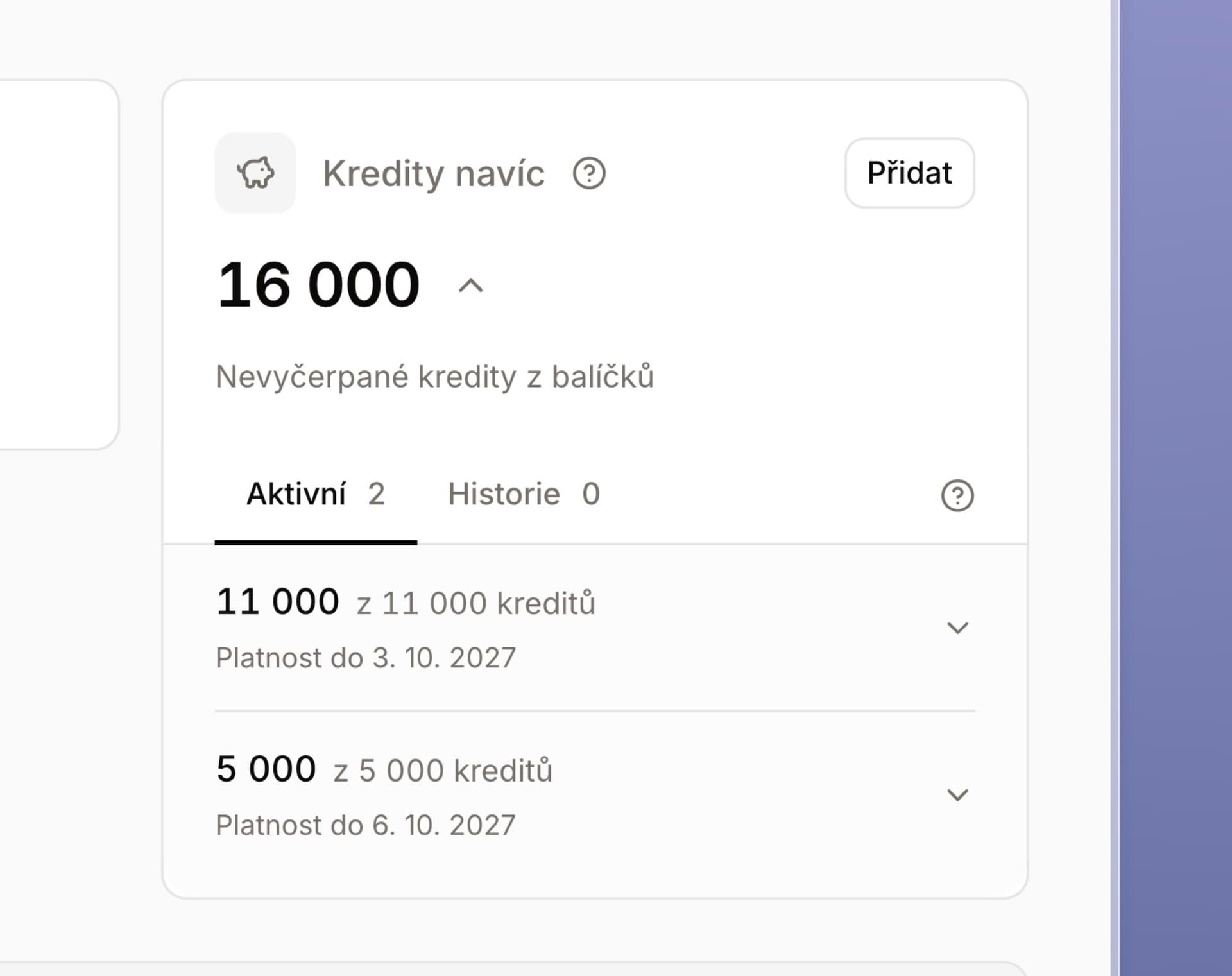
Alongside monthly credits, you can now buy one-time credits. Continue after your monthly balance runs out without changing your subscription — for a large import or a seasonal assortment, for example.
Packs of 1,000, 5,000, 10,000, and 25,000 credits are available in Czech crowns and euros, with their own 12-month validity. Subscription credits are used first, followed by purchased credits.
The overview separates both balances, expiry dates, usage, and history, with CSV export.
More improvements for everyday work
AI edits, imports, and exports
- One-time improvements to selected cells. Temporary instructions do not change the whole column's instructions. You see the selection and estimated credits; draft instructions in the current table survive closing the panel, changing the selection, and a failed submission.
- Control over AI source material. Remove a file from future context without deleting the stored file or extracted data.
- Helper columns directly during import. Create them and map data into them without changing the parent schema. Adjust formulas and references in the editor. We improved mapping preservation, copying large tables, and automatic list refresh after creation, import, or duplication.
- More reliable exports. Structured data is written in full, numbers stay numeric, and accents, quotes, and line breaks are preserved. We warn about Excel's cell length limit instead of silently truncating; CSV retains the full content.
- Clearer warnings and schema transfers. Errors show rows according to the current order and filters. Transfers preserve templates, number formats, limits, and formulas, and flag invalid references for repair. We also fixed formulas involving images and files, and exports in the Planeo format.
- Static AVIF image support. Images from websites and manual uploads are converted to a supported format while preserving orientation and transparency.
- Image ↔ gallery without losing settings. Compatible requirements are preserved; converting to a single image uses the first photo. Before unifying shared rules, you see the affected locations.
Catalog, tables, and collaboration
- Consistent product completeness. Lists, details, and grouping by source use the same rules for product attributes, images, galleries, and references. Empty text does not count; 100% means the product is actually complete.
- Smoother large catalogs. We improved scrolling, pinned columns, selection, keyboard navigation, and typing in details. Newly added attributes immediately show the correct field and preserve other draft values.
- Up to 100,000 cells when selecting, pasting, and filling. Large routine edits are processed in chunks; excessively large operations are rejected before data changes.
- Protection for colleagues' work. Older saves, value restoration, and Undo do not overwrite newer concurrent changes. We also fixed history, row restoration, bulk status changes, and product links.
- More reliable linked data. Renaming a source column updates data and catalog references. Partial updates preserve other values; attribute merging also accounts for data added only to individual products.
- Safer product deletion. Automatic cleanup protects products you have restored in the meantime.
- Correct shutdown of linked feeds. Permanently deleting a schema ends its product feed; other feeds remain available.
- Saving before closing the editor. Lasso waits for confirmation or offers to save, close without saving, or continue editing. Errors preserve draft text, structured data, and the product preview.
- Clearer controls. We adjusted panels, tabs, template selection, and labels. Actions remain accessible while scrolling; new-version notices let you save your work first.
- Clearer column deletion. General use of all data no longer unnecessarily blocks deletion. You see the impact; direct references in formulas and instructions are flagged for adjustment.
Payments, reliability, and small fixes
- Bank confirmation when upgrading a subscription. Complete, check, or cancel a payment even after refreshing the page. Your existing paid settings remain active until the change is completed.
- Clearer activation and invoices. If payment confirmation has not arrived yet, we offer a status check instead of another payment. We clarified pending changes, invoice delivery, and subscription cancellation confirmation with an option to consult us.
- Better collection of website source material. We added fallback methods when collection fails. Slow supplementary image searches no longer have to discard collected text; AI knows when source material is incomplete.
- More reliable job and connection recovery. We reduced unnecessary repetition of running work, verify uncertain results of original operations, and catch up on changes more reliably when you return to a tab. Cancelled jobs no longer jump between states.
- More practical links and error states. Open web addresses even without https://. Invalid table links offer a return to the list; broken charts can be reloaded individually.
- More resilient discussions and sign-in. An open panel preserves your message when local storage is restricted and warns you about the restriction. We improved session recovery and switching between accounts or companies.
- Safer data and usage measurement preferences. We strengthened access checks and reduced sensitive content in diagnostics. Choose whether to share product usage data in your profile; this measurement excludes product content, files, and AI instructions.
- Credits. We fixed balance refresh after an outage, filter handling, and protection against duplicate credit additions or refunds.
- More background checks. We updated file handling and expanded testing of imports, payments, saves, and concurrent edits.
Thank you for your feedback. It helps us choose improvements that save you the most time when working with products.