

Fast queue, discussions in tables, and a redesign of several places in the app
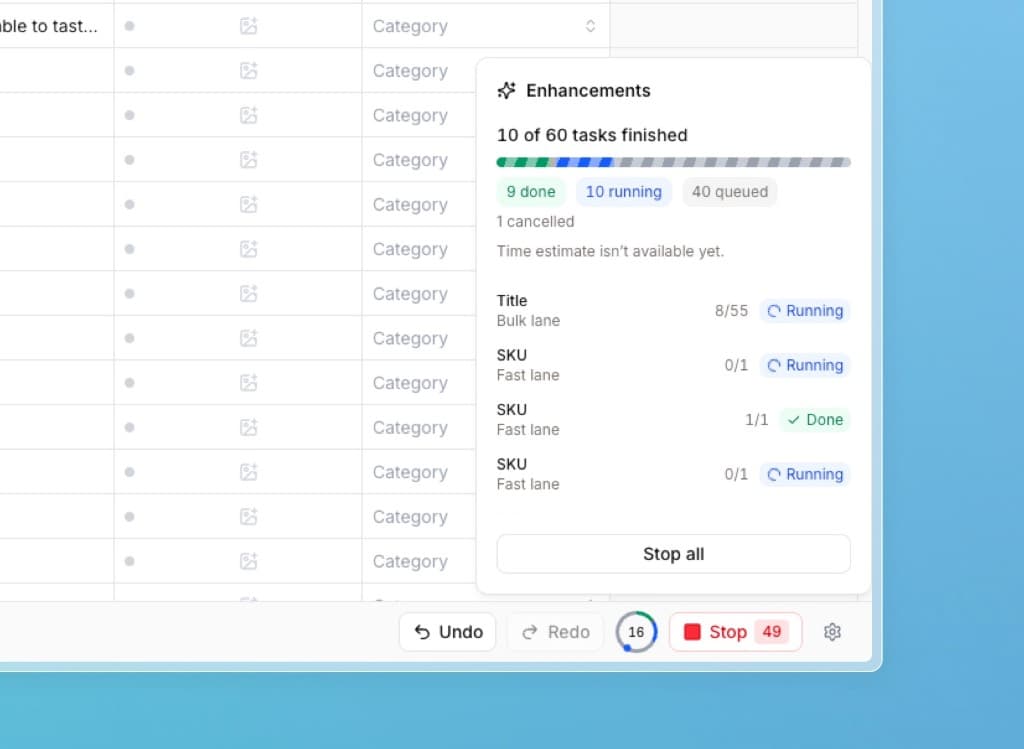
Everyday enrichments are now significantly faster. Alongside that, we are bringing discussions into tables, so you can work through specific rows with your colleagues directly in Lasso, and a new way to send feedback in a couple of clicks.
Faster enrichment
If you enriched two cells in the last few weeks and waited a disproportionately long time for them, this is the explanation.
Until now, enrichment was processed in a queue on our servers. Some users wanted to enrich, say, three cells, while others wanted tens of thousands of products at once. Both stood in the same line, so your two cells could end up waiting behind a large batch even though enriching them takes a few seconds. That is obviously a problem — we are sorry about it, and we decided to fix it.
We rebuilt the infrastructure and split enrichment into two queues. There is nothing to set up; Lasso sorts you automatically.
Enriching fewer than 50 cells at once? Your request goes into the Fast queue and we handle it with priority — it works much like priority boarding at the airport.
Enriching more than 50 cells? The request goes into the second queue, which is continuously balanced according to overall load. It keeps running even if you close your computer or switch to another table, so you can start a large batch and focus on something else in the meantime.
For both queues you will now see a speed and overview indicator in the table — it shows exactly what is being enriched right now and how much longer it may take.
Enrichment speed and reliability is a big priority for us. As the number of users grows, we are planning further speedups and are in talks with vendors about expanding our infrastructure.
Discussions in tables
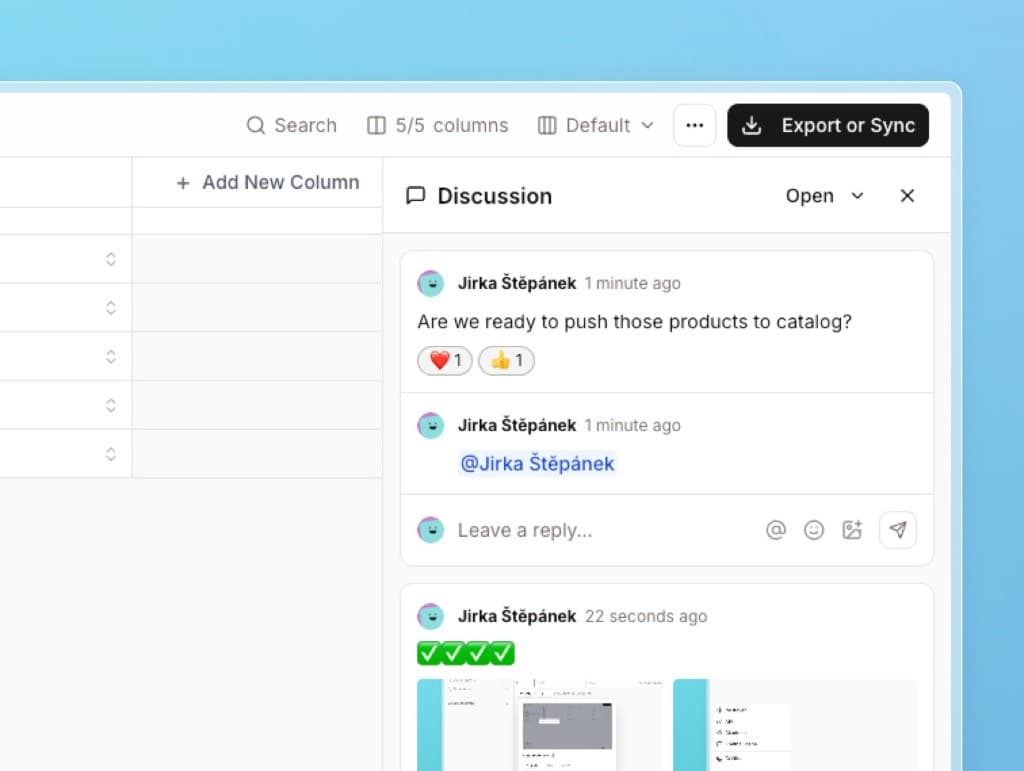
We have been working on this feature for quite a while, and now we are bringing it to tables — it will be in the catalog soon as well. You will find it by clicking the three-dot icon in the header of an open table.
- You can chat with your colleagues directly in the table and add comments to specific rows.
- You can mention each other to trigger a notification, and insert images or emoji.
- More experienced users can mark comments as resolved and keep the discussion tidy.
We believe this will make working with colleagues a lot easier. We would love any feedback.
Feedback in a couple of clicks
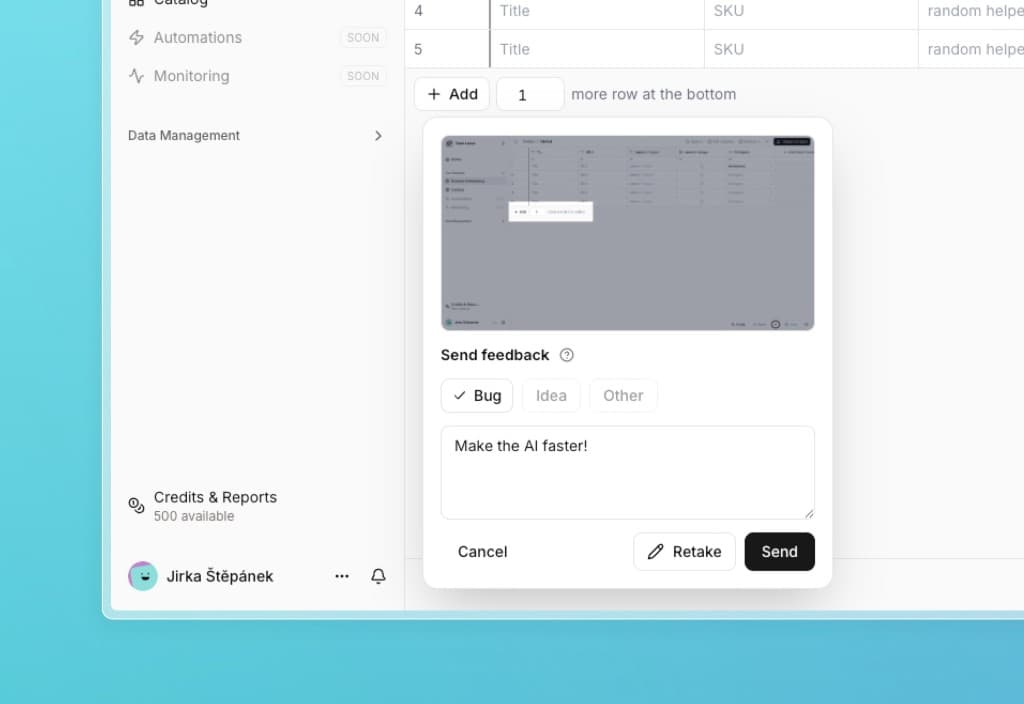
After clicking your profile photo in the left panel, you will now find a Feedback button. Mark a spot on the screen, write what does not feel right or what you are missing, and you are done — the whole thing takes a few seconds, instead of having to write us an email or a message.
We look carefully at every piece of feedback and try to address it in one of the upcoming updates.
A redesign of several places in the app
A few places in the app needed to be reworked so that it is easier to work in and ready for several more features we are preparing for you.
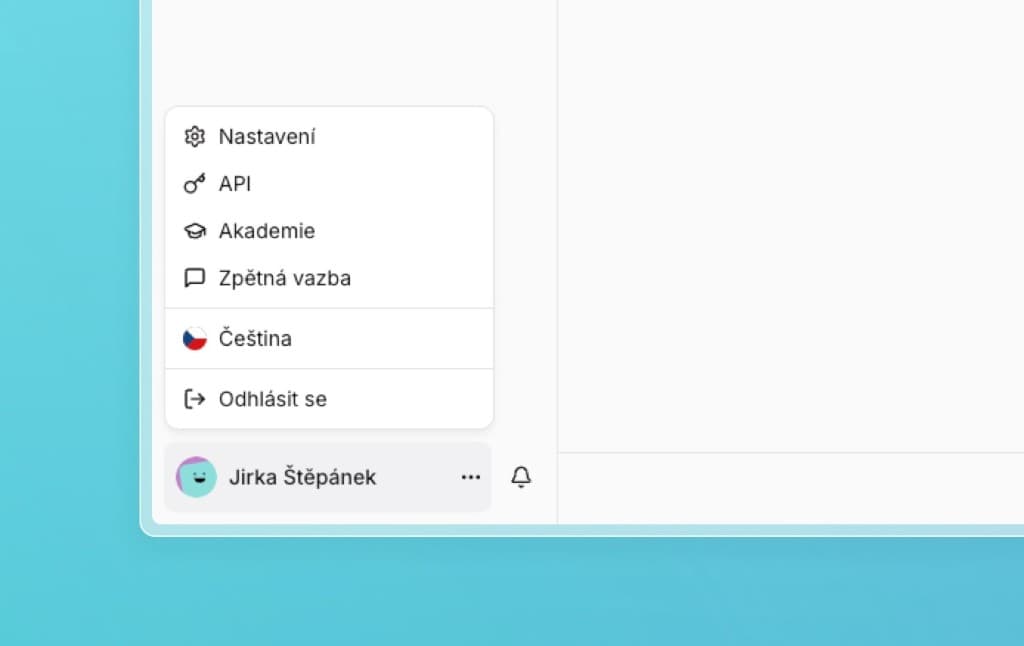
- Left panel. You can now freely change its width and hide sections you do not want in front of you all the time. We moved a number of less-used links into the dropdown menu under your profile photo and name.
- Tables. We simplified a lot of things, so they are more comfortable to work in even on smaller screens. We aligned contrasts, adjusted a few buttons, and unified the icons.
- Copy. We reworded a number of phrases that may not have been entirely clear to non-technical users.
- We also made smaller design tweaks in the catalog, schemas, settings, notifications, translation glossary, attributes, and in plenty of modal windows.
Fixes
- Some columns in older tables did not properly support changes in enrichment. We fixed that, so historical tables are now compatible with the new behavior too.
- A number of other small things around signing in and saving information.
What we are working on next
We are continuing to speed up enrichment, expanding discussions into the catalog, and preparing more features that build on the app's new design.
Thanks for every piece of feedback — we truly appreciate it.