

Smarter image edits, discussions in the catalog, more practical exports, and easier work handover
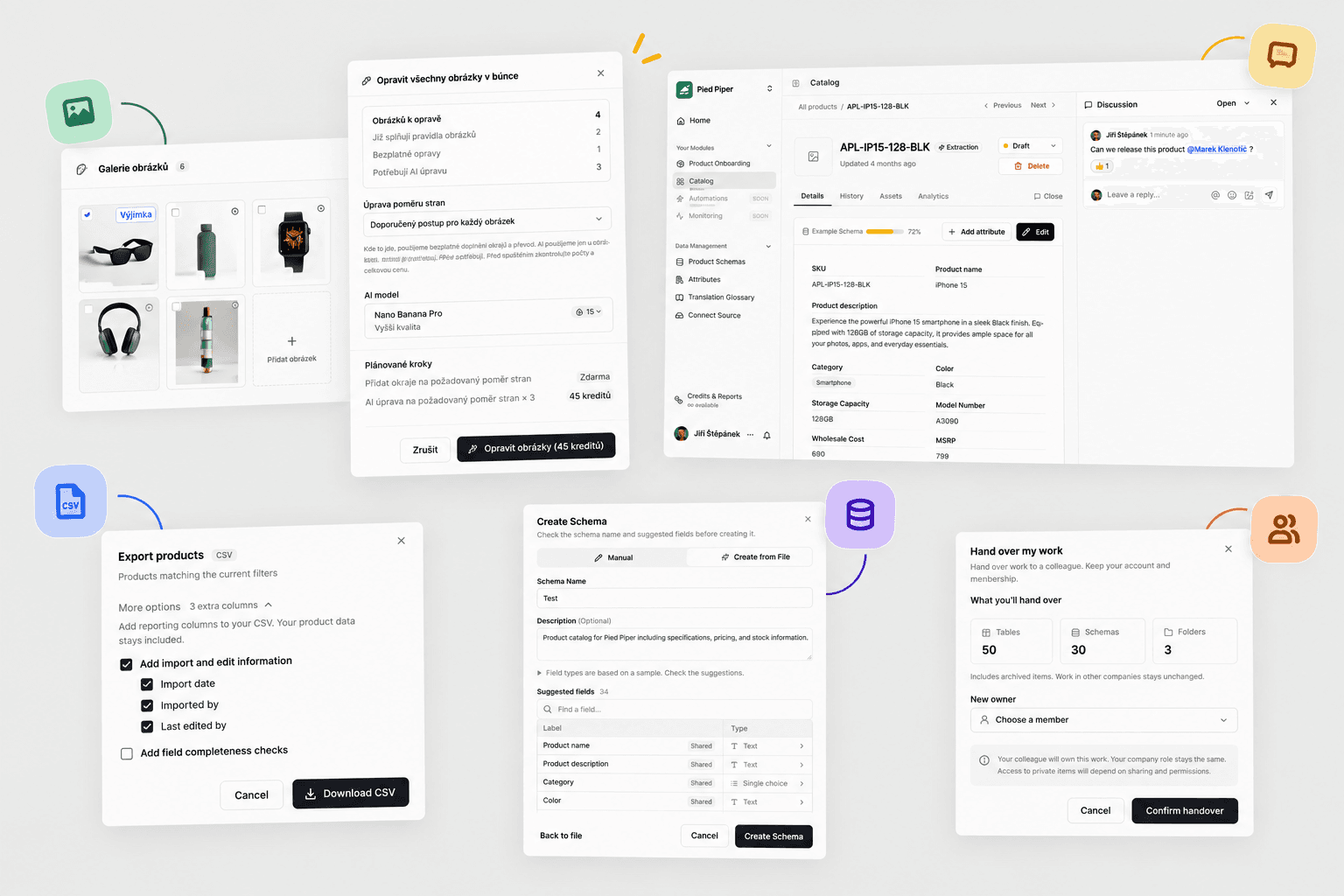
You can now make suitable image edits without credits and revert to the previous version of a photo. We have also added discussions in the catalog, more practical exports, and an easier way to hand work over to colleagues.
Images: a clear price and the option to undo changes
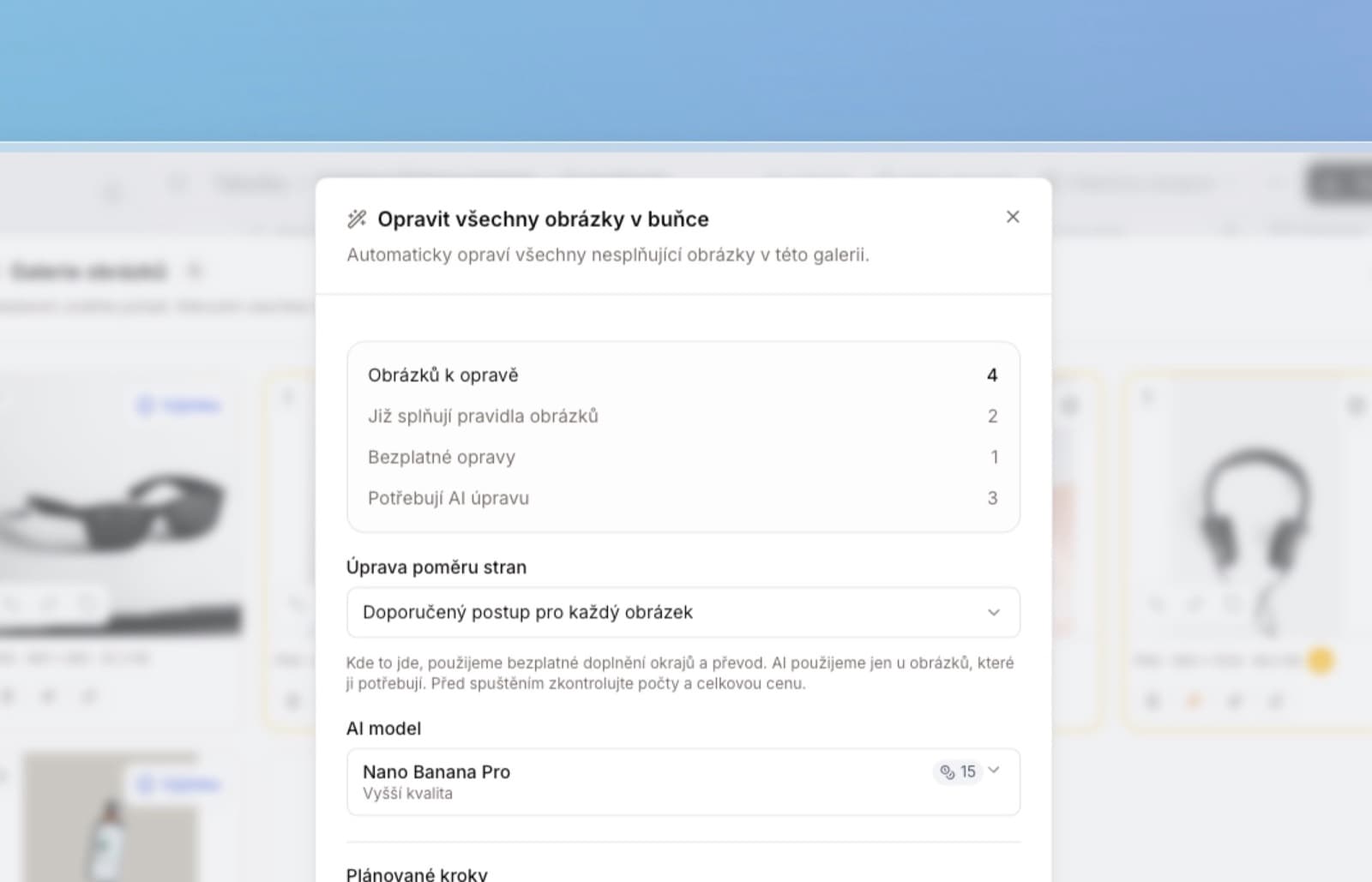
In Smart repair you choose the recommended approach, adding borders for free, an AI edit, or a crop. Before confirming, you see a preview and the price. In a single batch, Lasso can edit some photos for free and recommend AI for others. The free option will not change into a paid one on its own.
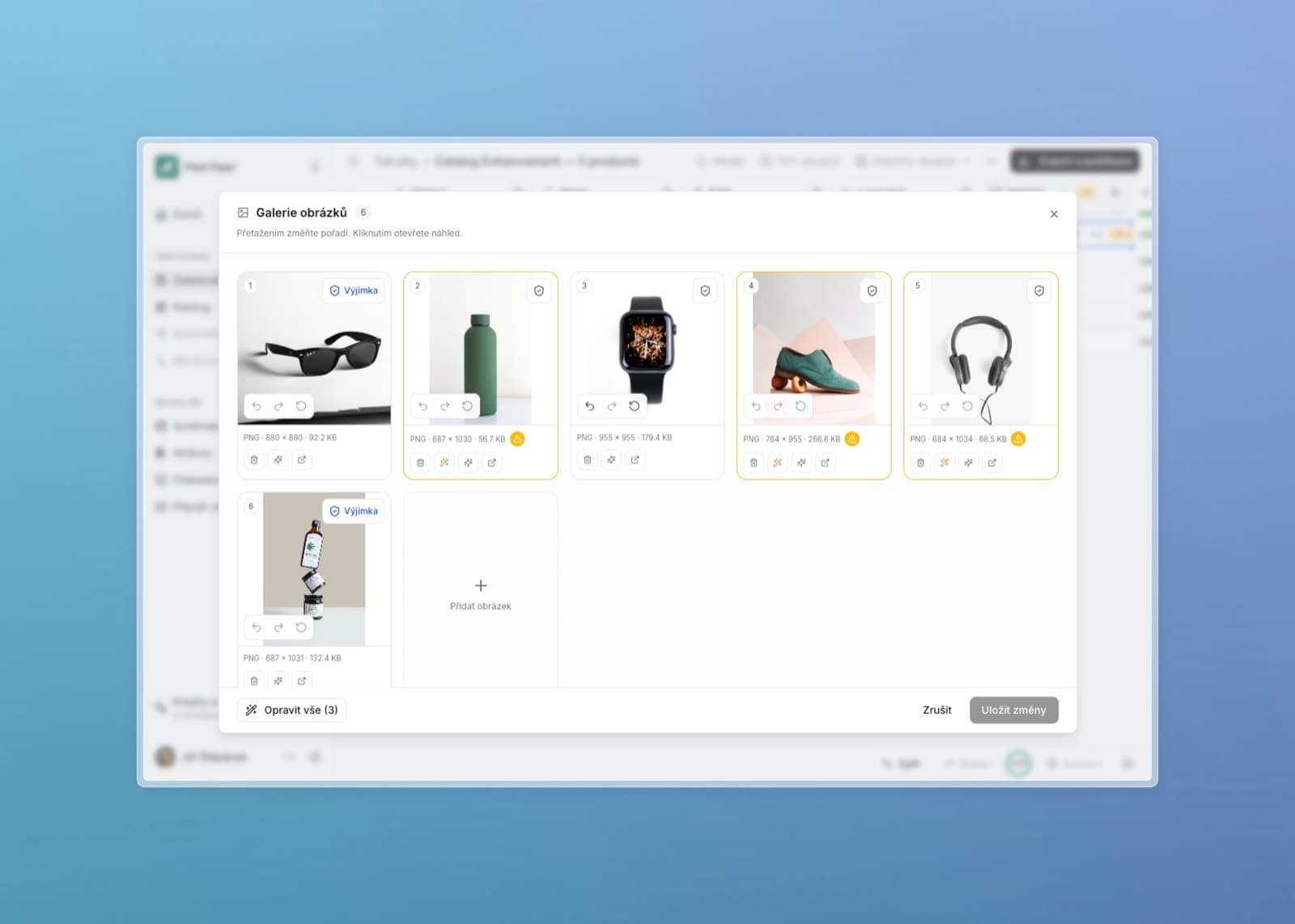
- Image history: undo an edit or restore the original photo without extra credits.
- Replacing a single photo: replace an image without changing the others in the gallery.
- Rule exceptions: keep a deliberately different photo that bulk repair will skip and whose image requirements will not block export. The exception applies only in that table and column.
- Clearer repairs: follow individual steps and retry only the images that failed. Completed ones stay as they are.
We tightened background checks, color and transparency preservation, and saving results after an interruption. The gallery is larger and adapts better to the screen.
Discussions and a clearer history in the catalog
You can resolve a description, a missing attribute, or a photo selection directly on the product via the Discussion button. Write comments, mention colleagues, attach images, and mark threads as resolved. A notification takes you to the specific message. Colleagues without permission to edit the product can take part as well.
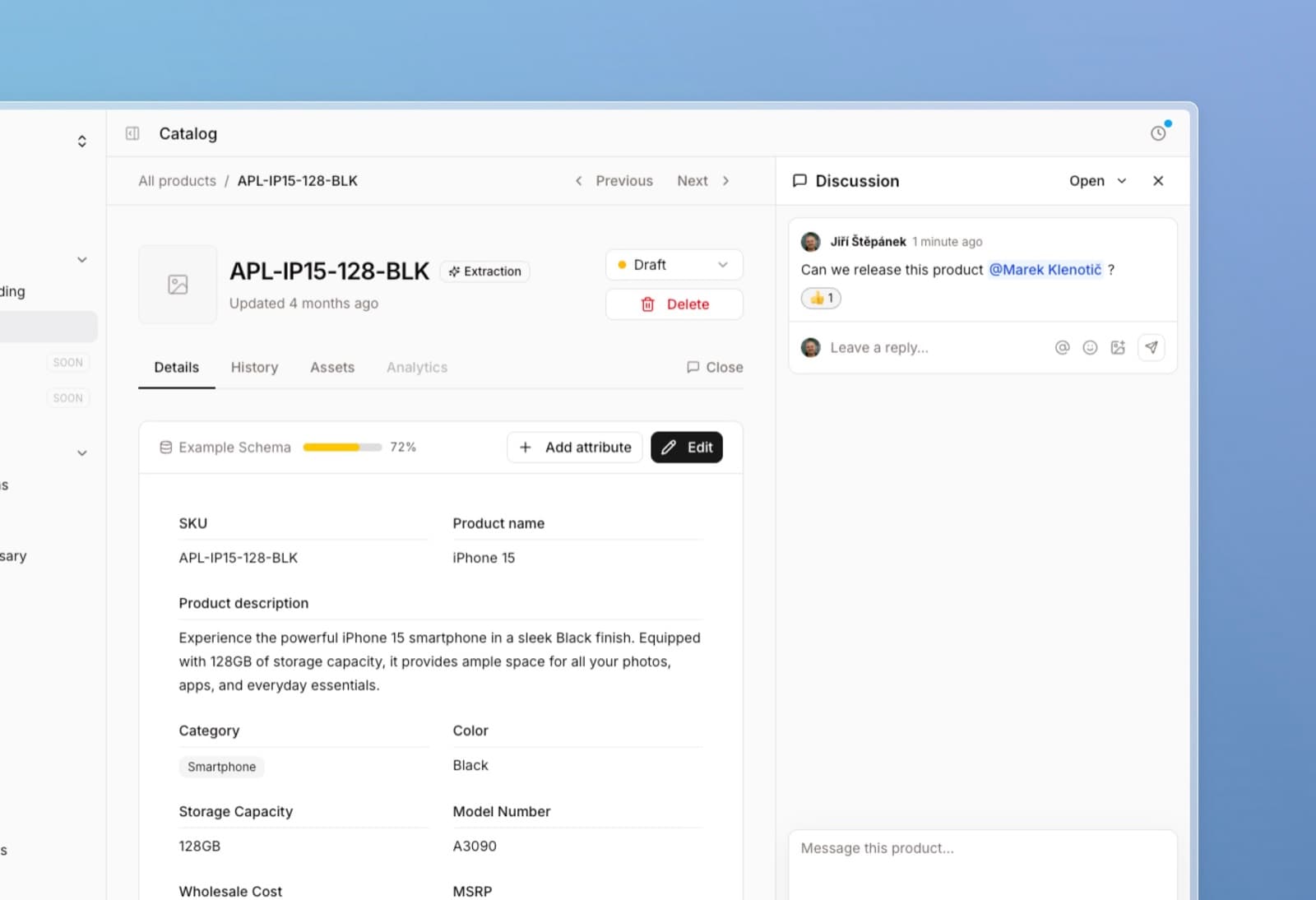
History now shows when the product was first created and lets you filter changes by origin. It is easier to find what a colleague edited and what came from a sync.
Easier handover of work and company management
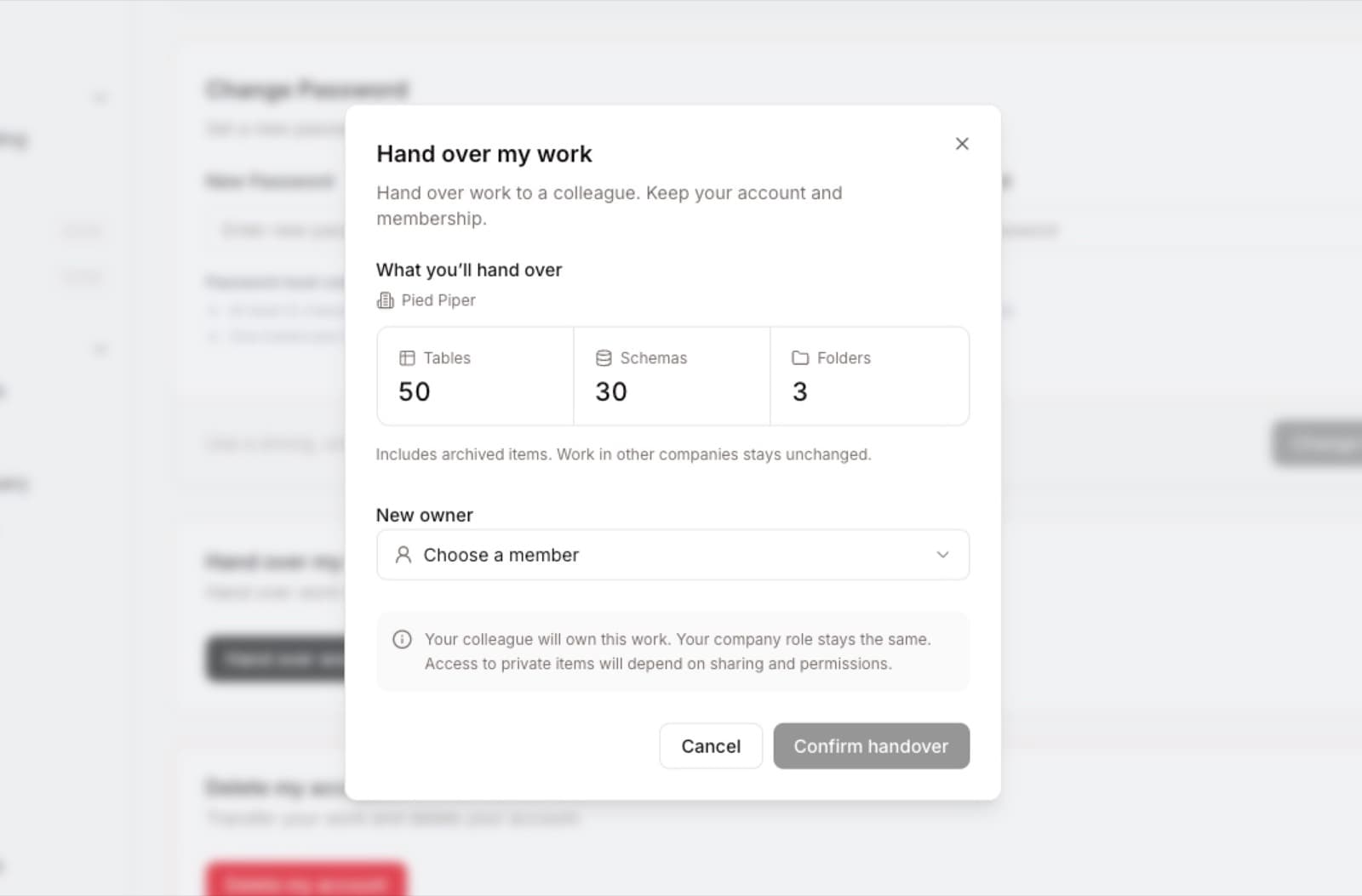
In profile settings we added Hand over my work. You hand tables, schemas, and folders to an authorized colleague and can stay in the company yourself. You can also separately hand over ownership of the entire company.
We also added deletion of your own account, the company, or selected company data, with an overview of the impact and identity verification. Deleting a company does not delete colleagues' personal accounts. Data recovery can be arranged with support for 30 days; before deleting a company you need to resolve running work and the subscription.
More reliable enrichment and saving
We updated the AI models in use, simplified source preparation, and improved work with long documents and slower websites.
We fixed a number of cases where a brief outage or a save error complicated completion. An already prepared result can, in supported situations, be finished without another paid generation. We also tightened credit billing, progress recovery, and error explanations.
Exports that help you find missing data
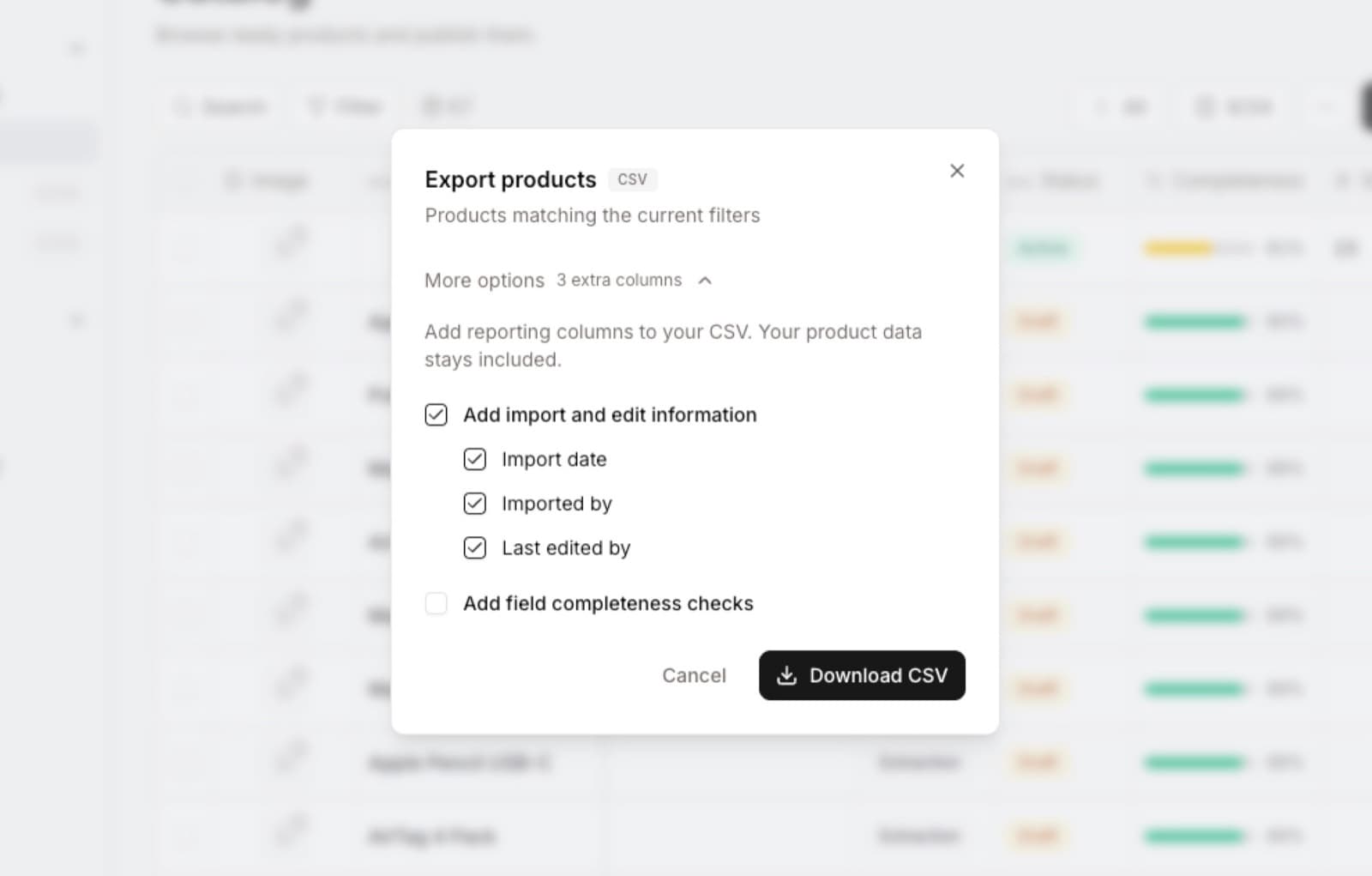
In a catalog export you can add the date added, the author, the last editor, and YES/NO columns for field completeness. For example, on a Slovak description you filter for NO and immediately have a list of products waiting for translation.
Draft data can also be exported after you explicitly confirm a warning about unmet rules. The confirmation applies only to that export; next time the check runs again.
We also simplified the overview before syncing to the catalog. You more clearly see new, changed, and skipped products, as well as the specific fields being updated.
Easier schema setup from files
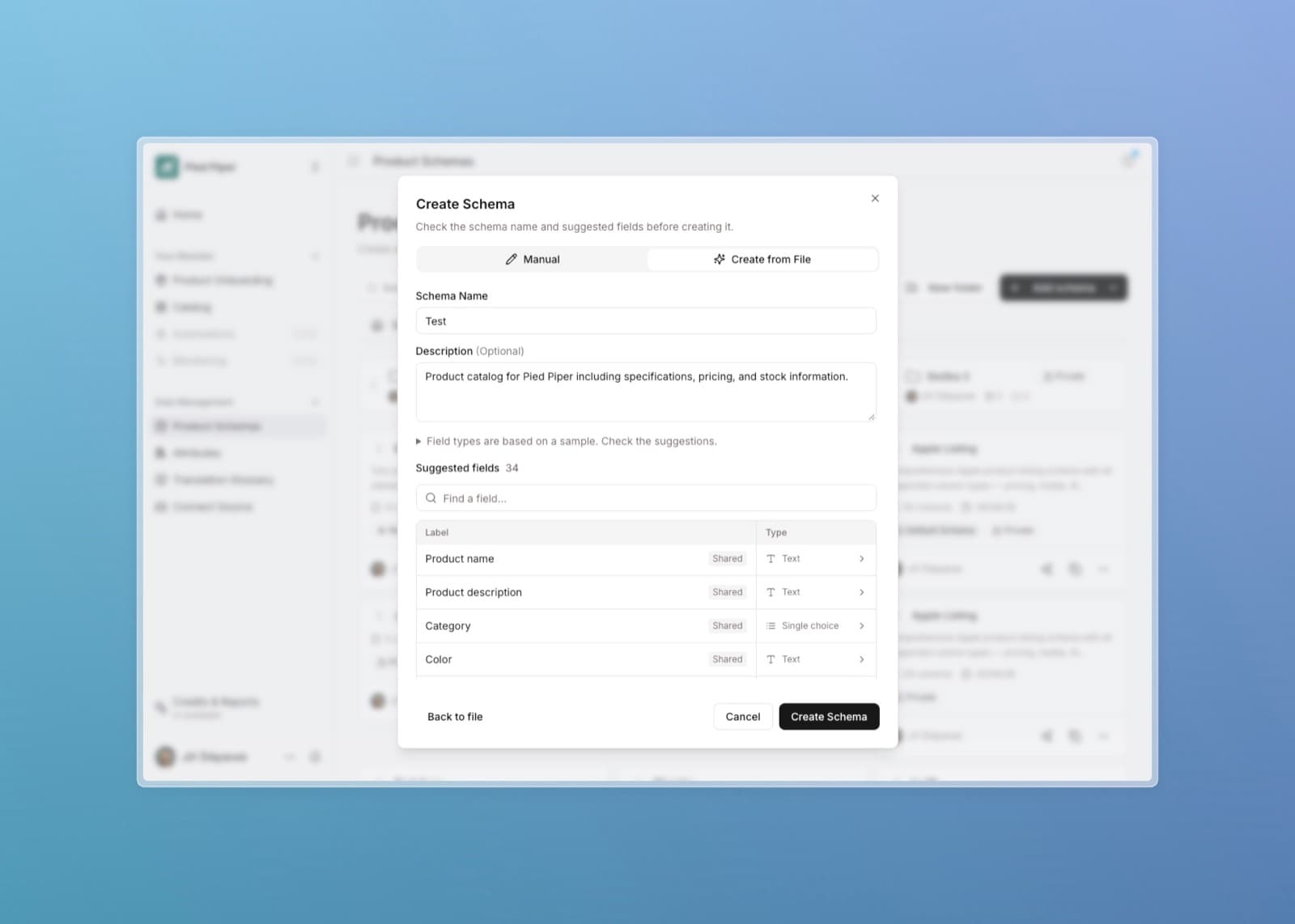
When creating a schema from Excel or CSV, you will better see how Lasso understood the table. You can adjust the header and orientation, select sheets, and prepare a separate draft from each.
Sample source values help you choose the right field type. We tightened number and date recognition and protect, for example, codes with a leading zero. Larger files put less strain on the page.
When importing a saved schema, you review field settings and decide whether they stay as helpers or use shared attributes.
Other fixes and improvements
- Invitations now connect more smoothly to sign-in and password reset. Emails respect the app language.
- New columns show up immediately in a custom view as well. Shared edits, image copying, and saving settings work more reliably.
- We improved automatic updates from connected sources and how problems are shown during email attribute updates.
- When you run out of credits, you will see options based on your permissions. You can keep viewing and exporting existing results. We unified the label for paid capacity to user seats.
- Open tabs handle app updates better. We also expanded operational checks and tests of interrupted jobs.
- We improved credit refunds for confirmed cancelled repairs with no saved result.
- A change of plan or repair price has to be confirmed again.
- Users without a company will see their pending invitations.
- After restoring a product from the trash, its discussion is kept as well.
- Czech and English CSVs open more comfortably in Excel.
- We fixed selected issues with the regular top-up of company credits.
Thank you so much for your feedback. It helps us choose the next improvements for your everyday work.